FLUX.2 [klein]: Ultra-Fast Text-to-Image Model
Edited by Segmind Team on January 20, 2026.
What is FLUX.2 [klein]?
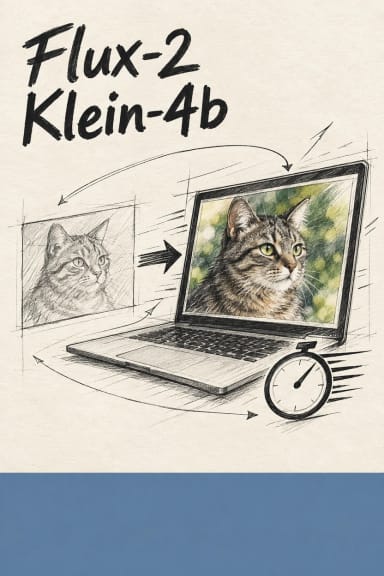
FLUX.2 [klein] is a new addition to the revolutionary family of compact AI image models from Black Forest Labs. Built for real-time execution on standard consumer-grade hardware, it combines multiple workflows into a singular architecture: from text-to-image generation to reference-guided editing. It trumps its rivals (which consume extensive resources) by enabling photorealistic synthesis, editing, and multi-reference generation on just 13GB VRAM, thus boosting the accessibility of high-end GPU workflows. FLUX.2 [klein] comes in two high-grade variants: flagship 9B-parameter that offers exceptional performance, rivaling bigger models, while generating the visual outputs in less than a second; and the open-source 4B variant is ideal in local and edge environments, supporting the developers who build applications that need privacy or offline-first prototypes.
Key Features of FLUX.2 [klein]
- •Sub-second inference speeds for interactive creative workflows offer fast-paced production.
- •13GB VRAM minimum enables deployment on consumer GPUs (RTX 3090, 4080, etc.).
- •Unified architecture supports text-to-image, image editing, and multi-reference generation.
- •Photorealistic quality that matches or exceeds larger, high-grade competing models.
- •Open-source 4B variant that works for transparent development and edge deployment.
- •Quantized versions available for further performance optimization.
- •Multiple aspect ratios including 16:9, 1:1, 9:16, and custom formats for multiple platforms.
- •Fast mode option for rapid prototyping and iteration for different types of projects and workflows.
Best Use Cases
FLUX.2 [klein] excels when projects require speed without sacrificing quality, making it an asset for:
- •Digital agencies and marketing teams can use it to generate campaign concepts in real-time during client meetings.
- •Game developers can leverage the model for rapid prototyping of environmental assets and character concepts.
- •E-commerce platforms can utilize it to create product visualization mockups at scale.
- •Content creators can design multiple iterations quickly for social media visuals or YouTube thumbnails.
- •Startups and independent developers can benefit from its low VRAM footprint, making it ideal for production-quality results without expensive infrastructure.
- •Educational institutions can boost learning experience as they can deploy the open 4B model for hands-on AI workshops.
Prompt Tips and Output Quality
- •Effective prompts balance specificity with creative freedom; describe subjects clearly ("sunset beach with palm trees") and include style direction ("photorealistic," "vibrant colors").
- •Use the negative prompt parameter to exclude unwanted elements like "blurry, low quality, distorted."
- •Adjust CFG scale (guidance) between 5-10; lower values (5-7) encourage creativity, while higher values (8-10) enforce stricter prompt adherence.
- •Set steps to 25-40 for production work; fewer steps work well for rapid sketching.
- •Enable fast mode during exploration phases, then disable it for final renders.
- •The seed parameter ensures reproducibility; lock it when iterating variations of a successful image.
- •Experiment with aspect ratios at the initial stages of production: 16:9 suits landscapes; 9:16 fits mobile content; and 1:1 works for social media squares.