Bria RMBG 3: background removal with clean edges on hair, fur and glass
Bria RMBG 3 removes image backgrounds with clean edges on hair, fur, glass and fine detail, returning a transparent PNG. Send one image, with no prompt.
Bria RMBG 3 removes an image's background and returns a transparent PNG — you send one image, with no prompt. Bria tuned it for the edges that defeat most removers: flyaway hair, animal fur, sheer fabric, glass and fine detail. It keeps partial transparency in the alpha channel, so a cutout drops onto a new background without a fringe. Against Bria's own RMBG 2.0, it trades sub-second speed for cleaner edges.
 ModelBria RMBG 3Remove backgrounds with clean hair, fur and glass edges.
What it does well
Bria reports RMBG 3 ranked first among six background removers on 234 hard images. Each cutout below came from a single call, with no touch-ups.
Hair and fur
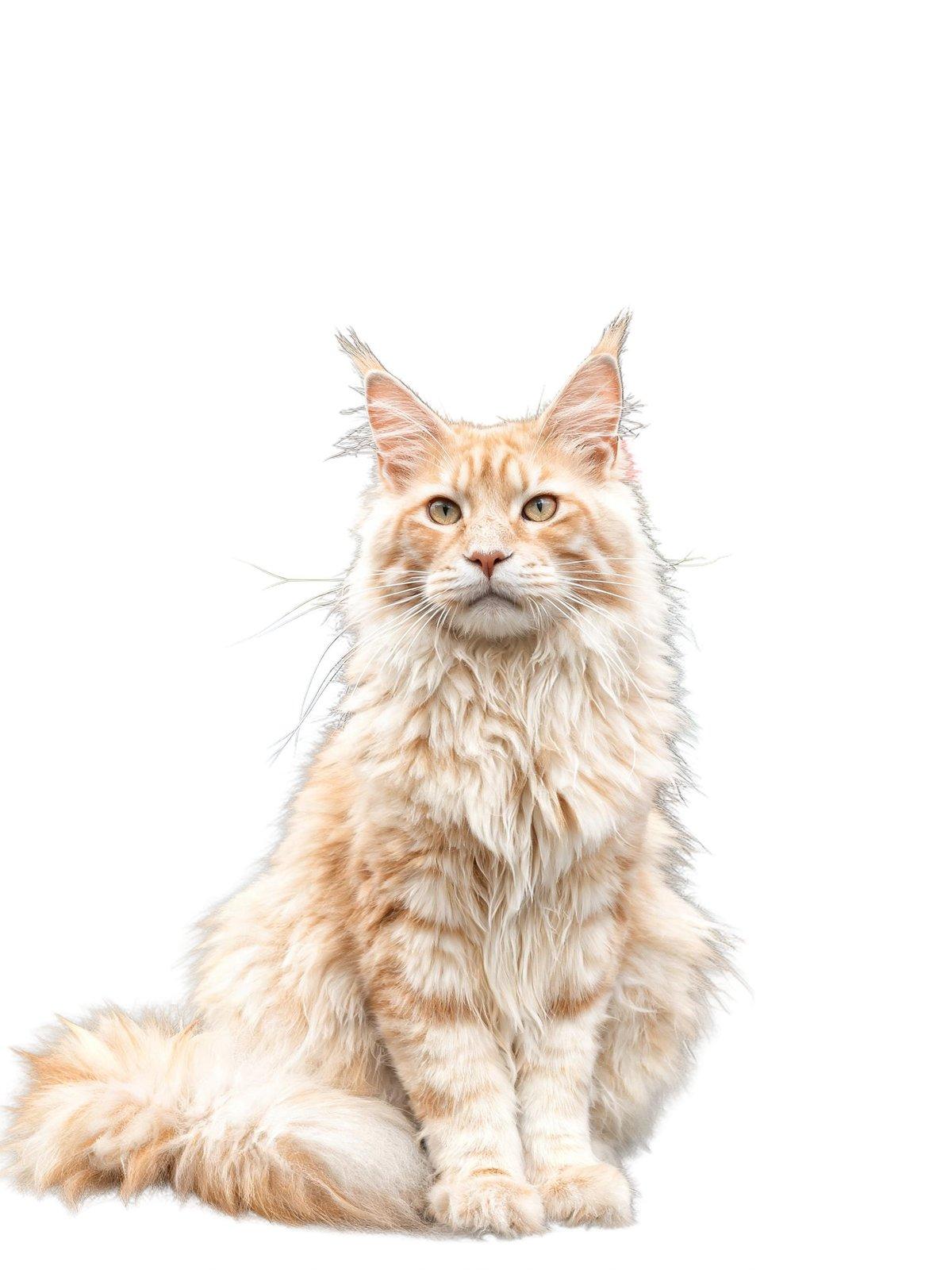
Loose hair and fur is where RMBG 3 stands out. Here a long-haired Maine Coon sits in front of a cluttered flower-market stall. The model keeps the whiskers, ear tufts and flyaway fur as a soft halo while the stall drops to transparency. About a quarter of the pixels end up as soft partial-alpha edges, so no feathering is needed before compositing.
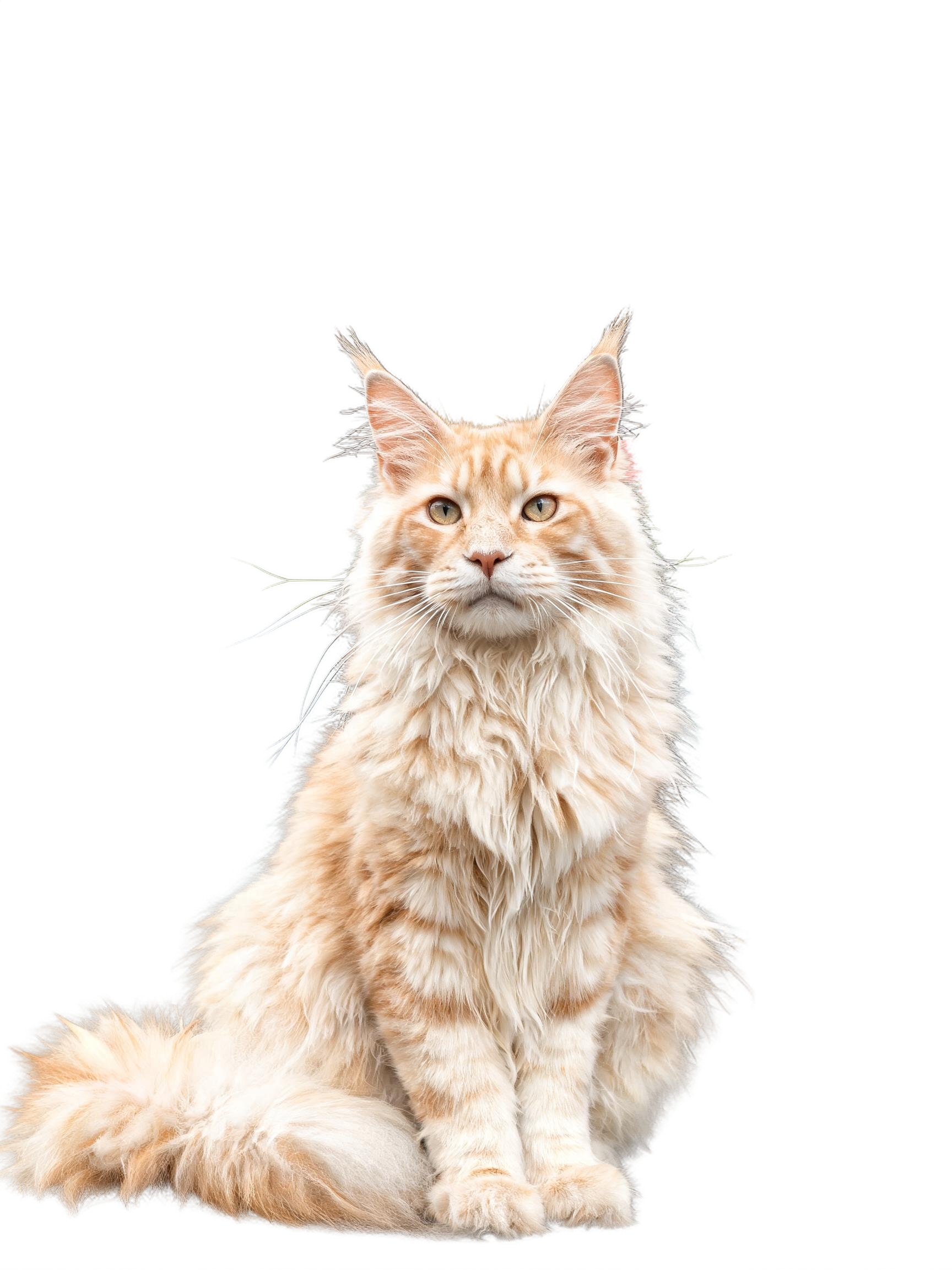
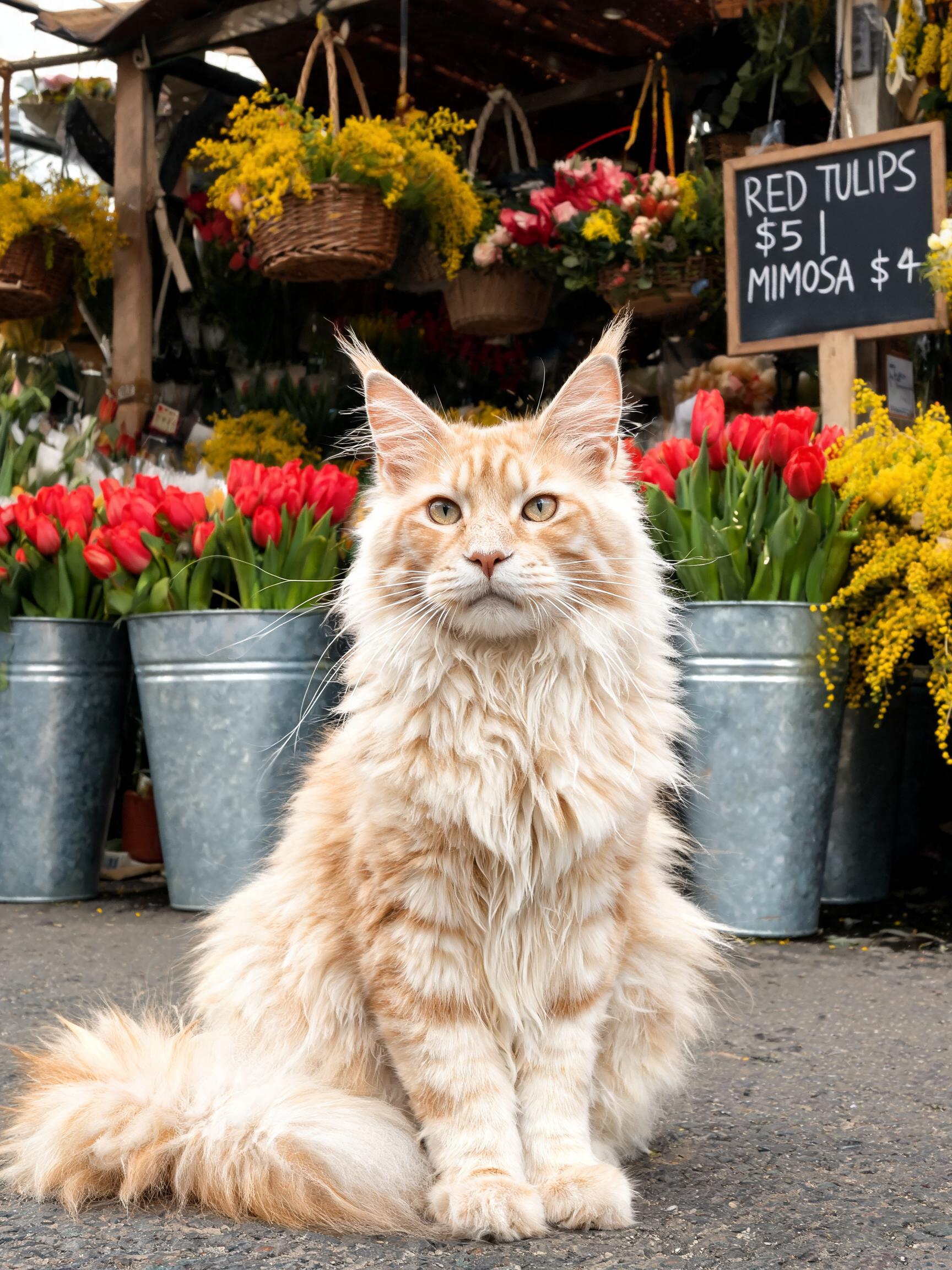 InputOutput
Glass and other see-through objects
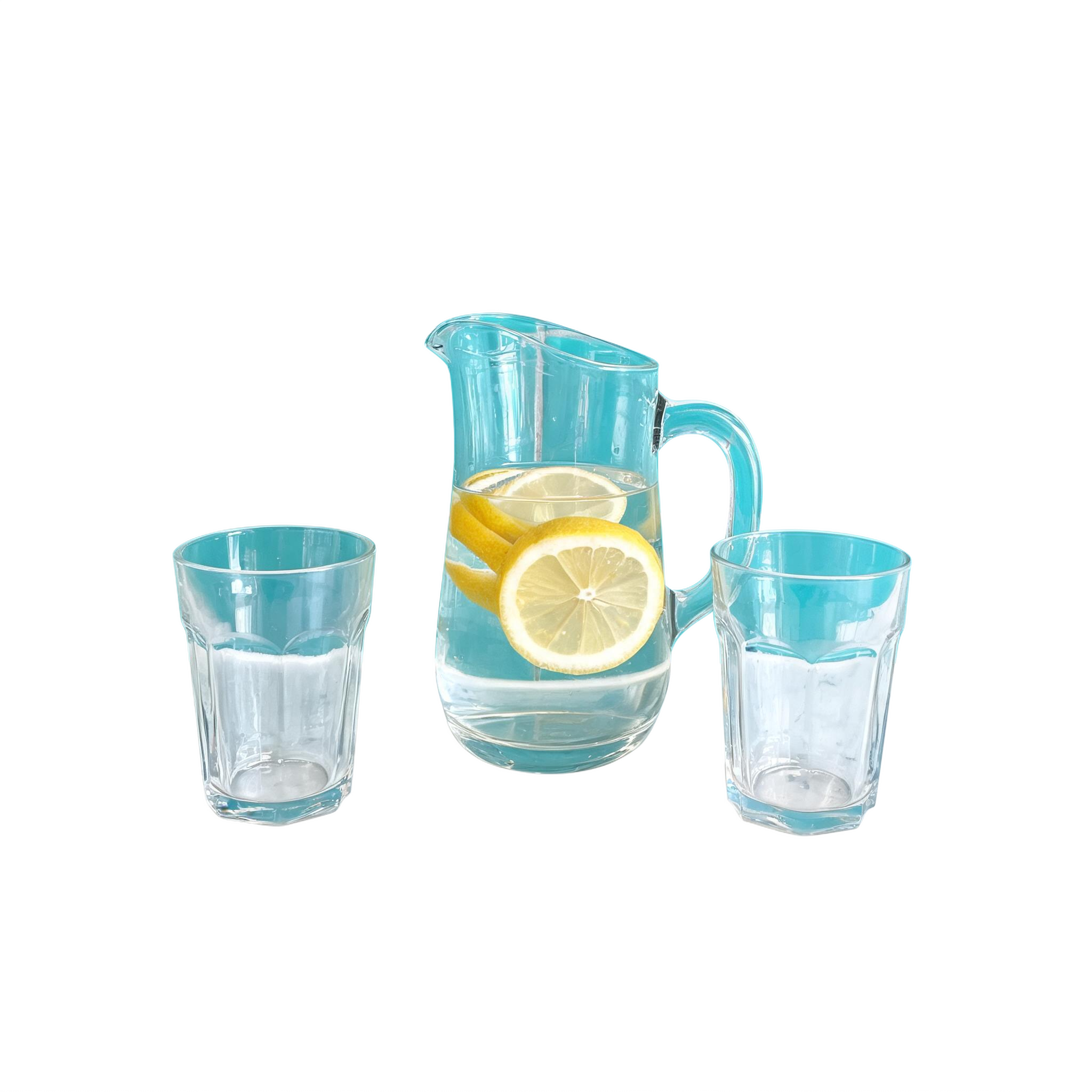
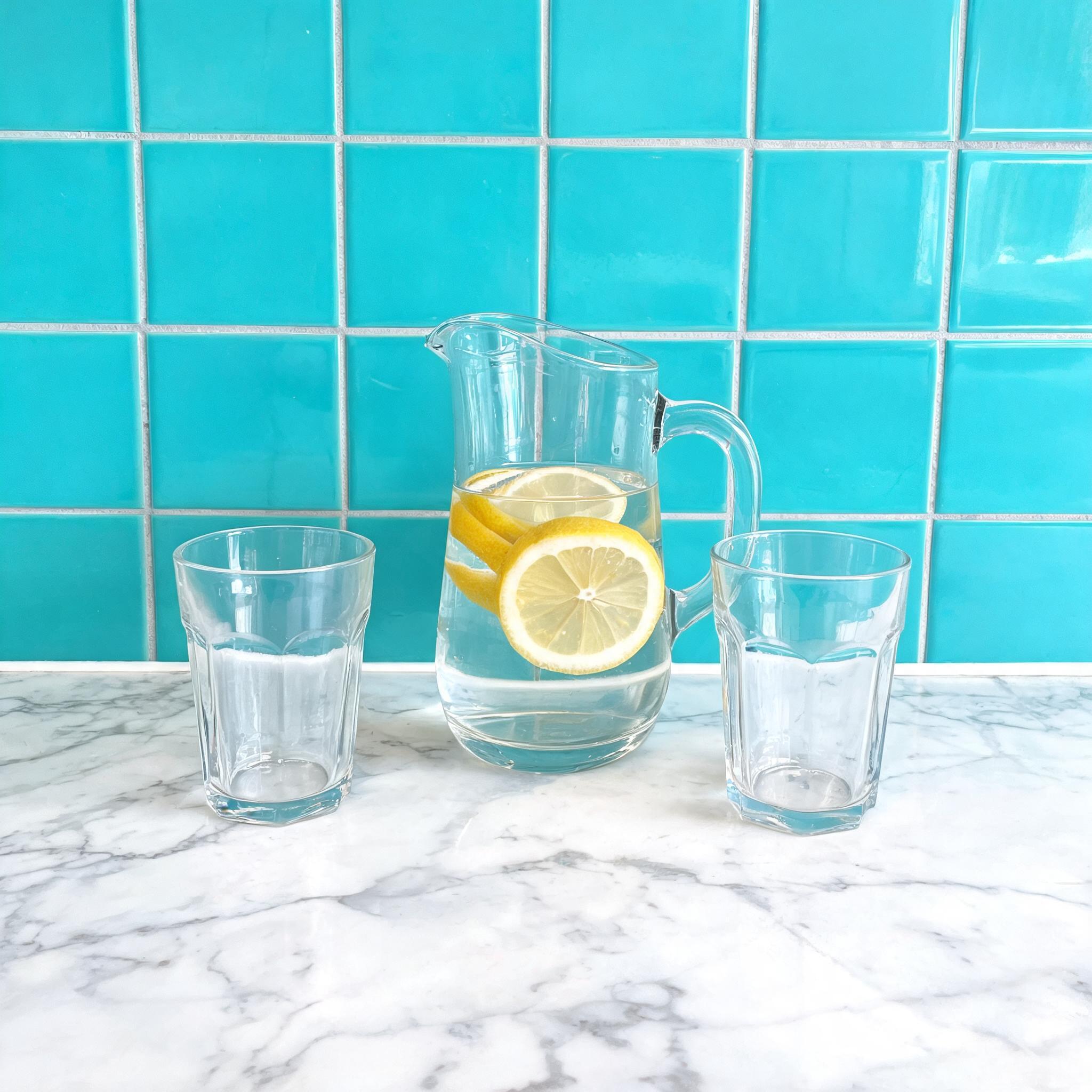
RMBG 3 does not flatten a transparent object into a solid silhouette. In this shot, a glass pitcher of lemon water and two clear glasses sit on a marble counter in front of a tiled wall. The counter and wall drop out while the pitcher, glasses and water stay see-through, so the checkerboard shows straight through the glass. That comes from the non-binary alpha, which stores hundreds of transparency levels instead of a hard on-or-off mask.
 InputOutput
Examples to try
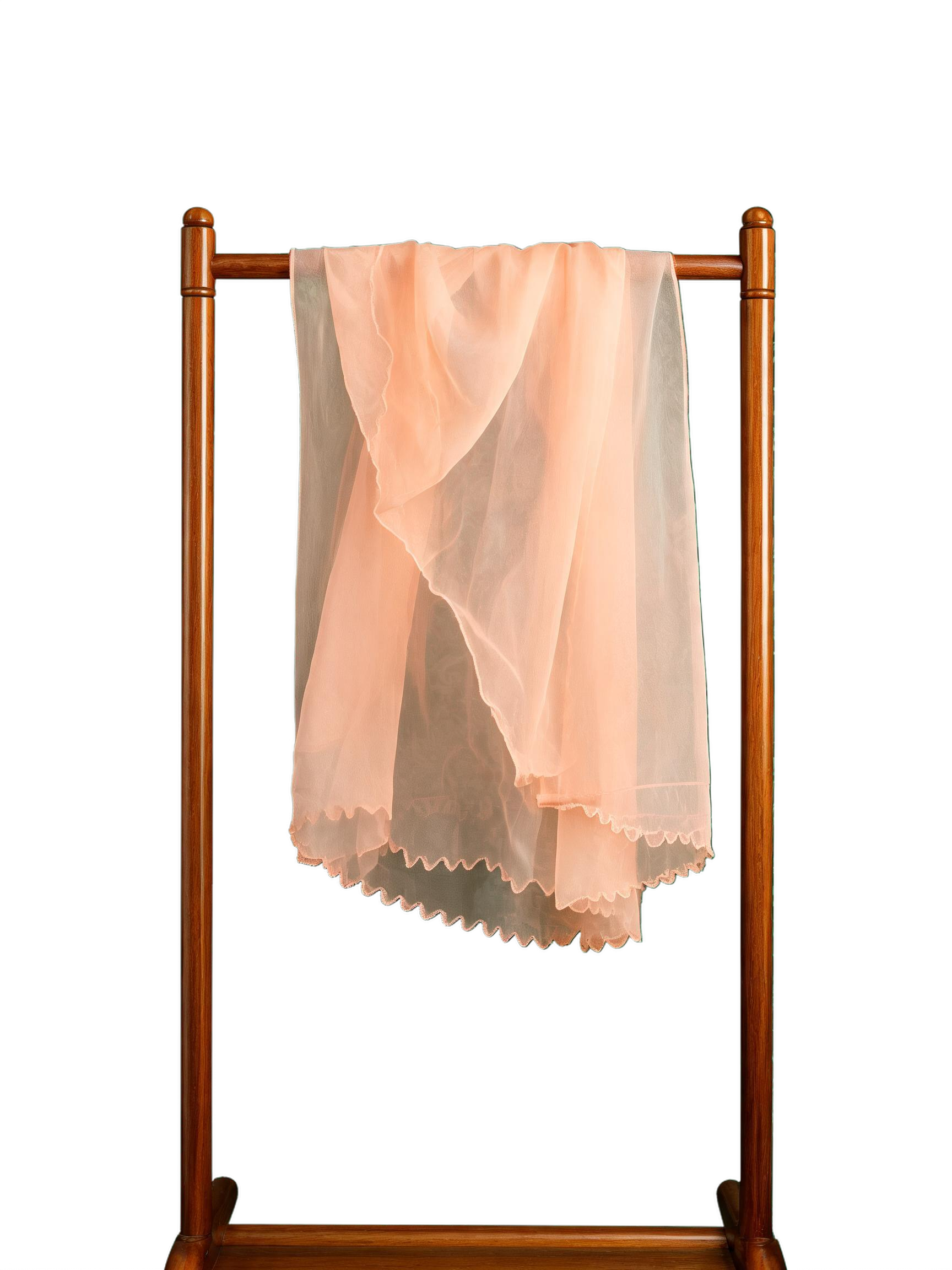
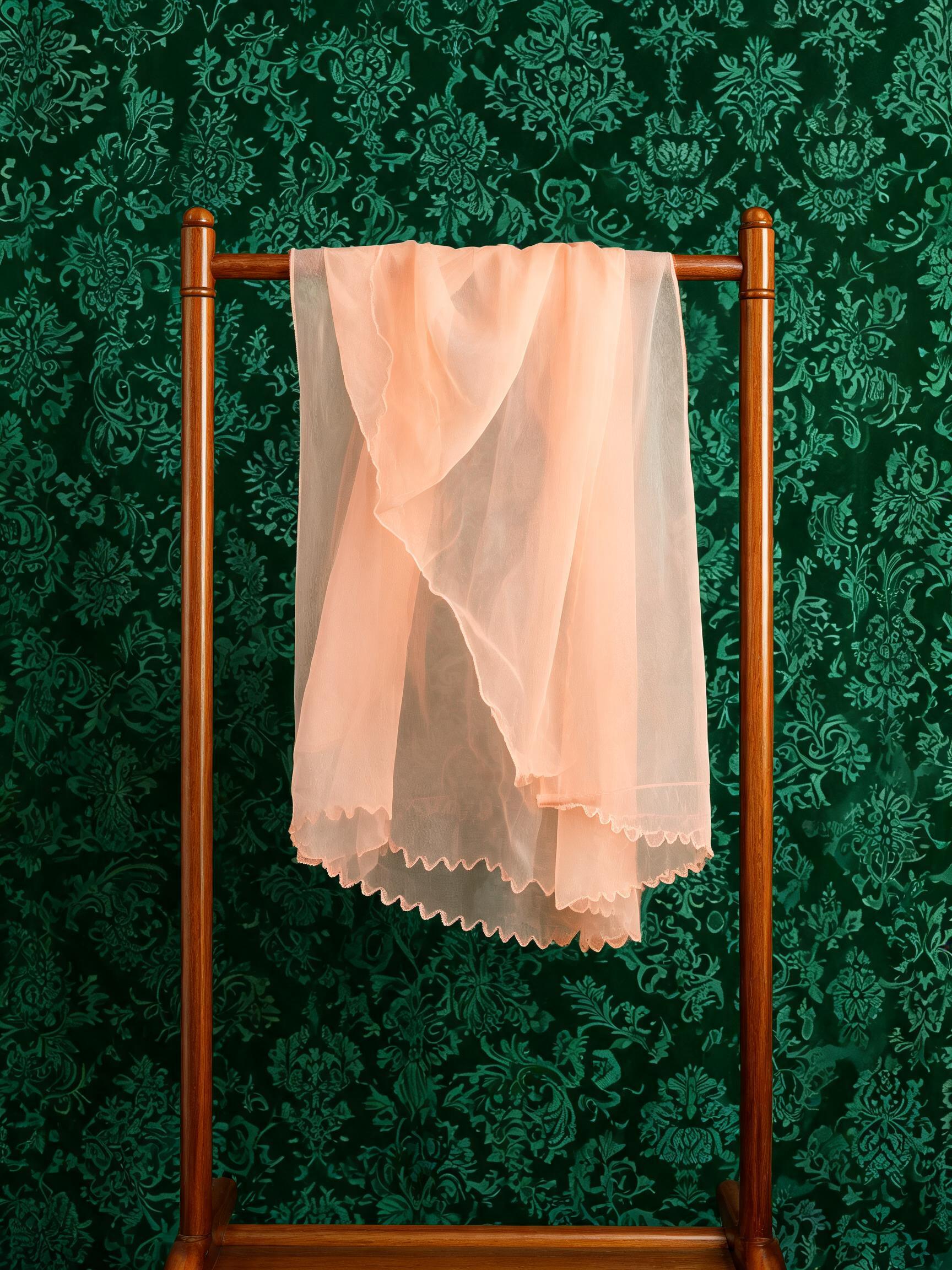
One more hard input is sheer fabric. A peach organza scarf hangs on a wooden stand against a patterned wall.
 InputOutput
The wall is removed while the organza keeps its see-through folds and fine scalloped hem. The opaque wooden stand stays solid, so the non-binary alpha handles sheer and opaque regions in one pass.
Recommended settings
| Setting | Value | When |
|---|---|---|
preserve_alpha | true (default) | Only affects inputs that already have transparency: on keeps it in the cutout, off discards it. No effect on an ordinary photo. |
visual_input_content_moderation | false (default) | Set true to screen and reject flagged uploads in a user-facing pipeline. |
visual_output_content_moderation | false (default) | Set true to screen the result before it is returned. |
Good to know
- RMBG 3 takes a few seconds per image. For sub-second removal, high-volume batches or prompt-guided cutouts, use RMBG 2.0 (bria-remove-background).
- It accepts no prompt — sending one is rejected. To tell the model which object to keep with a prompt, use RMBG 2.0.
- Quality starts with the input. A sharp, well-lit, high-resolution subject gives the cleanest edges; soft focus or heavy motion blur weakens the matte.
- Send
imageas a public URL or a base64 data URI. JPEG, PNG and WEBP are accepted.
Use it from the API
RMBG 3 runs from one image. Send the input URL and keep preserve_alpha on:
# pip install "segmind>=1.1.0"
# export SEGMIND_API_KEY="YOUR_API_KEY"
import segmind

result = segmind.run(
    "bria-rmbg-3",
    image="https://segmind-resources.s3.amazonaws.com/input/bria-rmbg-3-input-66211e22.jpeg",
    preserve_alpha=True,
    visual_input_content_moderation=False,
    visual_output_content_moderation=False,
)
print(result.get("output"))
# 1. Submit the request; the reply carries its request_id
REQUEST_ID=$(curl -s -X POST "https://api.segmind.com/v2/bria-rmbg-3" \
-H "x-api-key: YOUR_API_KEY" \
-H "Content-Type: application/json" \
-d '{
"image": "https://segmind-resources.s3.amazonaws.com/input/bria-rmbg-3-input-66211e22.jpeg",
"preserve_alpha": true,
"visual_input_content_moderation": false,
"visual_output_content_moderation": false
}' | jq -r .request_id)
# 2. Check its status until it is COMPLETED
curl -s "https://api.segmind.com/v2/requests/$REQUEST_ID/status" \
-H "x-api-key: YOUR_API_KEY"
# 3. Fetch the result
curl -s "https://api.segmind.com/v2/requests/$REQUEST_ID" \
-H "x-api-key: YOUR_API_KEY"Resources
- Try Bria RMBG 3 on Segmind
- API reference
- RMBG 3.0 is live — what RMBG 3 improves over RMBG 2.0 (hair, fur, glass, fine detail), the benchmark, and when to choose it over RMBG 2.0.
- Remove Background API reference — the Remove Background endpoint: image input, preserve_alpha, and the input/output content-moderation flags.
- briaai/RMBG-3.0 model card — the RMBG 3.0 model card from Bria on Hugging Face, including its licensed-data training.
- Bria RMBG benchmark — Bria's category-by-category benchmark against other background removers on hard images.
- #image-to-image
- #background-removal
- #bria
- #model-launch
- #transparent-png