Ideogram 4.6 on Segmind: generate and precisely edit images with exact text
Ideogram 4.6 generates posters, logos and photoreal images with exact in-image text at native 2K or 4K. Its Precise Edit endpoint adds legible text or swaps one region while the rest stays unchanged.
Ideogram 4.6 is Ideogram's frontier image model. Its signature is the one thing most generators still get wrong: exact, legible text inside the picture. It renders headlines, logos and posters with quoted words spelled correctly, and generates or edits at native 2K or 4K with no upscaling. Realism, texture and color accuracy also improve over the previous generation. On Segmind it ships as two endpoints: text to image turns a prompt into a finished image, and precise edit changes one region while the rest stays unchanged.
Text to image
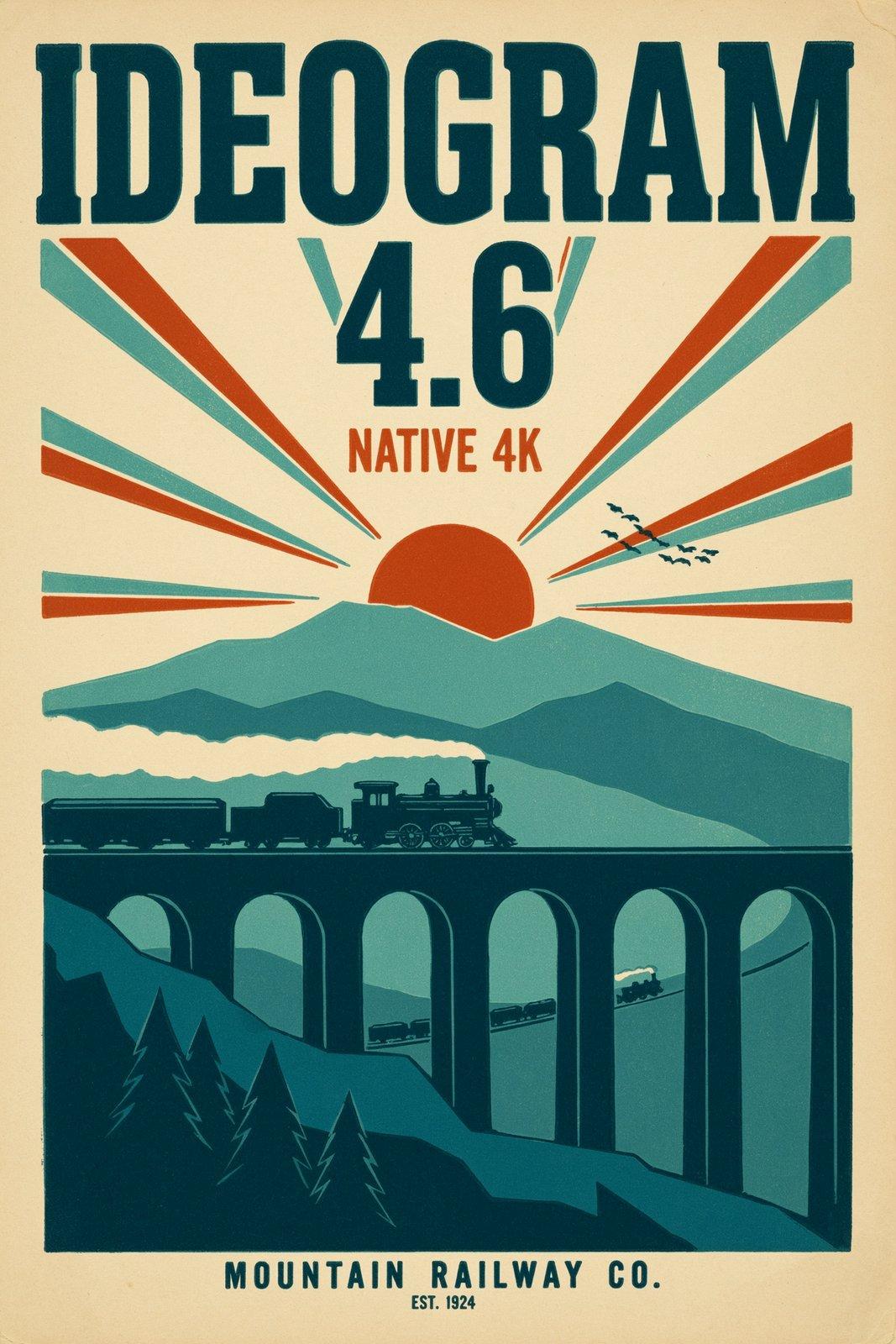
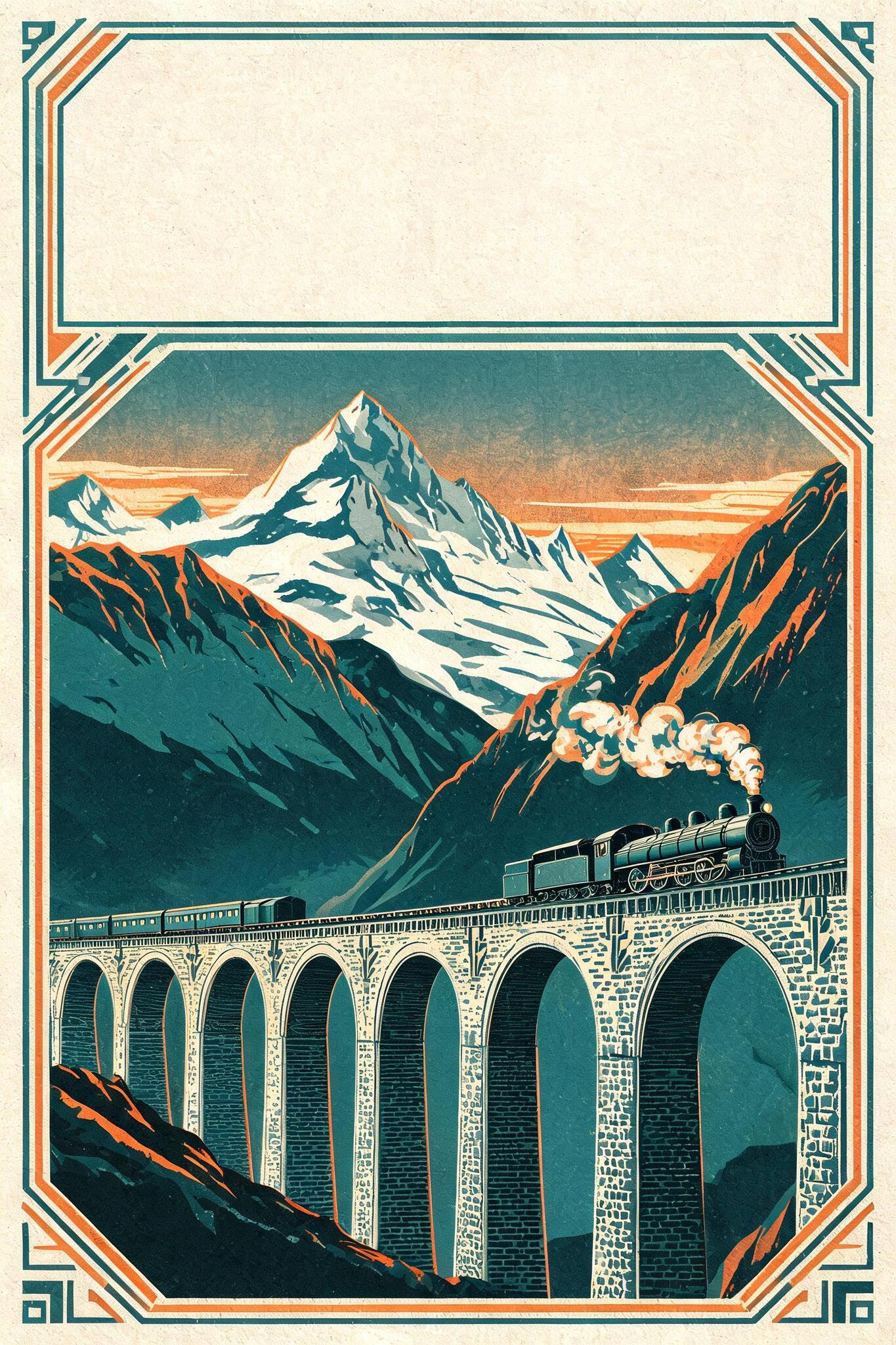
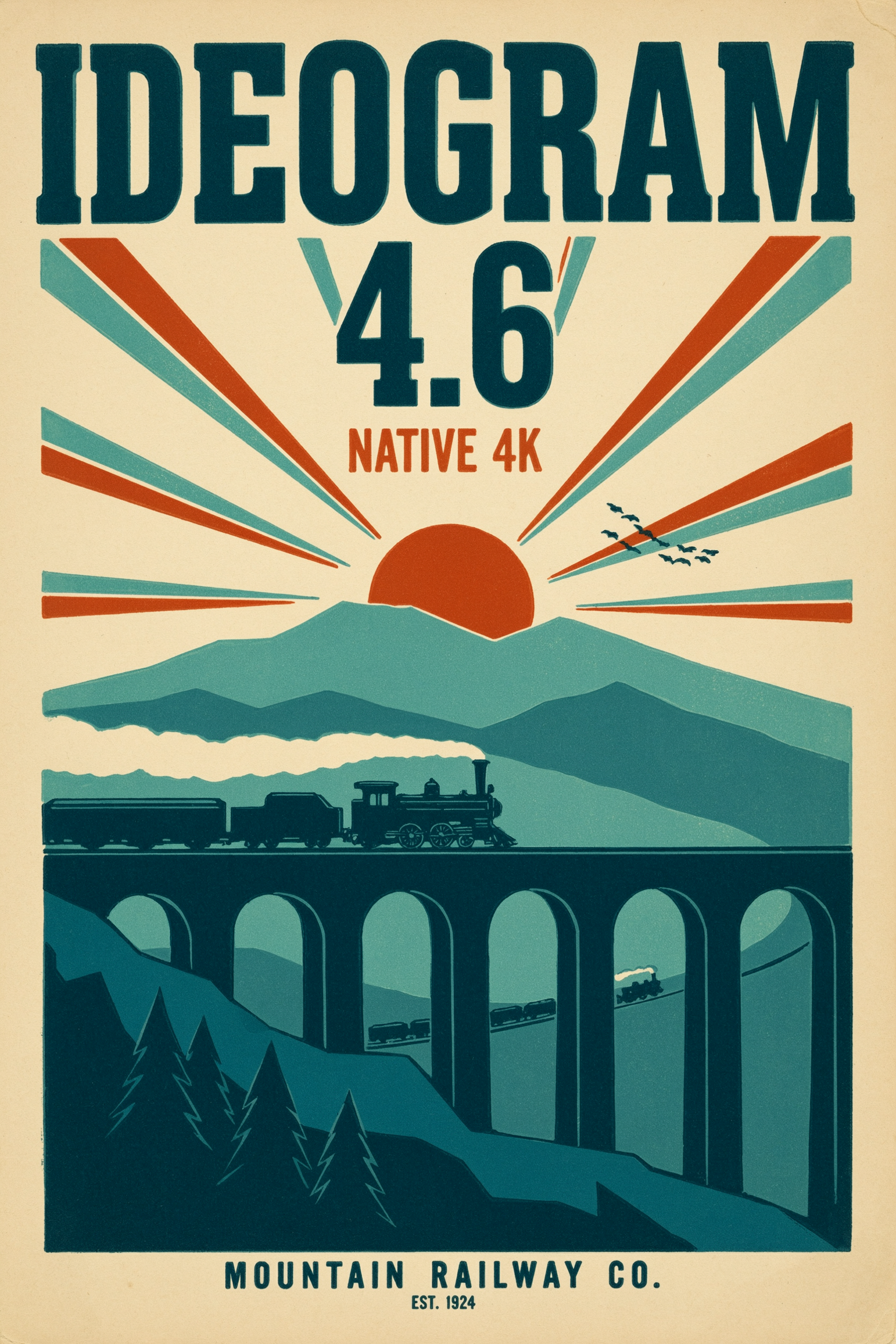
The Generate endpoint takes a text prompt and nothing else. Lead with the subject and quote the exact words you want rendered near the start, then pick a size, a quality tier and a background. It is built for design work where the copy has to be right: posters, logos, album covers, packaging and multilingual ad creative. Both quoted lines in the poster below come back spelled correctly and cleanly set.
 ModelIdeogram 4.6Render exact in-image text and logos at native 4K.
A vintage letterpress travel poster for a mountain railway. Bold headline text reads 'IDEOGRAM 4.6' and a smaller line reads 'NATIVE 4K'. Warm cream paper texture, deep teal and burnt orange inks, a steam train crossing a stone viaduct at sunrise.
Both quoted lines come out spelled correctly and cleanly set inside the layout, so quote each line and keep it short.
An extreme macro photograph of a peacock jumping spider perched on a dew-beaded fern frond. Its iridescent sapphire-and-amber scales, fine leg hairs and two large forward-facing eyes are in razor focus, and each dew droplet catches a bright reflection, under diffused overcast daylight against a blurred green background.
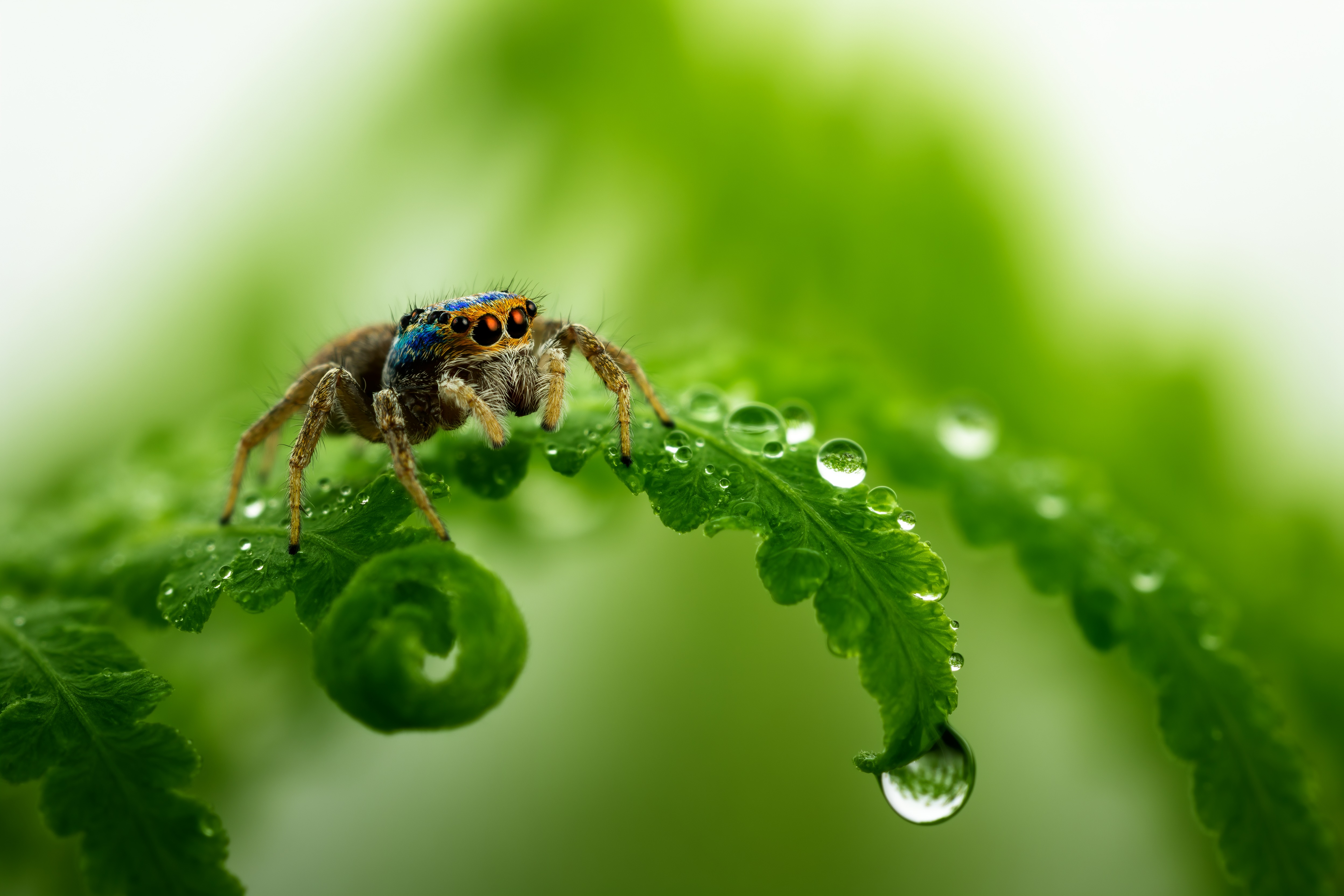
At size auto_4k the frame holds hair-fine texture edge to edge with no upscaling, so expect a larger file.
A cut-out studio product photo of a cherry-red vintage Italian motor scooter in full side profile, with chrome mirrors, a round headlamp and a tan leather seat, isolated on a fully transparent background with clean cut edges and no backdrop.
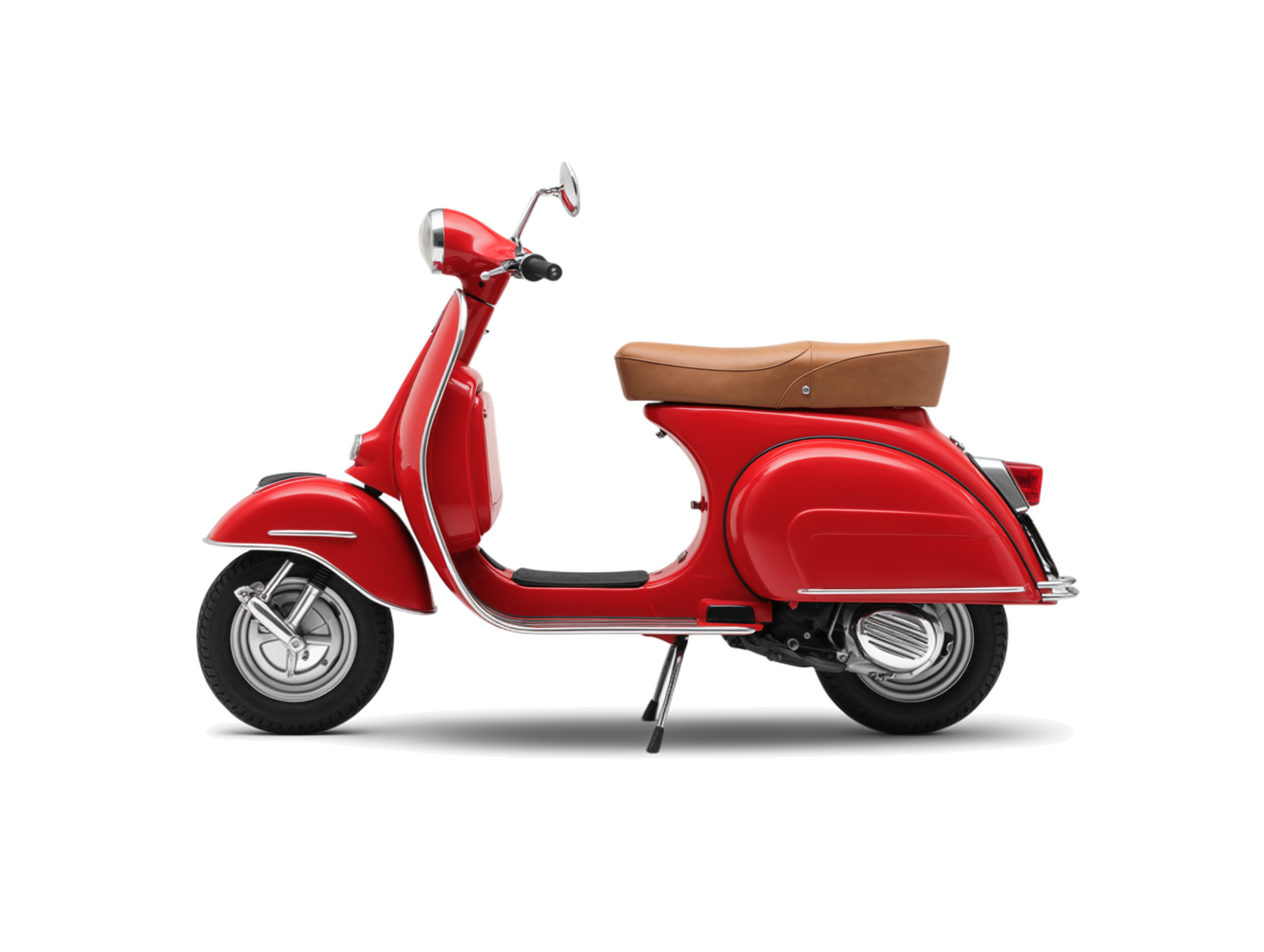
Setting background to transparent returns an alpha PNG you can drop straight onto any layout, ideal for logos and stickers.
A photoreal dusk photograph of a whitewashed flamenco venue facade in Seville. A glowing red neon sign near the top reads 'TABLAO EL DUENDE', with a smaller amber neon line below reading 'FLAMENCO EN VIVO'. A wrought-iron lantern hangs beside the arched wooden doorway.
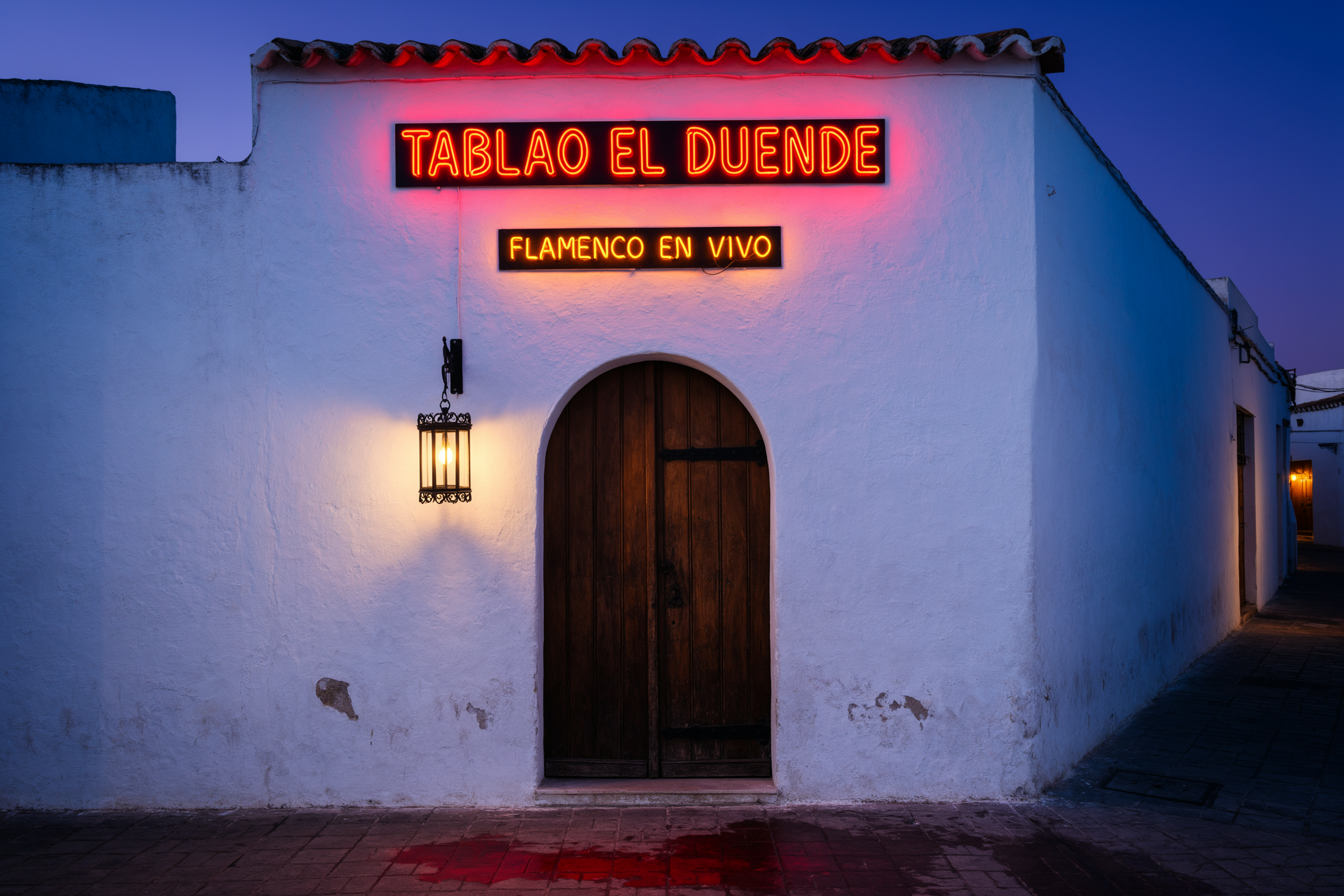
Both Spanish lines render verbatim, so set magic_prompt to off when wording in another language must stay exactly as typed.
Use text to image from the API
Send a prompt and the settings you want, and the response returns the finished image.
# pip install "segmind>=1.1.0"
# export SEGMIND_API_KEY="YOUR_API_KEY"
import segmind

result = segmind.run(
    "ideogram-4.6",
    prompt="A vintage letterpress travel poster for a mountain railway. Bold headline text reads 'IDEOGRAM 4.6' and a smaller line reads 'NATIVE 4K'. Warm cream paper texture, deep teal and burnt orange inks, a steam train crossing a stone viaduct at sunrise.",
    size="auto",
    quality="medium",
    background="auto",
    magic_prompt="auto",
    enable_copyright_detection=False,
)
print(result.get("output"))
# 1. Submit the request; the reply carries its request_id
REQUEST_ID=$(curl -s -X POST "https://api.segmind.com/v2/ideogram-4.6" \
-H "x-api-key: YOUR_API_KEY" \
-H "Content-Type: application/json" \
-d '{
"prompt": "A vintage letterpress travel poster for a mountain railway. Bold headline text reads '\''IDEOGRAM 4.6'\'' and a smaller line reads '\''NATIVE 4K'\''. Warm cream paper texture, deep teal and burnt orange inks, a steam train crossing a stone viaduct at sunrise.",
"size": "auto",
"quality": "medium",
"background": "auto",
"magic_prompt": "auto",
"enable_copyright_detection": false
}' | jq -r .request_id)
# 2. Check its status until it is COMPLETED
curl -s "https://api.segmind.com/v2/requests/$REQUEST_ID/status" \
-H "x-api-key: YOUR_API_KEY"
# 3. Fetch the result
curl -s "https://api.segmind.com/v2/requests/$REQUEST_ID" \
-H "x-api-key: YOUR_API_KEY"Precise edit
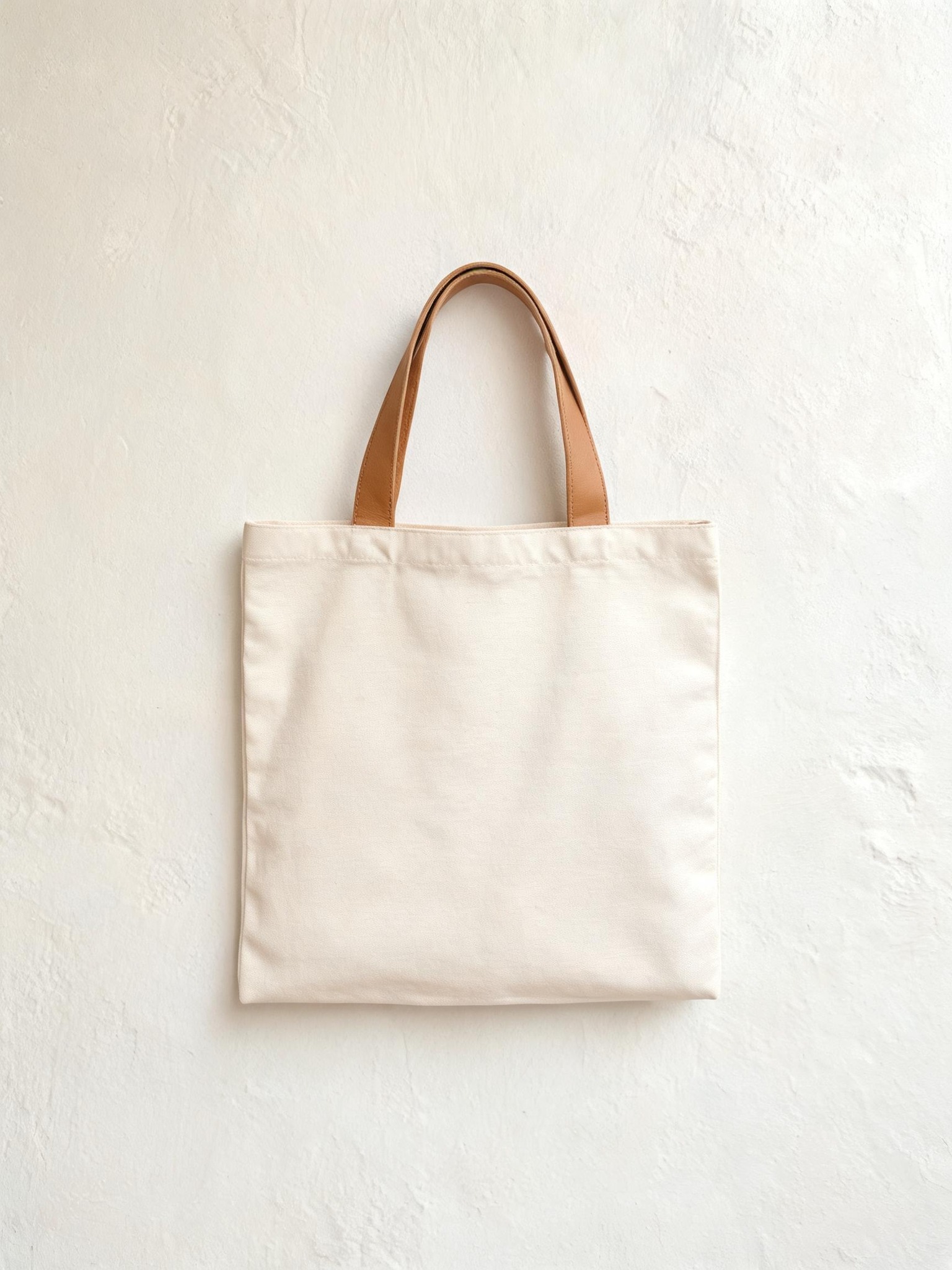
The Precise Edit endpoint takes an image and a prompt that names only the change. It copies every pixel outside the edit straight from the source, so you can add a headline, swap an object or restyle one area without re-rendering the whole picture. Add a mask or a context_window for the tightest region control, and up to four reference images to bring in a product, logo or pattern. The result comes back at the input's exact width and height.
 ModelIdeogram 4.6 EditEdit image regions precisely with legible text, rest unchanged
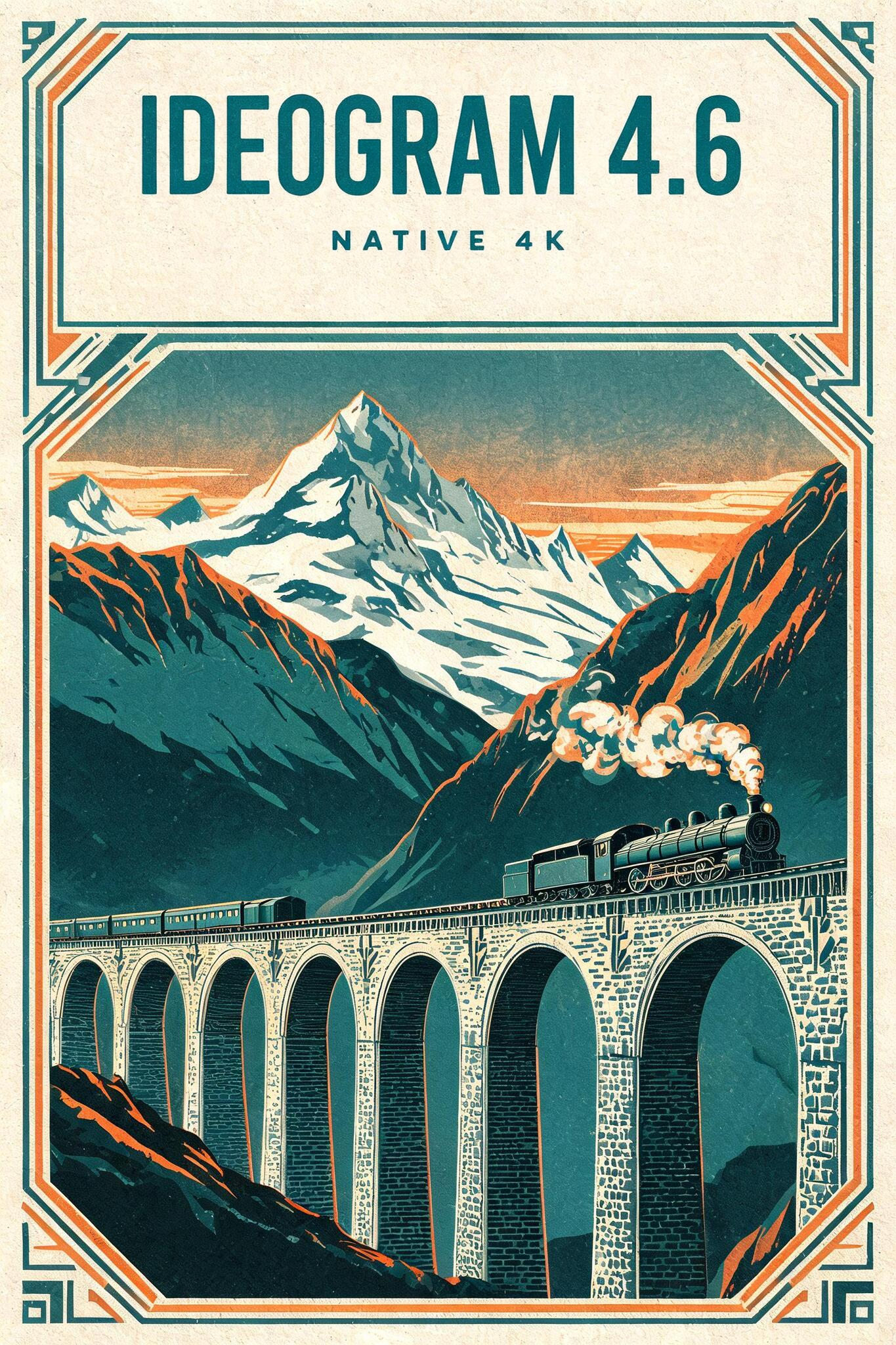
 InputOutput
The headline 'IDEOGRAM 4.6' and sub-line 'NATIVE 4K' land cleanly in the blank banner while the train, viaduct and art-deco border stay identical.
Input 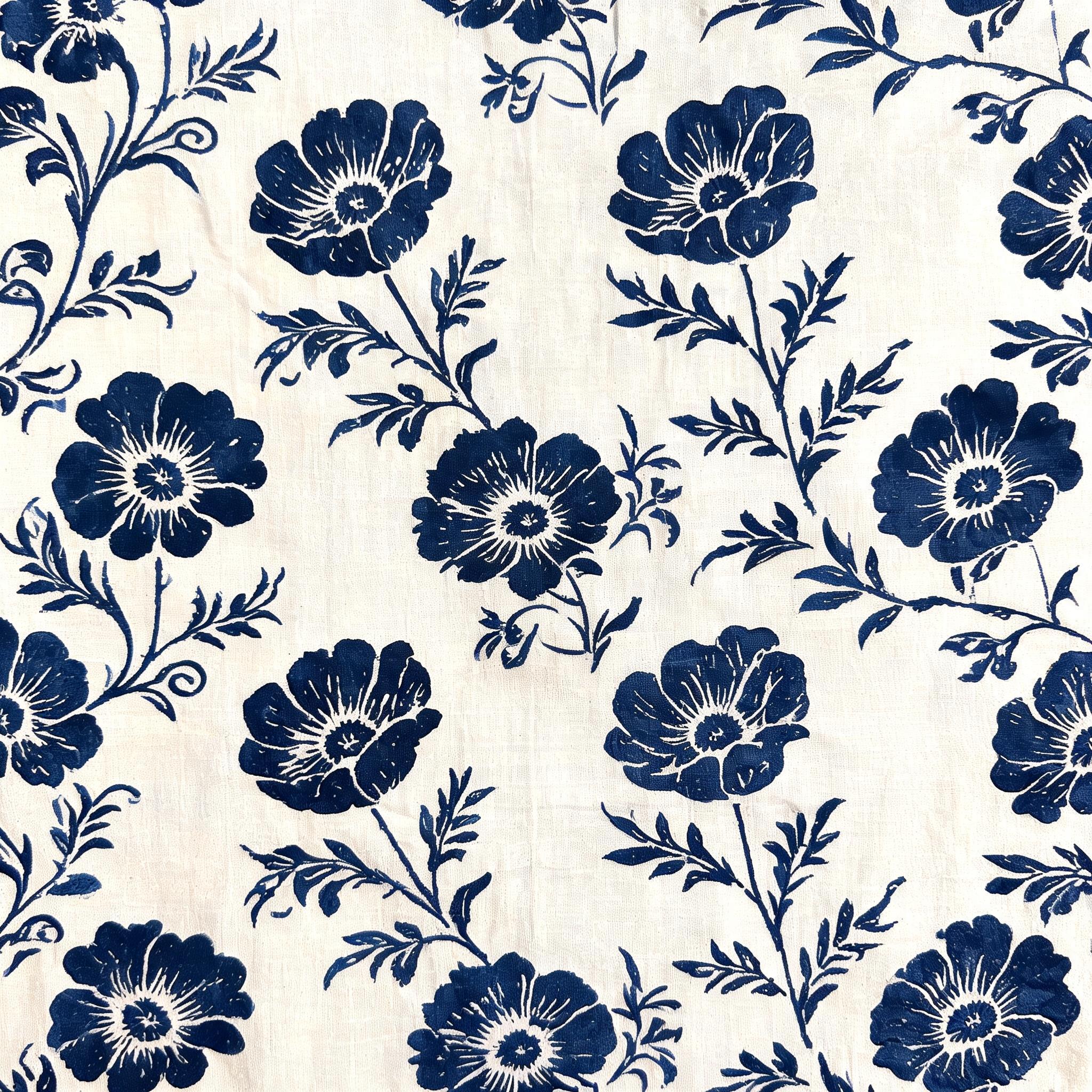
Reference 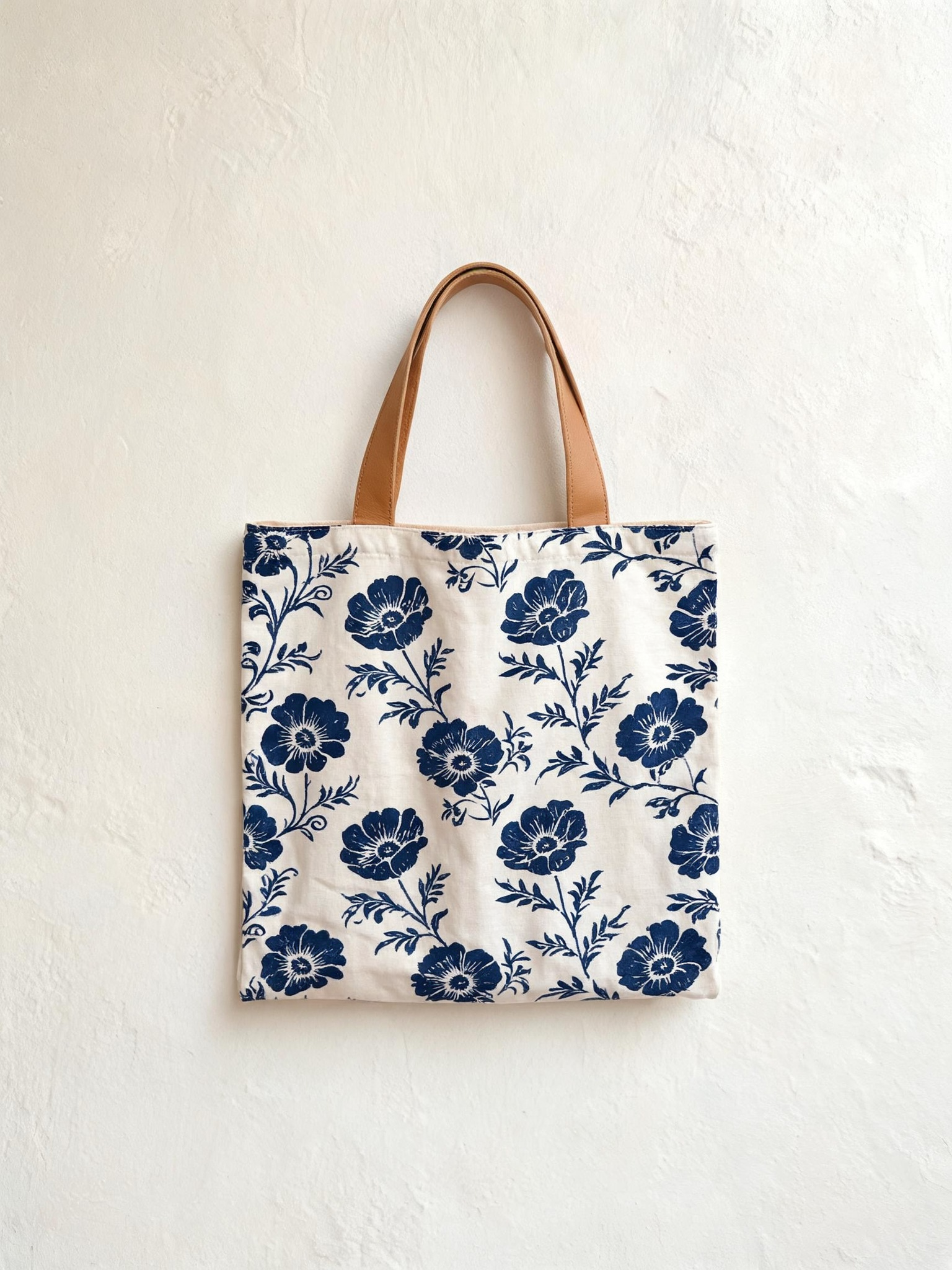
Output
Pass the motif as a reference image and name only where it should land, up to four references or three alongside a mask.
 InputOutput
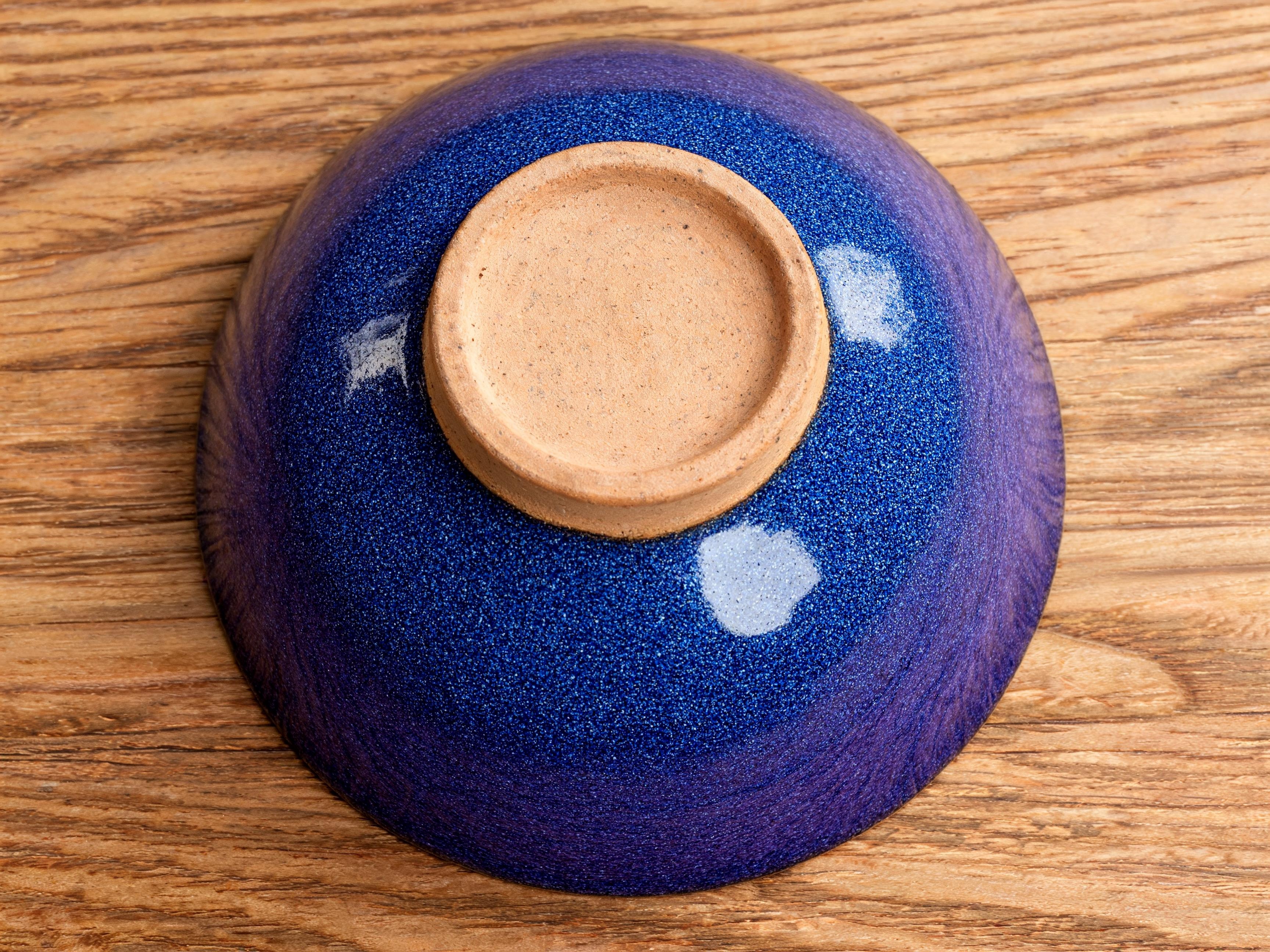
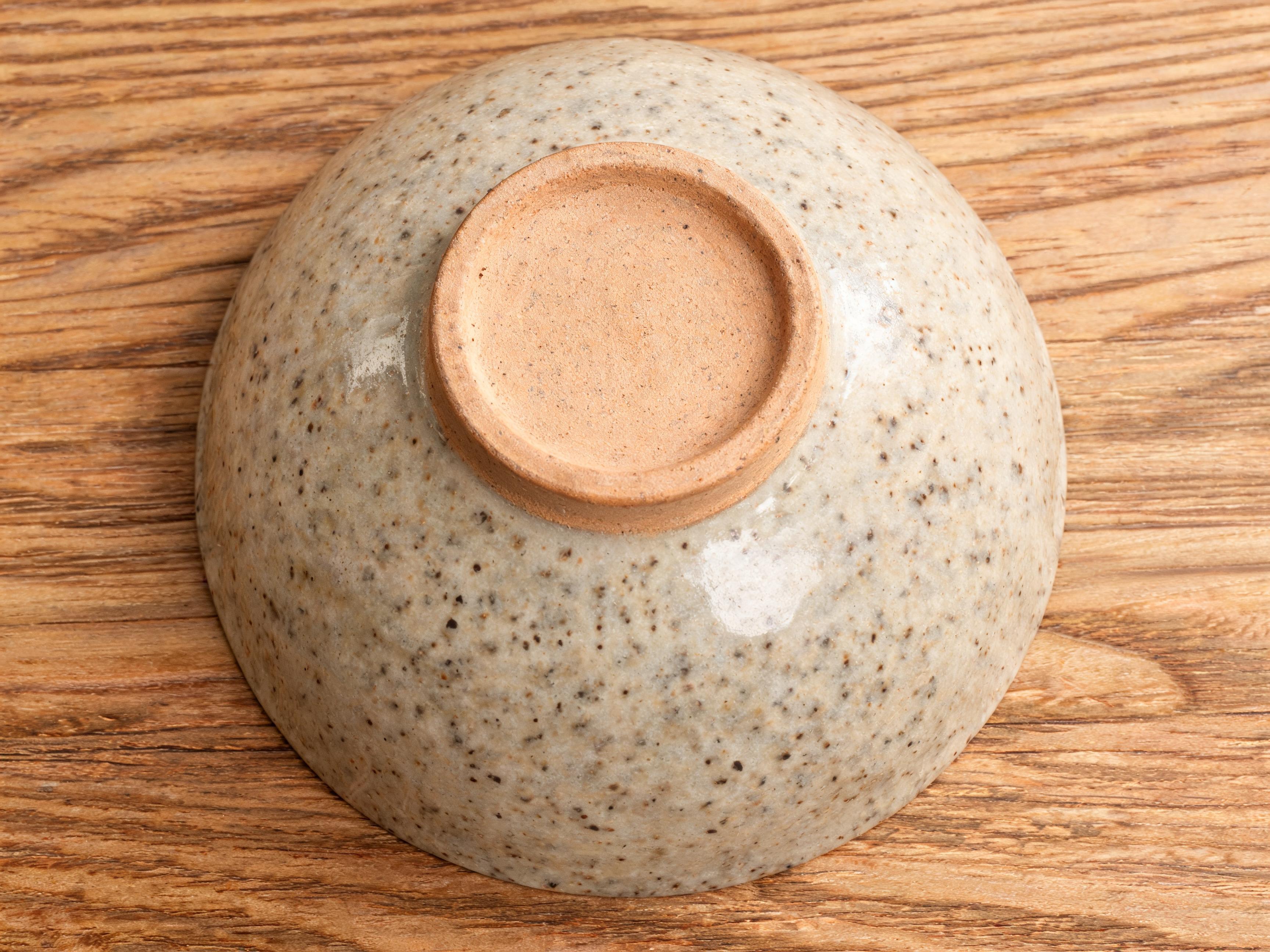
A 3456x2592 input edits at 4K and returns at the same size, with the clay foot ring and oak grain untouched.
Use precise edit from the API
Send the source image, a prompt describing only the change, and any mask or reference images.
# pip install "segmind>=1.1.0"
# export SEGMIND_API_KEY="YOUR_API_KEY"
import segmind

result = segmind.run(
    "ideogram-4.6-edit",
    image="https://segmind-resources.s3.amazonaws.com/input/ideogram-4.6-edit-poster-src.jpg",
    prompt="Set the headline 'IDEOGRAM 4.6' in bold condensed vintage letterpress capitals across the blank banner at the top, with a smaller sub-line 'NATIVE 4K' beneath it in spaced caps, inked in deep teal; keep the steam train, the stone viaduct, the snowy alpine peaks, the cream paper texture and the art-deco border unchanged",
    mask="",
    reference_images=[],
    quality="medium",
    context_window="",
    seed="",
    enable_copyright_detection=False,
)
print(result.get("output"))
# 1. Submit the request; the reply carries its request_id
REQUEST_ID=$(curl -s -X POST "https://api.segmind.com/v2/ideogram-4.6-edit" \
-H "x-api-key: YOUR_API_KEY" \
-H "Content-Type: application/json" \
-d '{
"image": "https://segmind-resources.s3.amazonaws.com/input/ideogram-4.6-edit-poster-src.jpg",
"prompt": "Set the headline '\''IDEOGRAM 4.6'\'' in bold condensed vintage letterpress capitals across the blank banner at the top, with a smaller sub-line '\''NATIVE 4K'\'' beneath it in spaced caps, inked in deep teal; keep the steam train, the stone viaduct, the snowy alpine peaks, the cream paper texture and the art-deco border unchanged",
"mask": "",
"reference_images": [],
"quality": "medium",
"context_window": "",
"seed": "",
"enable_copyright_detection": false
}' | jq -r .request_id)
# 2. Check its status until it is COMPLETED
curl -s "https://api.segmind.com/v2/requests/$REQUEST_ID/status" \
-H "x-api-key: YOUR_API_KEY"
# 3. Fetch the result
curl -s "https://api.segmind.com/v2/requests/$REQUEST_ID" \
-H "x-api-key: YOUR_API_KEY"Side by side
The same launch poster is built two ways here.
Text to image Precise edit
Text to image draws the whole poster, type included, from one prompt; precise edit writes the headline into an existing blank banner and leaves the illustration pixel-identical.
Shared settings
| Setting | Value | Members | When to use |
|---|---|---|---|
| prompt | text; quote exact words near the start | both | every run; on precise edit, name only the change |
| quality | medium (default), high, very_low | both | high for dense or small text; very_low for quick 2K drafts |
| size | auto, auto_2k, auto_4k, or WxH on a 32-px grid | text to image | auto_4k or any side over 2048 px for native 4K |
| background | auto (default), transparent | text to image | transparent for an alpha PNG (logos, stickers) |
| magic_prompt | auto (default), on, off | text to image | off to keep wording exactly as typed |
| image | JPEG, PNG or WebP source | precise edit | required; its size sets the output (over 2048x2048 edits at 4K) |
| mask | black-and-white image, input size | precise edit | black marks the area to edit; gives the lowest drift |
| context_window | none, auto, or a pixel box | precise edit | to edit a sub-region of a large source at full resolution |
| reference_images | up to 4 (3 with a mask) | precise edit | to bring in a product, logo, pattern or style |
| seed | 0 to 2147483647 | both | fix a value to reproduce a result |
Good to know
- Very dense or very small body text can still show occasional errors, so use quality high for dense, small type.
- Non-Latin scripts work but are still expanding; you get the cleanest results in the target language with short quoted text.
- Text to image is prompt-only and expands a short prompt by default, so set magic_prompt to off for verbatim wording; image and reference inputs go to precise edit.
- On precise edit, whole-image edits can drift more than masked ones, so add a mask or context_window for tight control, and the output always matches the input's exact size.
Resources
- Try Ideogram 4.6 on Segmind · API reference
- Try Ideogram 4.6 Edit on Segmind · API reference
- Ideogram Prompting Basics — how to write Ideogram prompts: lead with the subject, quote text near the start, plain-text vs JSON prompting and Magic Prompt
- Ideogram 4.6 model page — what 4.6 adds: native 4K, precise multi-turn editing, the Generate and Precise Edit endpoints, realism and texture gains
- Generate with Ideogram 4.6 (API reference) — the Generate endpoint parameters: prompt, size, quality, magic prompt, background and seed
- Precise Edit with Ideogram 4.6 (API reference) — the Precise Edit endpoint: image, prompt, mask, reference images, quality, context_window and seed
- Ideogram Text Rendering — Ideogram's text-rendering capability and guidance for best results
- #ideogram-4-6
- #ideogram
- #model-launch
- #text-to-image
- #text-rendering