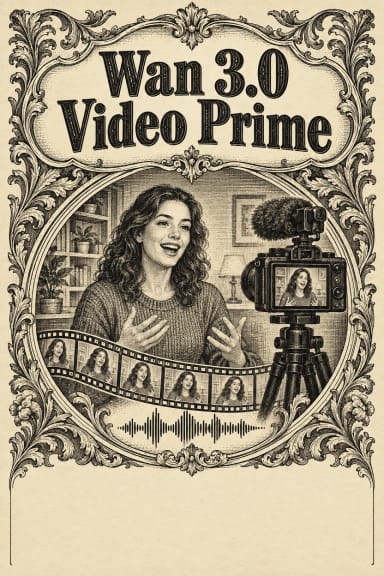
Wan 3.0 Video — All-in-One AI Video Generation Model
What is Wan 3.0 Video?
Wan 3.0 Video is Alibaba's all-in-one video generation model, the newest release in the Wan family from Tongyi Lab. Where earlier versions split the work across separate models, Wan 3.0 folds text-to-video, image-to-video, reference-to-video, and video editing into a single endpoint. You give it a prompt, a first and last frame, reference images, reference clips, reference audio, or even a document, and the model infers what you are asking for and renders it.
The headline change is length: Wan 3.0 generates up to 30 seconds of video in a single pass at 30fps, double its predecessor. That is long enough for continuous camera moves and one-take shot language instead of the short fragments most models cap out at. It also generates a native audio track alongside the video, in the same pass, with multilingual voice output.
Key Features
- •One model, four modes: text-to-video, image-to-video, reference-to-video, and video editing, selected automatically from the media you attach.
- •Up to 30-second single-pass generation, or
-1for smart duration that matches your prompt and source. - •Native audio generated with the video, not dubbed on afterward.
- •480P, 720P, and 1080P output across six aspect ratios plus an adaptive mode.
- •Rich inputs: first frame, last frame, up to 10 reference images, reference video or audio clips, and document references (PPT, PDF, DOC, XLS, and more).
- •First-and-last-frame control for precise shot framing.
Best Use Cases
Wan 3.0 fits filmmaking and short drama, social media and advertising, e-commerce product demos, character animation, and document-to-video workflows. The 30-second window lets a single generation hold a complete exchange, camera move, or transition without stitching. Reference-to-video keeps characters, props, spaces, and style consistent across shots, which suits branded content and recurring characters. Document input turns a slide deck, spreadsheet, or PDF into an explainer or promo in one upload, making it a practical tool for marketing and educational video.
Prompt Tips and Output Quality
Write cinematic, specific prompts: name the subject, the motion, the camera move, the lighting, and the ambient sound you want in the audio track. Keep prompt_extend on for short prompts so the model enriches detail automatically. Use first-and-last-frame control when you need an exact start and finish, and reference images for consistent identity. Output realism is strong on faces, micro-expressions, and reference fidelity; audio texture and on-screen text rendering are the areas Alibaba flags as still improving, so verify any in-frame typography.