GPT Image 2.6 on Segmind: stills and native animated GIF loops
OpenAI's GPT Image 2.6 on Segmind ships as two routes: Flare for fast stills and big-motion GIF loops, and Sunburst for detail-consistent 360-degree turntables. Both make native animated GIFs, edit from reference photos, and render legible in-image text.
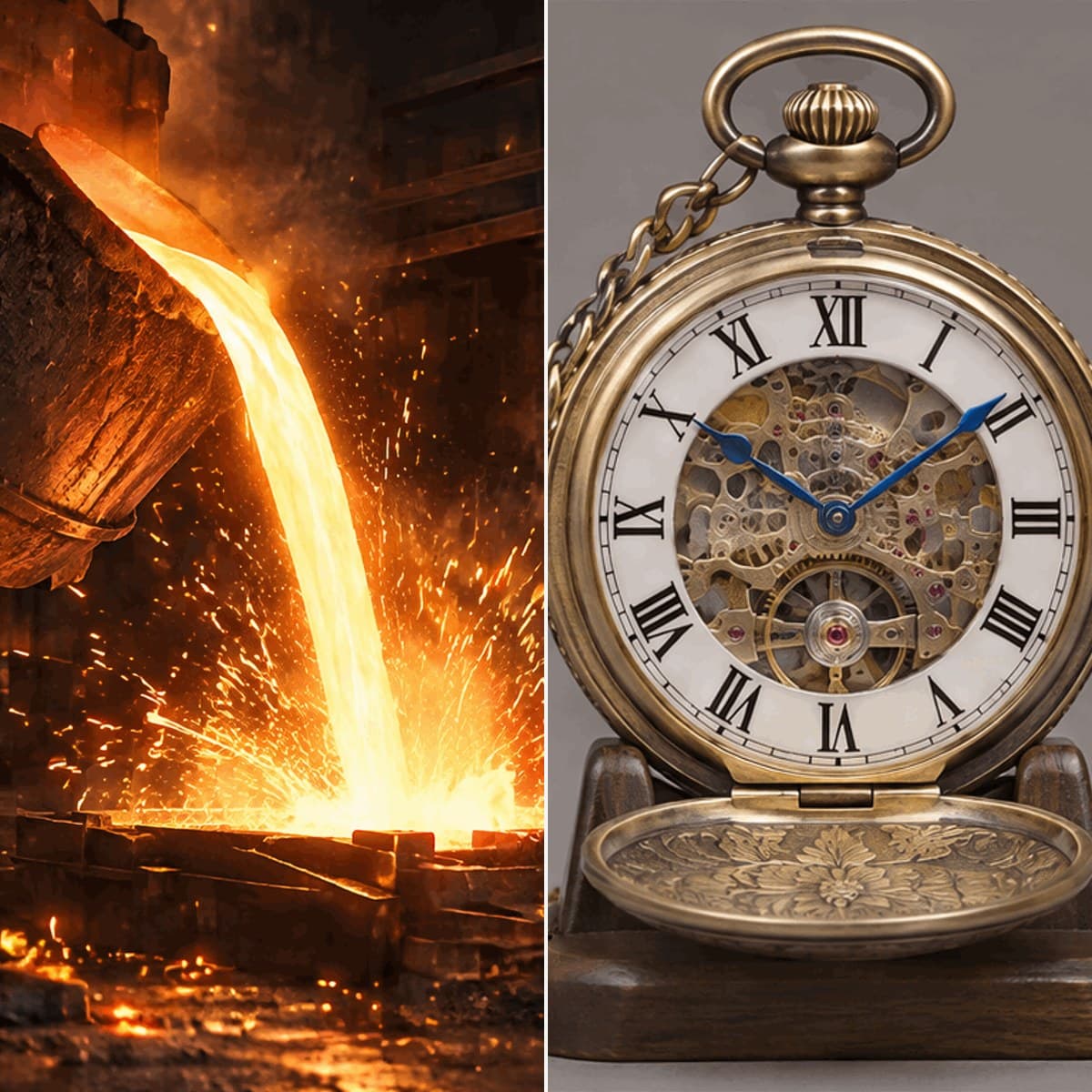
GPT Image 2.6 is OpenAI's image model, and its headline feature is native animated GIF: one request returns a looping animation, with no video model and no frame stitching. On Segmind it comes as two routes you call the same way. Both also make PNG, JPEG and WEBP stills, edit or animate a reference photo, render legible in-image text, and output transparent backgrounds. Pick Flare for speed and big motion, or Sunburst when every frame must show the same object.
Flare or Sunburst?
The same turntable prompt on both routes: an open skeleton pocket watch on a walnut stand, 12 frames at 768x768, high quality.
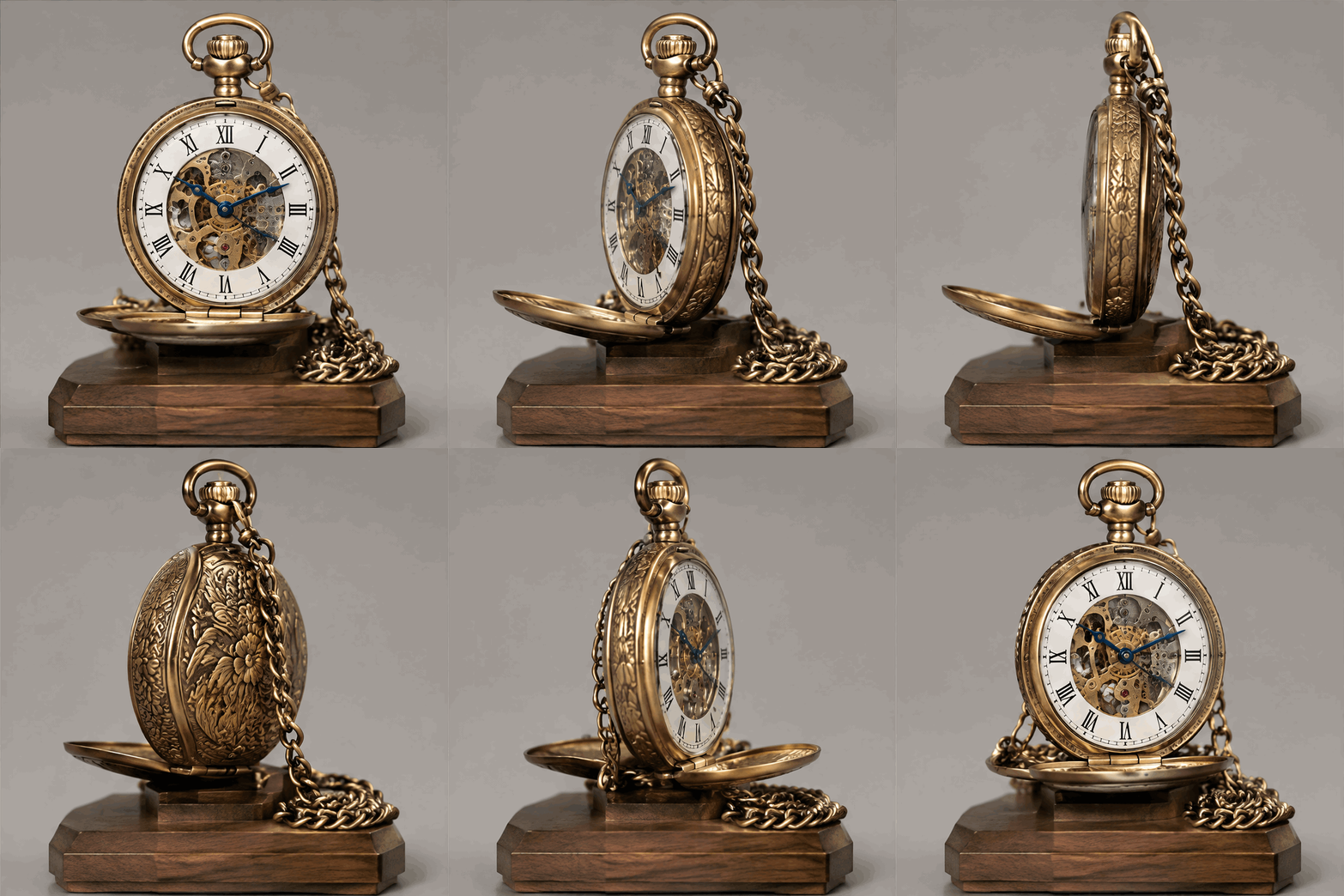
Flare 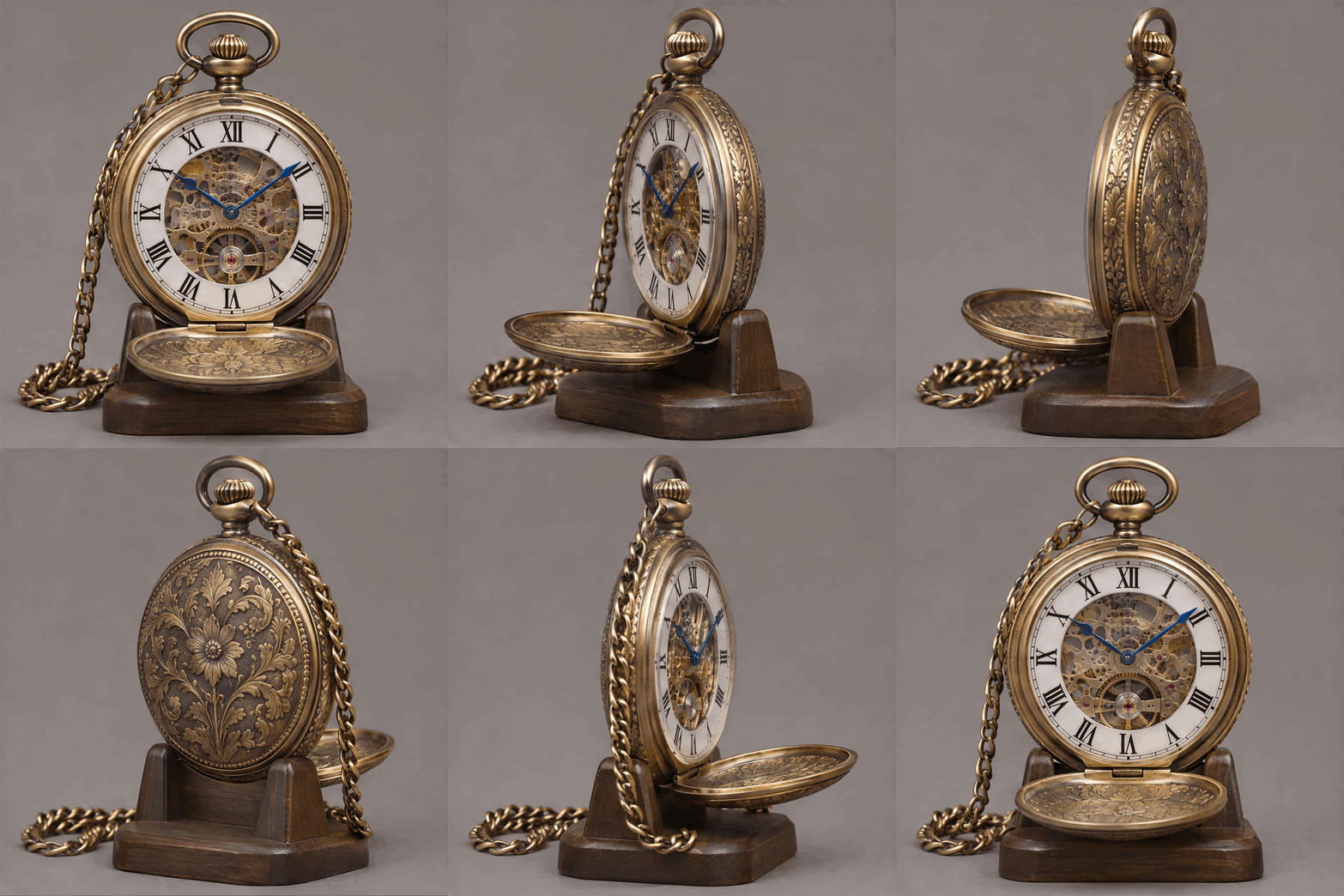
Sunburst
Flare finished in less than half the time, but its stand stays put while the watch turns and the engraving on the case back shifts between frames. Sunburst turns the watch and stand as one piece and keeps the floral engraving, dial and chain the same all the way round. Use Flare for motion and drafts, and Sunburst for product spins.
Flare
Flare is the fast route in GPT Image 2.6. Give it a prompt and it returns a still; set the output format to gif and the same call returns a looping animation. It is tuned for speed and big, sweeping motion, so it fits cinemagraphs, cartoon character loops and animated social creative. Add one photo to image_urls and Flare switches to edit mode, animating or restyling what you give it.
 ModelGPT Image 2.6 FlareGenerate animated GIF loops and stills from text prompts.
A dark iron foundry: a heavy steel ladle tips and a glowing stream of molten metal pours into a sand mould below, a continuous fountain of bright orange sparks spitting off the falling stream and skittering across the cast-iron floor, heat haze rippling above the metal, deep shadows on the sooty brick walls behind. The pour runs steadily and the shower of sparks keeps cascading, so the last frame flows back into the first for a seamless loop. Gritty industrial realism, hard rim light from the molten glow. No people, no text, no logos, no brand marks, no readable signage.
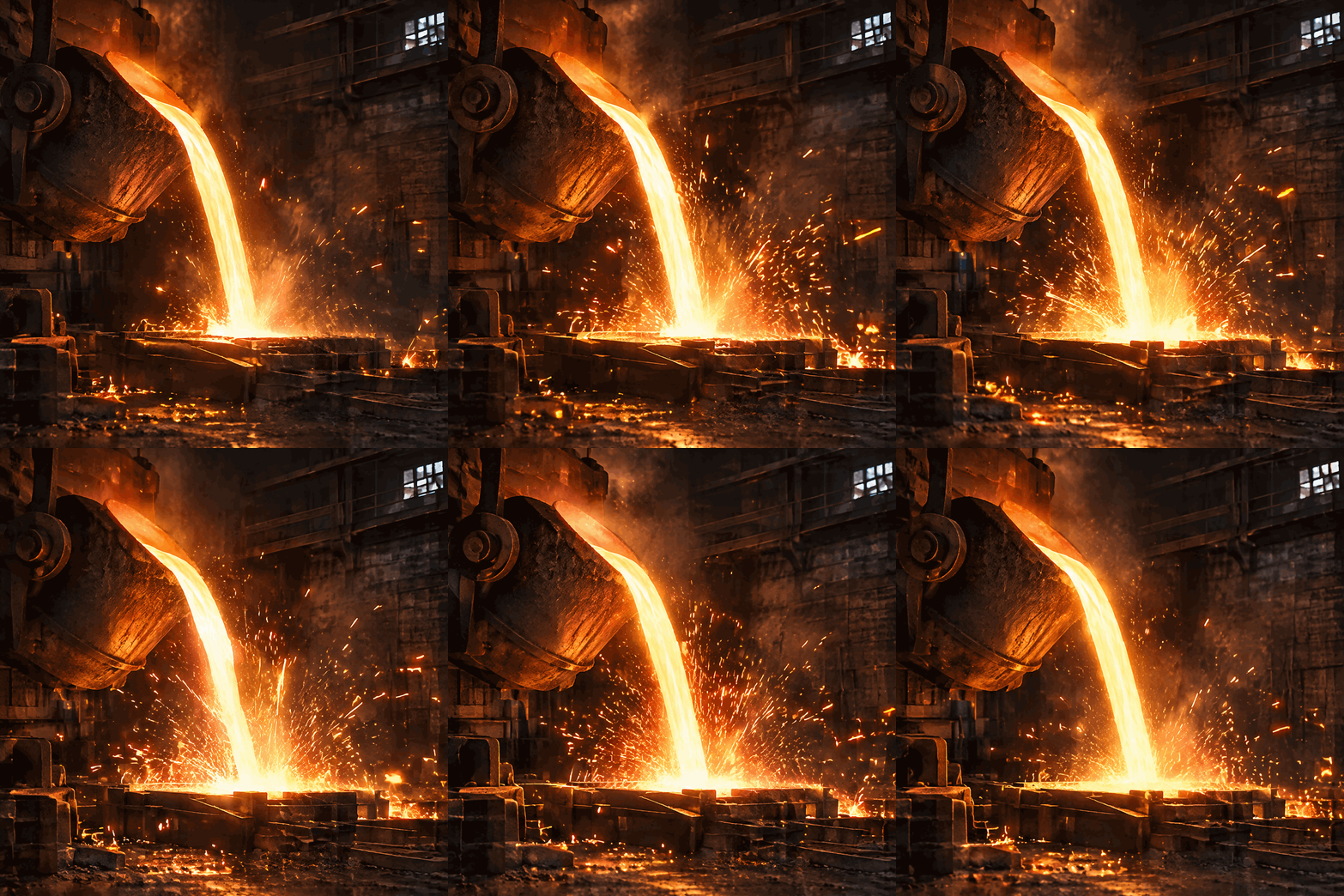
A heavy ladle tips and a stream of molten metal pours out while orange sparks scatter across the frame, all in a nine-frame loop. Write a GIF prompt in three parts (the subject, the motion, and how the loop closes) and keep the output format on gif.
A hand-stitched cross-stitch sampler stretched in a round pale-birch embroidery hoop on natural flax linen. A top band spells the full alphabet in even red block capitals; below it two centered lines read "HOME SWEET HOME" and "EST. 1887" in navy stitched serif letters, framed by a border of small cross-stitched daisies and strawberries. Flat overhead view, crisp even studio light. No brand names, no logos, no trademarks.
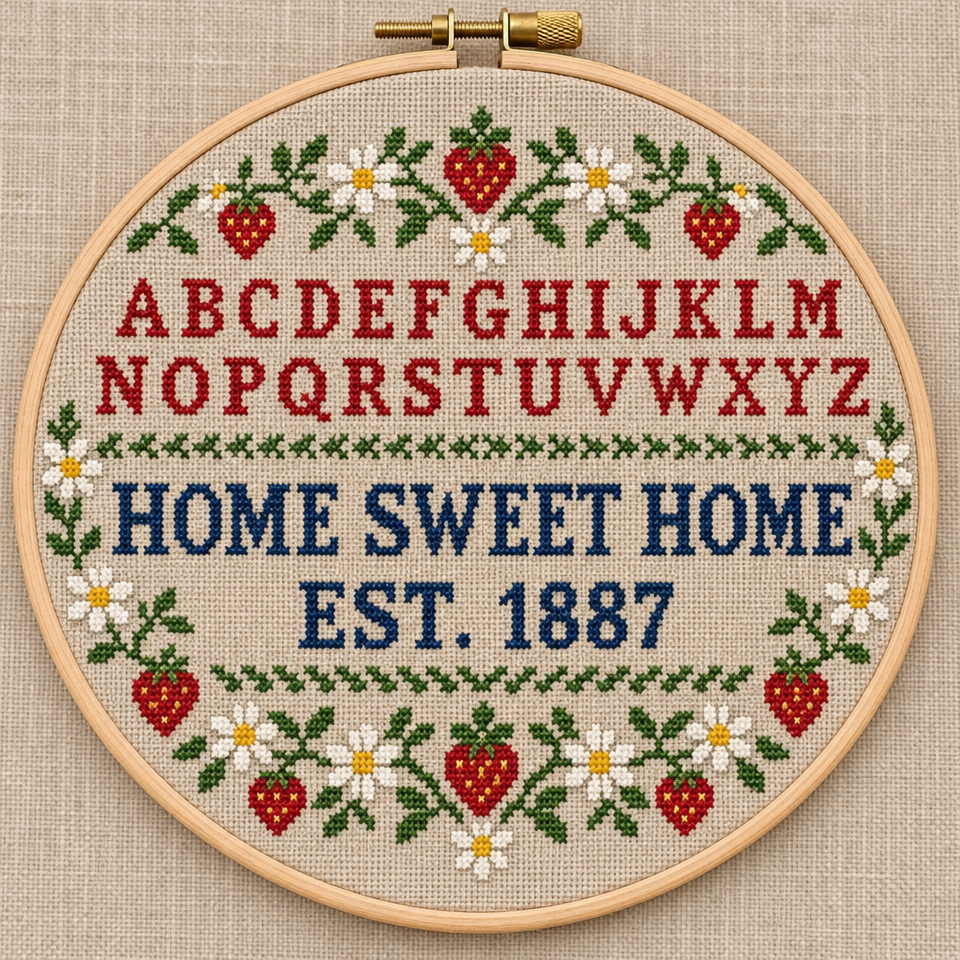
Every letter of the alphabet band and the 'HOME SWEET HOME / EST. 1887' motto reads cleanly inside the hoop. Keep the output format on png and quality on high for sharp lettering, and spell the exact words in quotes.
Flare also animates a photo you already have. The ramen bowl stays put while wisps of steam rise and curl off the broth, drawn out as a loop.
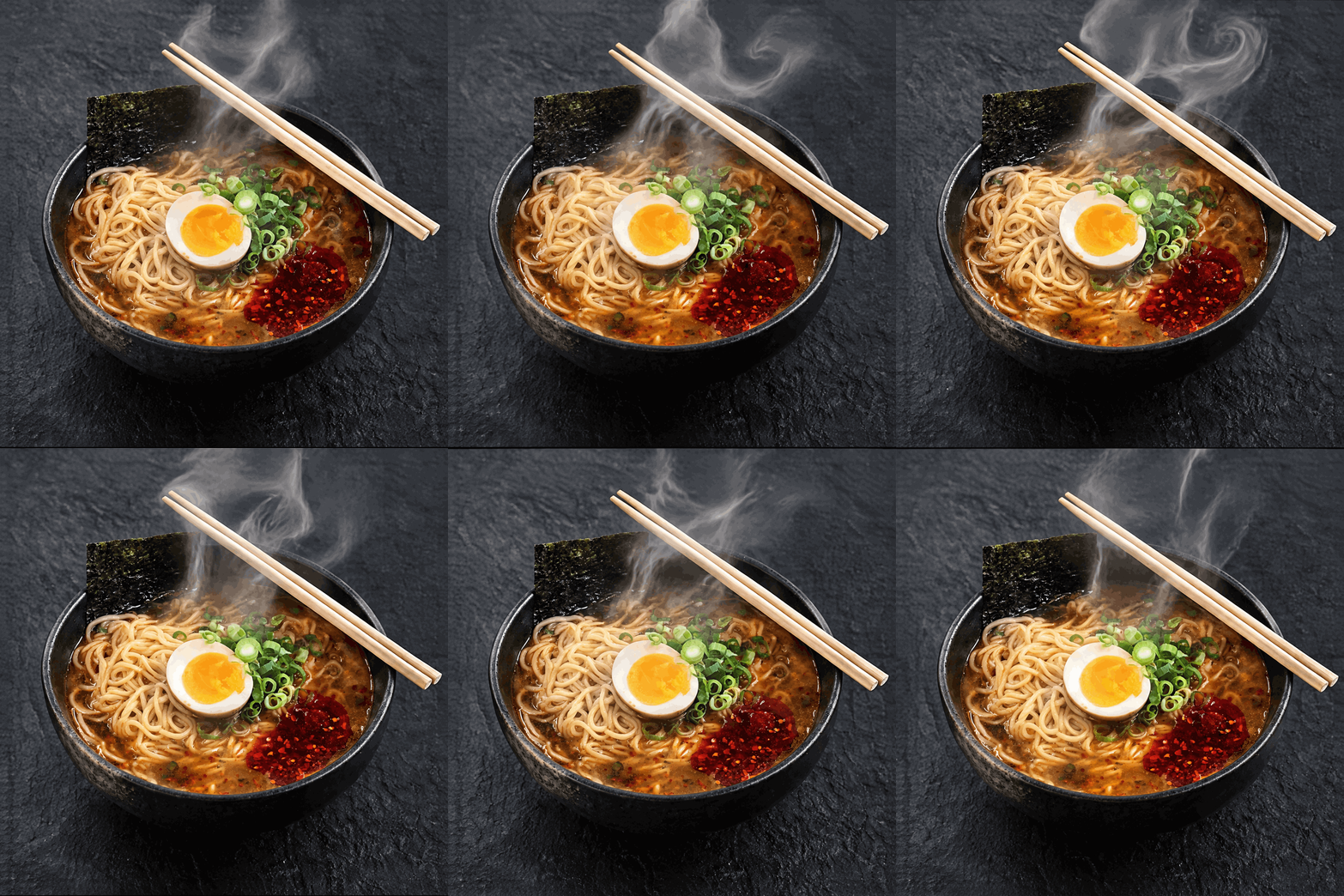
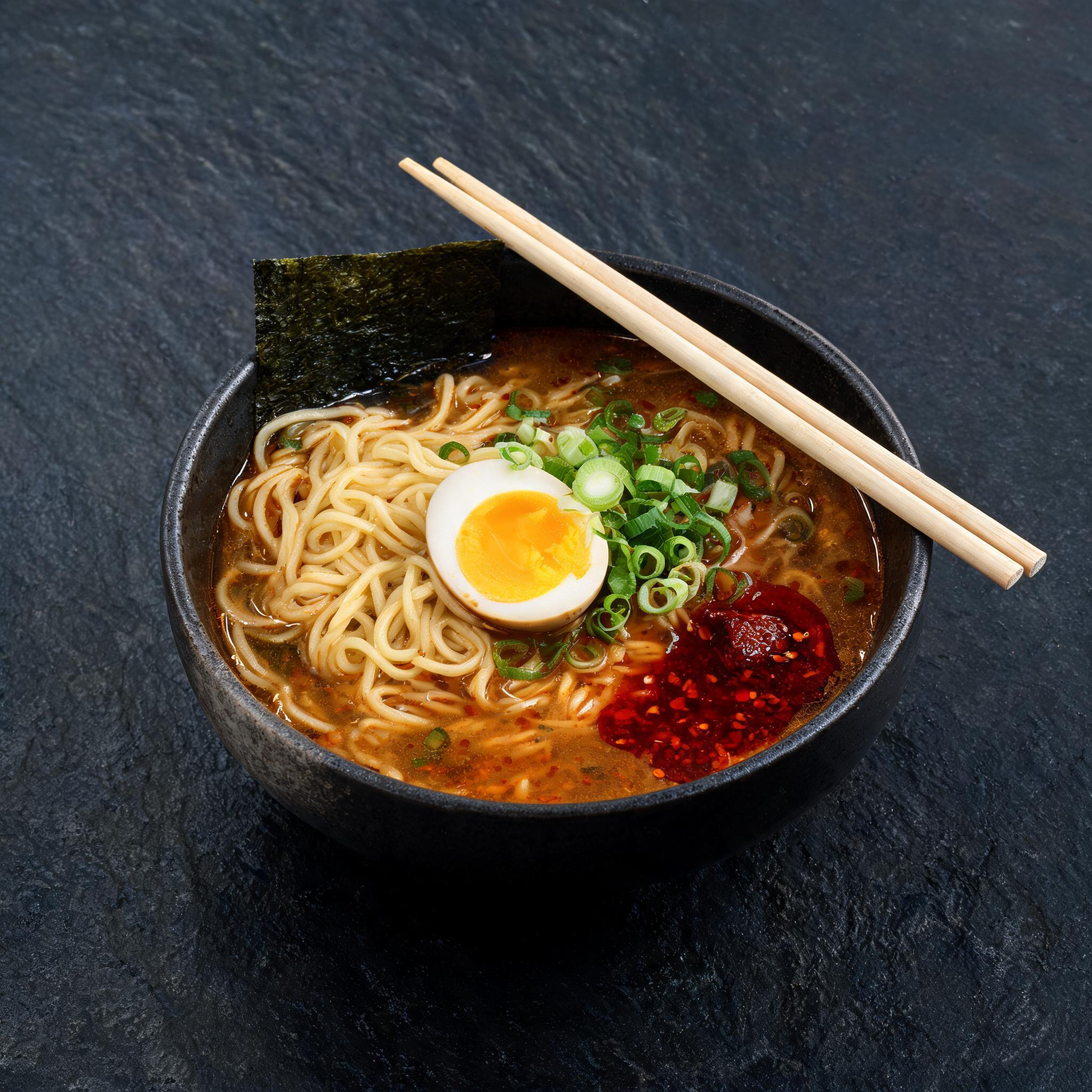 Input photoFlare output
Add one clean photo to image_urls and describe only the motion, so the rest of the frame holds still.
Flare also turns a face into an animated cartoon character. Here a public-domain portrait becomes a 3D cartoon that blinks, turns toward you and smiles, while the pearl earring sways and the cloth tail swings.
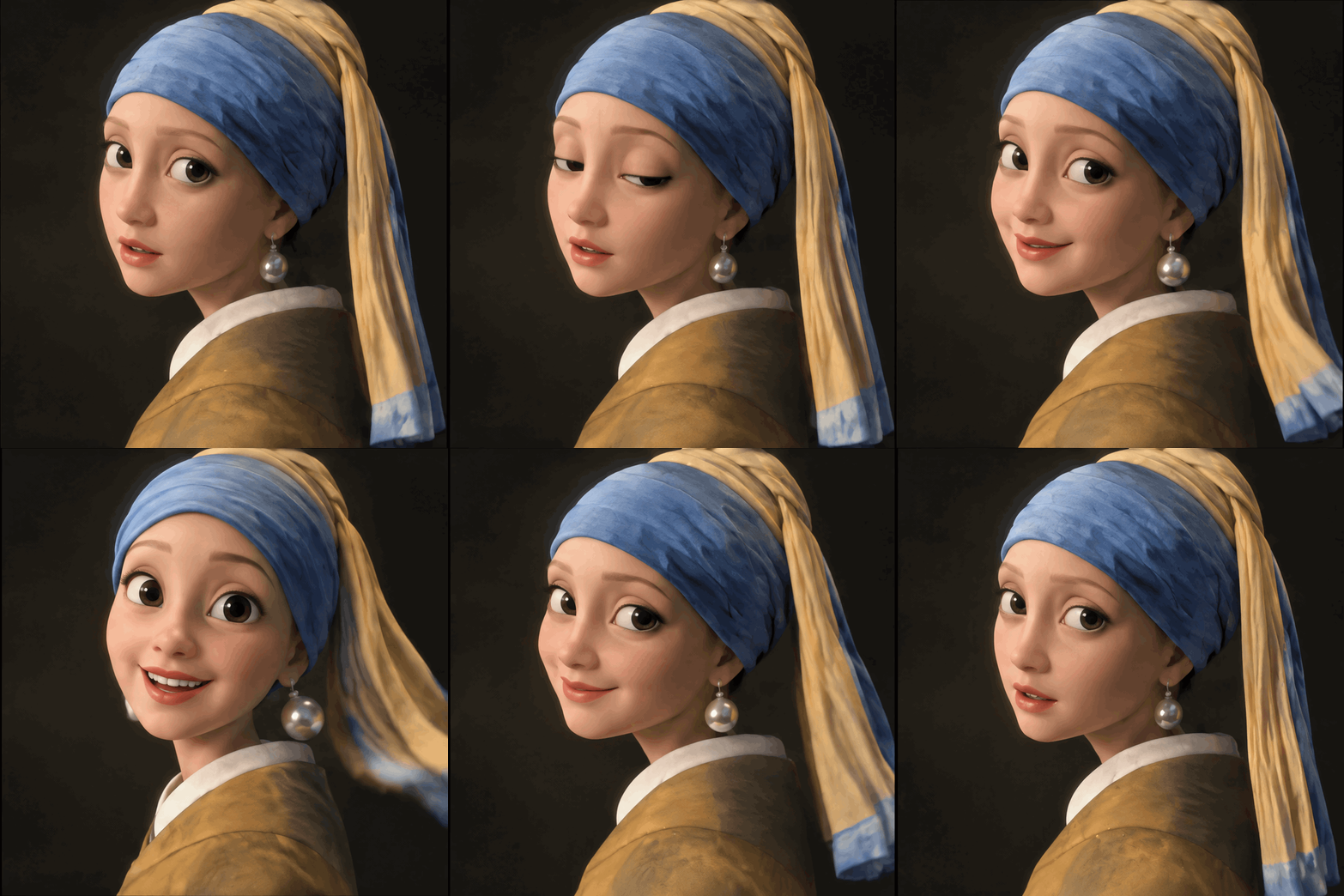
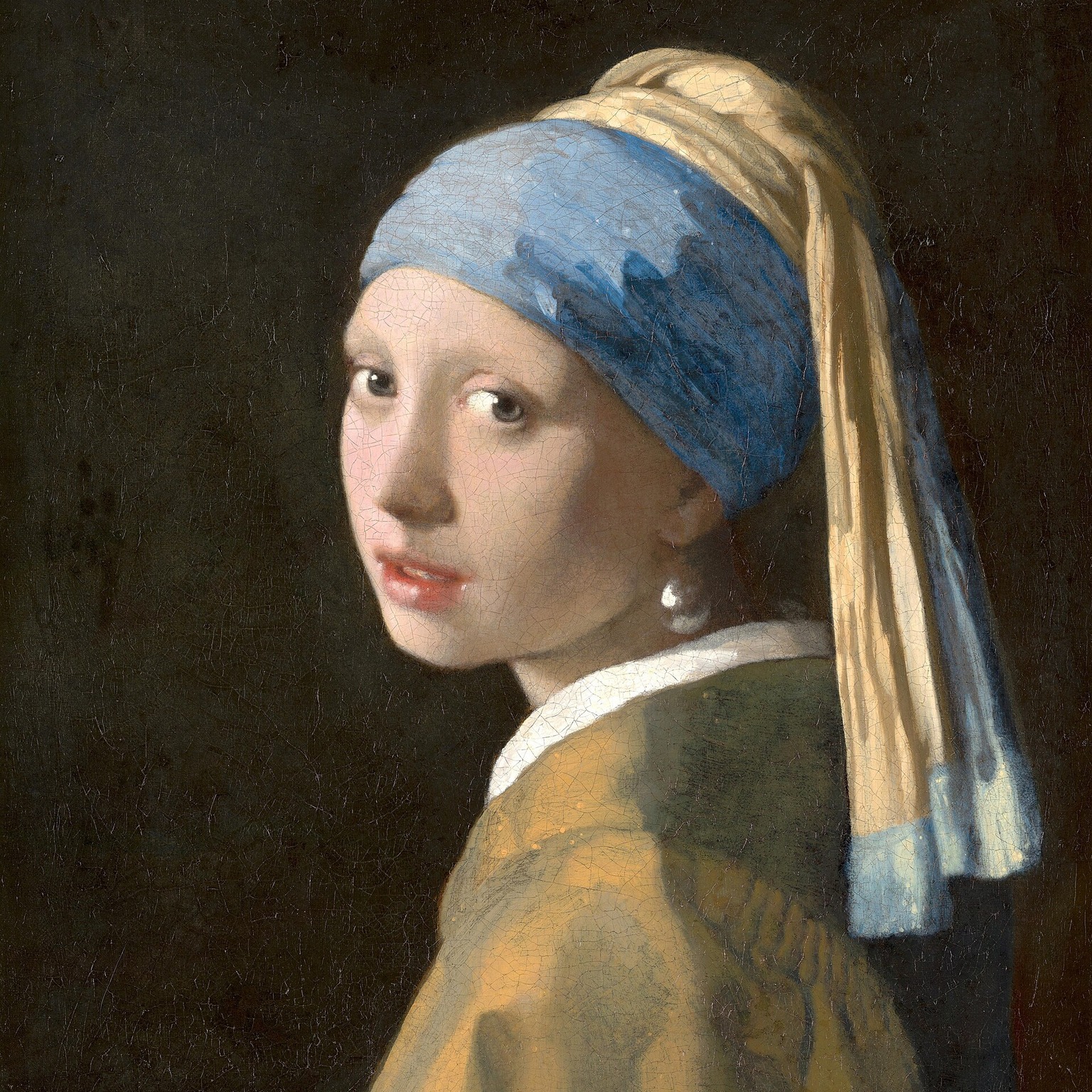 Input portraitFlare output
Ask for the art style first, list what must stay (here the headwrap, the earring and the collar), then describe one short action that returns to the starting pose. Twelve frames at 768x768 gave the smile room to build; 12 frames at 960x960 is over the size limit.
# pip install "segmind>=1.1.0"
# export SEGMIND_API_KEY="YOUR_API_KEY"
import segmind

result = segmind.run(
    "gpt-image-2.6-flare",
    prompt="Turn the girl in this portrait into a cartoon character in a soft, rounded 3D animated-film style, with big expressive eyes, smooth skin and simplified shapes. Keep her blue headwrap with the long yellow tail, the large pearl earring, the white collar, the ochre jacket and the dark background. She looks over her shoulder, blinks, then turns toward the viewer with a warm, delighted smile while the pearl earring sways and the cloth tail swings, then turns back so the last frame flows into the first for a seamless loop. Fixed camera, no text, no logos.",
    image_urls=[
        "https://segmind-resources.s3.amazonaws.com/input/gpt-image-2.6-flare-example-cartoon-portrait-3d7f4eb8.jpg",
    ],
    size="768x768",
    quality="high",
    output_format="gif",
    frame_count=12,
    frame_duration_ms=140,
)
print(result.get("output"))
# 1. Submit the request; the reply carries its request_id
REQUEST_ID=$(curl -s -X POST "https://api.segmind.com/v2/gpt-image-2.6-flare" \
-H "x-api-key: YOUR_API_KEY" \
-H "Content-Type: application/json" \
-d '{
"prompt": "Turn the girl in this portrait into a cartoon character in a soft, rounded 3D animated-film style, with big expressive eyes, smooth skin and simplified shapes. Keep her blue headwrap with the long yellow tail, the large pearl earring, the white collar, the ochre jacket and the dark background. She looks over her shoulder, blinks, then turns toward the viewer with a warm, delighted smile while the pearl earring sways and the cloth tail swings, then turns back so the last frame flows into the first for a seamless loop. Fixed camera, no text, no logos.",
"image_urls": [
"https://segmind-resources.s3.amazonaws.com/input/gpt-image-2.6-flare-example-cartoon-portrait-3d7f4eb8.jpg"
],
"size": "768x768",
"quality": "high",
"output_format": "gif",
"frame_count": 12,
"frame_duration_ms": 140
}' | jq -r .request_id)
# 2. Check its status until it is COMPLETED
curl -s "https://api.segmind.com/v2/requests/$REQUEST_ID/status" \
-H "x-api-key: YOUR_API_KEY"
# 3. Fetch the result
curl -s "https://api.segmind.com/v2/requests/$REQUEST_ID" \
-H "x-api-key: YOUR_API_KEY"A playful looping sticker of a chunky retro wind-up tin robot with round rivets, a square head and a little antenna, drawn as a glossy flat illustration with a clean thick white die-cut border. The robot waddles from side to side on the spot and the round lamp on its chest blinks on and off, the motion repeating so the last frame flows back into the first for a seamless loop. Fully transparent background with a real alpha channel, no backdrop, no text, no logos, no brand marks.
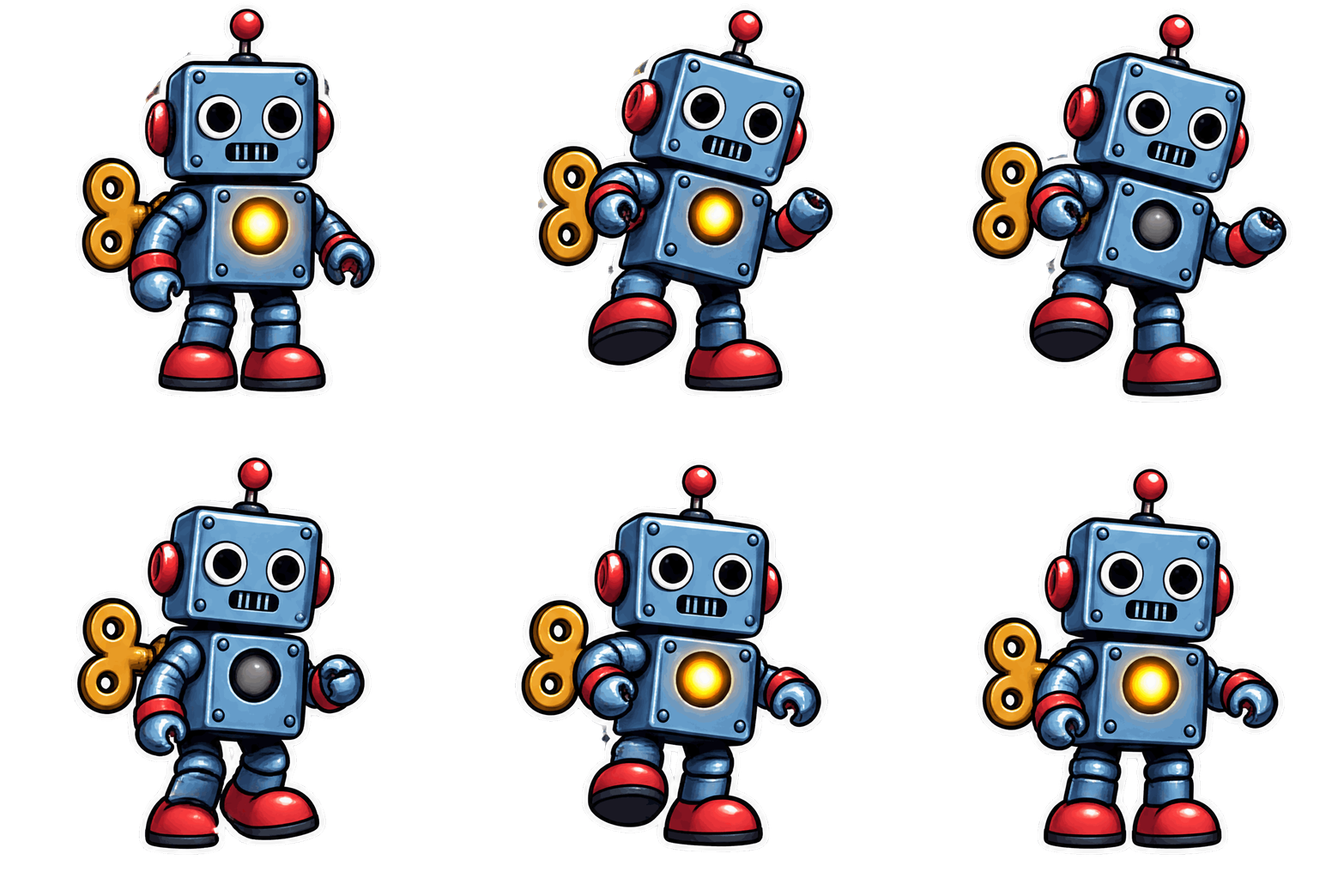
The wind-up robot bobs from side to side with a blinking chest lamp on a fully transparent background, ready to drop onto any layout. Set the background to transparent with png, webp or gif; jpeg always stays opaque.
Use Flare from the API
Every setting above is one field in the request body. Here is the foundry loop as a single call:
# pip install "segmind>=1.1.0"
# export SEGMIND_API_KEY="YOUR_API_KEY"
import segmind

result = segmind.run(
    "gpt-image-2.6-flare",
    prompt="A dark iron foundry: a heavy steel ladle tips and a glowing stream of molten metal pours into a sand mould below, a continuous fountain of bright orange sparks spitting off the falling stream and skittering across the cast-iron floor, heat haze rippling above the metal, deep shadows on the sooty brick walls behind. The pour runs steadily and the shower of sparks keeps cascading, so the last frame flows back into the first for a seamless loop. Gritty industrial realism, hard rim light from the molten glow. No people, no text, no logos, no brand marks, no readable signage.",
    size="960x960",
    quality="high",
    complexity="high",
    background="opaque",
    moderation="auto",
    output_format="gif",
    frame_count=9,
    frame_duration_ms=200,
    output_compression=100,
)
print(result.get("output"))
# 1. Submit the request; the reply carries its request_id
REQUEST_ID=$(curl -s -X POST "https://api.segmind.com/v2/gpt-image-2.6-flare" \
-H "x-api-key: YOUR_API_KEY" \
-H "Content-Type: application/json" \
-d '{
"prompt": "A dark iron foundry: a heavy steel ladle tips and a glowing stream of molten metal pours into a sand mould below, a continuous fountain of bright orange sparks spitting off the falling stream and skittering across the cast-iron floor, heat haze rippling above the metal, deep shadows on the sooty brick walls behind. The pour runs steadily and the shower of sparks keeps cascading, so the last frame flows back into the first for a seamless loop. Gritty industrial realism, hard rim light from the molten glow. No people, no text, no logos, no brand marks, no readable signage.",
"size": "960x960",
"quality": "high",
"complexity": "high",
"background": "opaque",
"moderation": "auto",
"output_format": "gif",
"frame_count": 9,
"frame_duration_ms": 200,
"output_compression": 100
}' | jq -r .request_id)
# 2. Check its status until it is COMPLETED
curl -s "https://api.segmind.com/v2/requests/$REQUEST_ID/status" \
-H "x-api-key: YOUR_API_KEY"
# 3. Fetch the result
curl -s "https://api.segmind.com/v2/requests/$REQUEST_ID" \
-H "x-api-key: YOUR_API_KEY"Sunburst
Sunburst is the detail route. It spends more time per request than Flare and uses it to hold fine detail steady, so reach for it when every frame of an animation must show the same object. The signature workflow is image-to-GIF: drop one clean product photo into image_urls, set the output format to gif, and describe a full 360-degree revolution around the vertical axis. It also renders detailed stills with legible in-image text at sizes up to 3840x2160.
 ModelGPT Image 2.6 SunburstCreate looping 360-degree product turntable GIFs from a photo.
The default example turns one carved-dragon photo into a turntable. The scales, gold-leaf edging and the pearl in its claws read the same through a full spin.
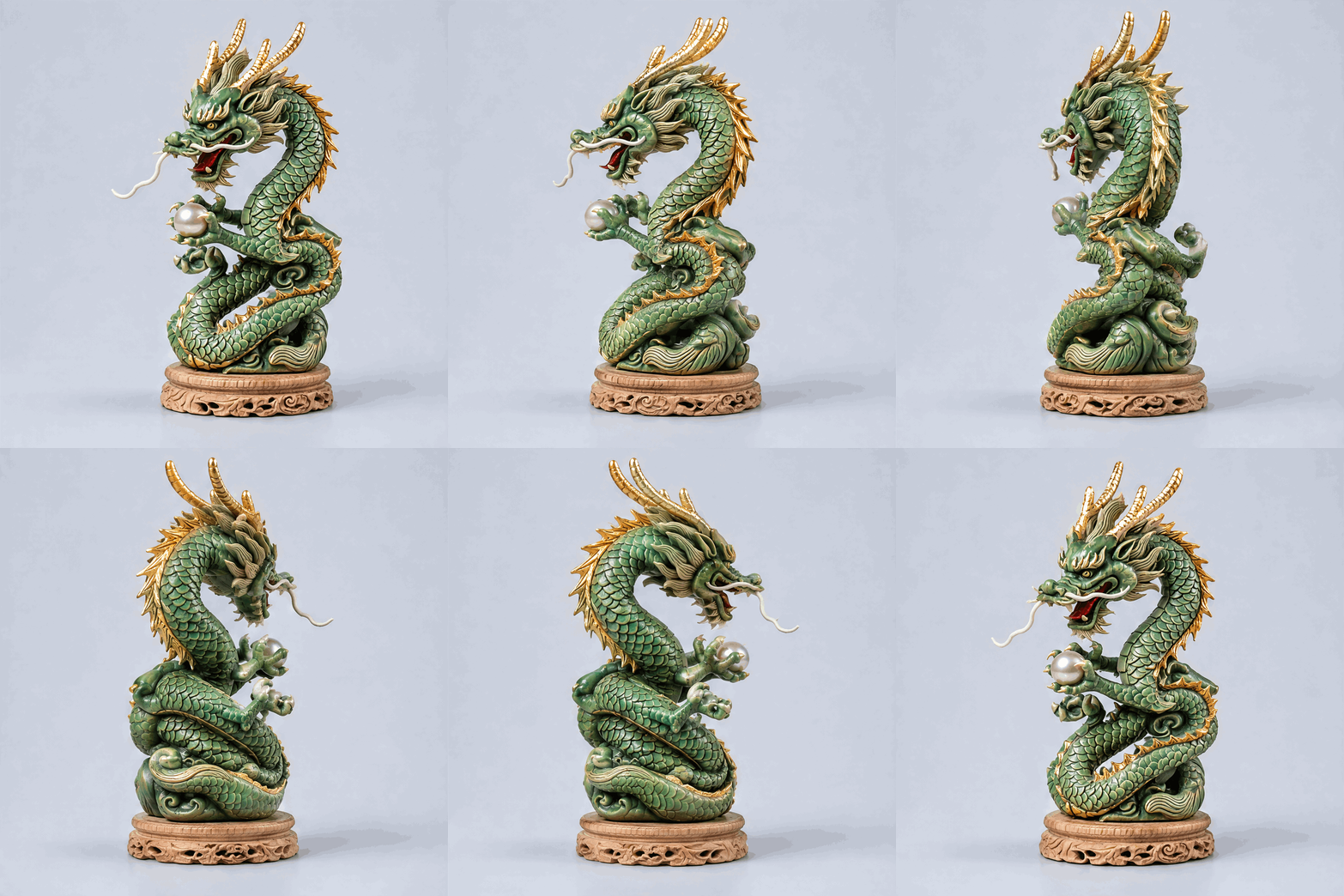
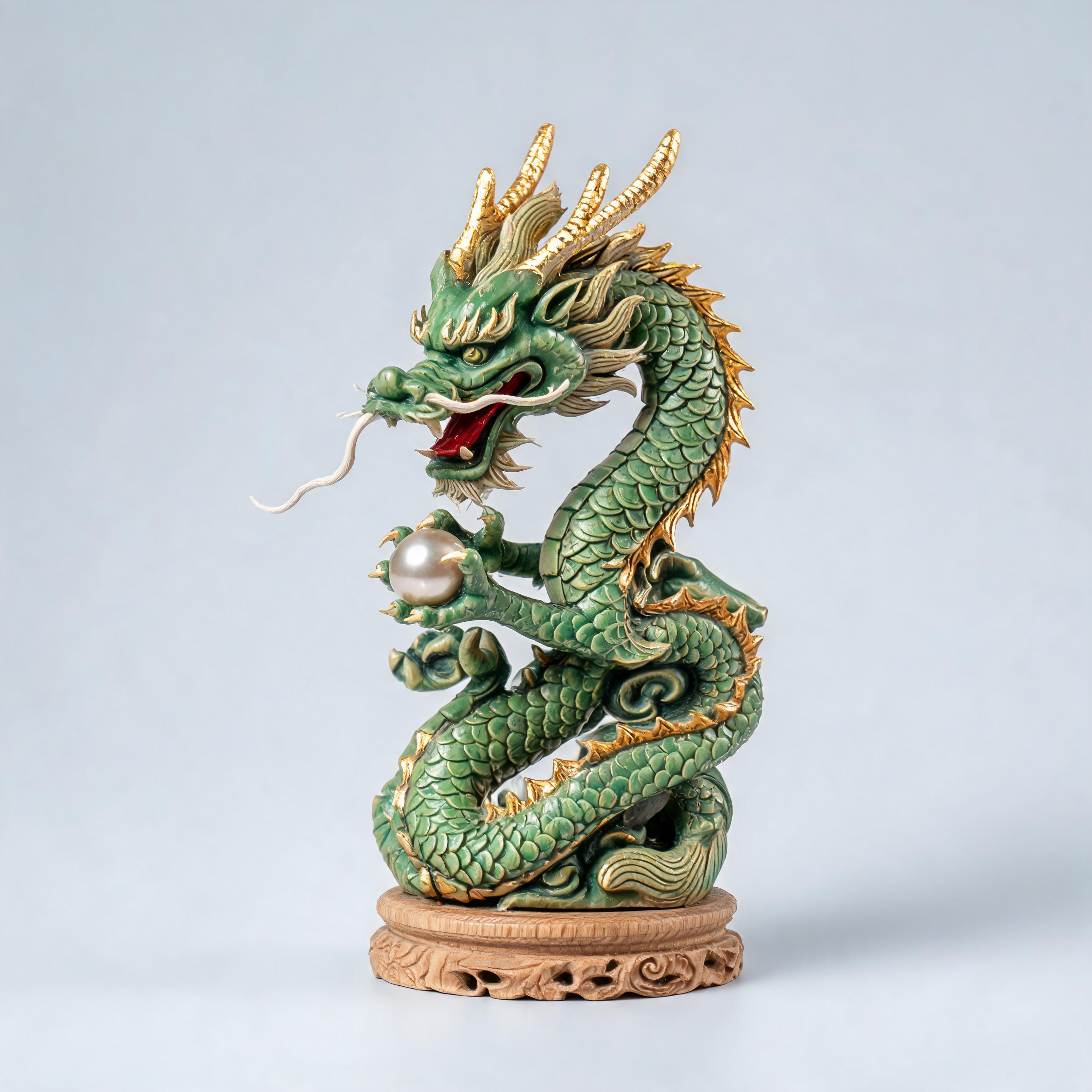 Input photoSunburst output
Name what must stay constant, such as pattern, colour, proportions and lighting, then ask for a loop that closes on itself.
A lit cinema marquee on a brick theater facade at night. The marquee's white illuminated board shows black changeable-letter text: 'THE LARKSPUR' in tall condensed capitals across the top, and 'NOW SHOWING TONIGHT' on the line below, framed by rows of round marquee bulbs. The lettering is evenly spaced, high-contrast and sharp. No other text, no brand names, no logos.
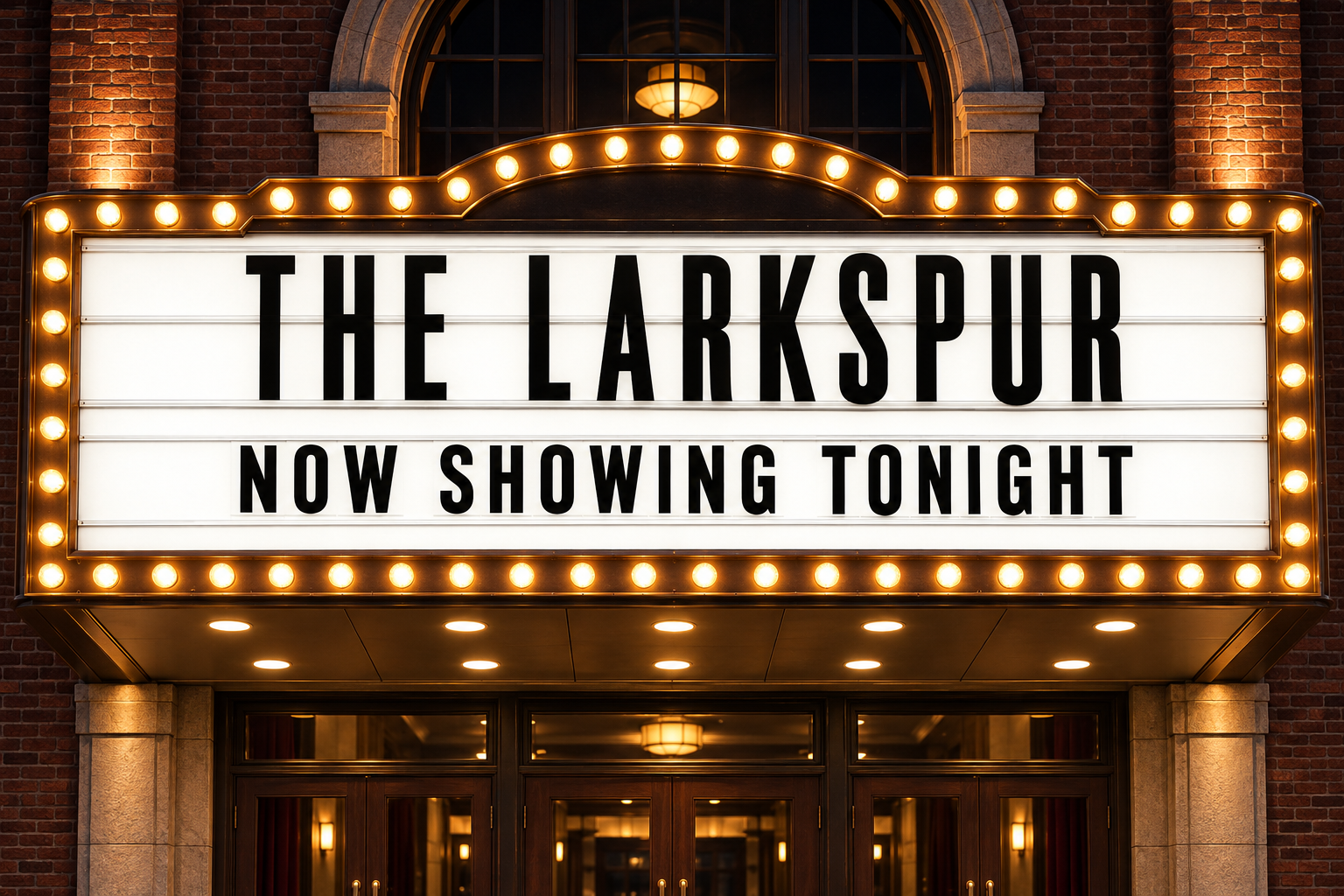
A single 1536x1024 PNG renders 'THE LARKSPUR' and 'NOW SHOWING TONIGHT' crisp and correctly spelled under the marquee bulbs. Put the exact wording in quotes and add 'no other text' to keep the frame clean.
A neat stack of five French macarons in pastel colors - pistachio green, rose pink, lavender, lemon yellow and pale blue - each with a smooth domed shell, a ruffled 'foot' and a thick cream filling, centered with generous padding. Clean sharp alpha edges, fully transparent background, no surface, no backdrop, no shadow, no checkerboard, no text, no logos.
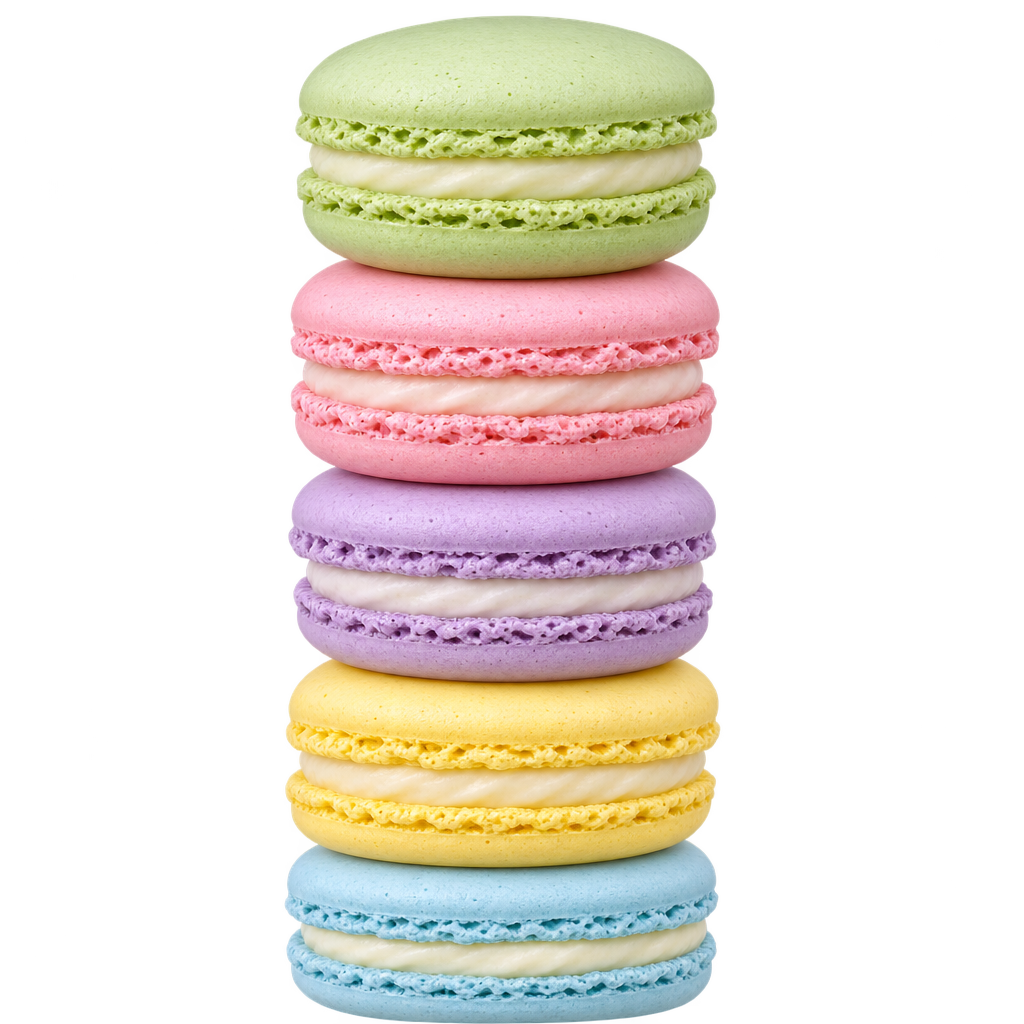
Five pastel macarons come back with clean alpha edges and no backdrop or shadow, ready for a product page or menu. Set the background to transparent with png and ask for 'no backdrop, no shadow'.
A vintage twin-lens reflex camera stands on a seamless light-grey backdrop and rotates a smooth, steady 360-degree turntable around its vertical axis, one full revolution across the loop. It is a boxy black-and-chrome body with two stacked round glass lenses, a knurled focus knob, a brushed-metal winding crank and textured black leatherette panels. Keep the lens rings, engraved dial markings, rivets and leather grain identical in every frame; even studio lighting, fixed camera, no zoom. The last frame flows back into the first. No brand names, no logos, no text.
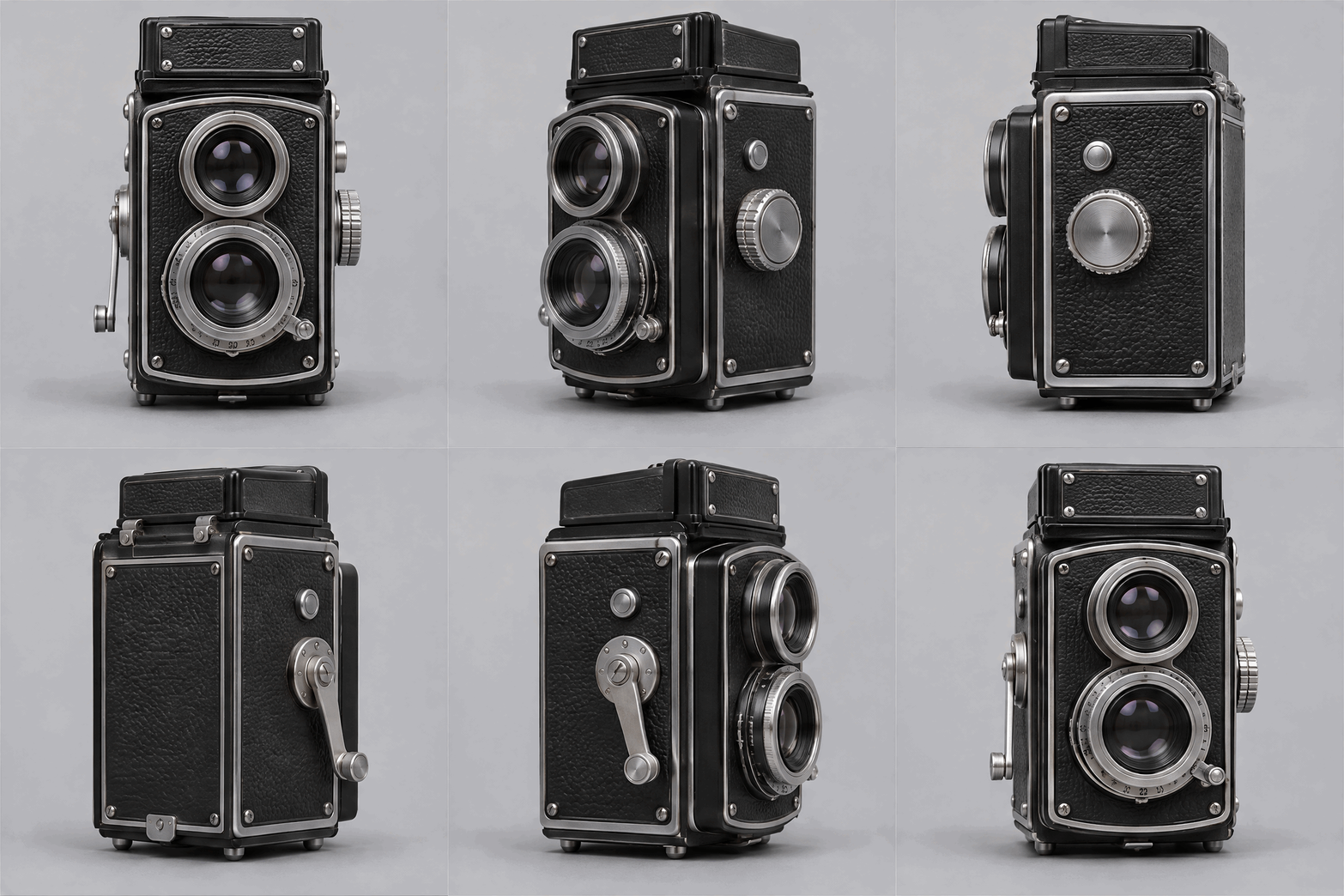
A twin-lens camera completes a full revolution from a prompt alone across twelve frames, and the dials, rivets and leather grain hold across the loop. Keep GIF frames square or 3:2, and name every detail that must stay put.
Use Sunburst from the API
The default turntable animates one supplied photo, so its request carries the reference in image_urls:
# pip install "segmind>=1.1.0"
# export SEGMIND_API_KEY="YOUR_API_KEY"
import segmind

result = segmind.run(
    "gpt-image-2.6-sunburst",
    prompt="Animate this exact carved wooden dragon figurine as a smooth 360-degree turntable rotation on the same seamless pale-grey backdrop. The dragon turns at a steady speed around its vertical axis, one full revolution across the loop, so the horns, whiskers, clawed feet gripping the pearl and the curling tail pass in and out of view. Keep the rows of overlapping carved scales, the jade-green paint with gold-leaf edging along the spine ridge and horns, the deep-red mouth, the proportions and the even studio lighting consistent in every frame; fixed camera, no zoom. The last frame flows back into the first. No text, no logos, no labels.",
    image_urls=[
        "https://segmind-resources.s3.amazonaws.com/input/gpt-image-2.6-sunburst-input-dragon-dcf844f7.jpg",
    ],
    size="960x960",
    quality="high",
    complexity="high",
    background="opaque",
    moderation="auto",
    output_format="gif",
    frame_count=9,
    frame_duration_ms=200,
    output_compression=100,
)
print(result.get("output"))
# 1. Submit the request; the reply carries its request_id
REQUEST_ID=$(curl -s -X POST "https://api.segmind.com/v2/gpt-image-2.6-sunburst" \
-H "x-api-key: YOUR_API_KEY" \
-H "Content-Type: application/json" \
-d '{
"prompt": "Animate this exact carved wooden dragon figurine as a smooth 360-degree turntable rotation on the same seamless pale-grey backdrop. The dragon turns at a steady speed around its vertical axis, one full revolution across the loop, so the horns, whiskers, clawed feet gripping the pearl and the curling tail pass in and out of view. Keep the rows of overlapping carved scales, the jade-green paint with gold-leaf edging along the spine ridge and horns, the deep-red mouth, the proportions and the even studio lighting consistent in every frame; fixed camera, no zoom. The last frame flows back into the first. No text, no logos, no labels.",
"image_urls": [
"https://segmind-resources.s3.amazonaws.com/input/gpt-image-2.6-sunburst-input-dragon-dcf844f7.jpg"
],
"size": "960x960",
"quality": "high",
"complexity": "high",
"background": "opaque",
"moderation": "auto",
"output_format": "gif",
"frame_count": 9,
"frame_duration_ms": 200,
"output_compression": 100
}' | jq -r .request_id)
# 2. Check its status until it is COMPLETED
curl -s "https://api.segmind.com/v2/requests/$REQUEST_ID/status" \
-H "x-api-key: YOUR_API_KEY"
# 3. Fetch the result
curl -s "https://api.segmind.com/v2/requests/$REQUEST_ID" \
-H "x-api-key: YOUR_API_KEY"Shared settings
Both routes take the same inputs and the same settings, so you can move a prompt between them by changing only the model. These are the controls that shape a result.
| Setting | Value | Members | When to use |
|---|---|---|---|
| output_format | png, jpeg, webp, gif | Both | Set gif for a looping animation; png for stills and transparent cut-outs; jpeg is always opaque. |
| size | 960x960 for GIF loops, up to 3840x2160 for stills | Both | For a GIF this is one frame; keep it square or about 3:2. |
| frame_count | 2 to 16 (default 9) | Both | More frames give a smoother loop; loop length is frame_count times frame_duration_ms. |
| frame_duration_ms | default 200 | Both | 80 to 120 ms for fast action, 200 to 300 ms for calmer loops. |
| quality | low, medium, high, auto (default high) | Both | High for finals and crisp text; low for fast drafts. |
| complexity | low, medium, high (default high) | Both | High for busy scenes; low for a quicker render. |
| background | opaque, transparent, auto | Both | Transparent needs png, webp or gif; jpeg stays opaque. |
| image_urls | one reference image | Both | Adding one switches to edit mode: a cinemagraph on Flare, a turntable on Sunburst. |
Good to know
- Flare trades some per-frame fidelity for speed. For smooth 360-degree turntables and detail that must stay identical across frames, use Sunburst.
- Sunburst is about twice as slow as Flare, especially on high settings, and it is not built for big, high-energy motion or cinemagraph loops; use Flare for those.
- Big frames and high frame counts do not always fit together. 12 frames at 1024x1024, 16 frames at 768x768 and 9 frames at 640x360 are all rejected, while 12 frames at 768x768 work. If a GIF request fails, lower the frame size or the frame count.
- Transparent backgrounds need png, webp or gif; jpeg always stays opaque.
- Frame duration only sets playback speed. To make a loop longer without slowing it down, raise frame_count.
Resources
- Try GPT Image 2.6 Flare on Segmind · API reference
- Try GPT Image 2.6 Sunburst on Segmind · API reference
- OpenAI image generation API guide: prompting, reference-image edit mode, native GIF output and the full parameter reference for GPT Image 2.6.
- Image prompting guide: prompt structure, styles, editing with reference images and text-in-image.
- GPT Image prompting cookbook: worked prompting examples and techniques, including before/after reference edits.
- Create image edit (API reference): request parameters, reference images and mask usage.
- GPT Image 2.6 Flare model card: capabilities, limits and intended use from OpenAI.
- Images, upgraded: introducing ChatGPT Images 2.6: OpenAI's launch announcement for native animated GIFs and reusable reference images.
- #gpt-image-2-6
- #openai
- #model-launch
- #text-to-image
- #animated-gif