Bria FIBO 1.5 Image Edit — Image-to-Image Editing API
What is Bria FIBO 1.5 Image Edit?
Bria FIBO 1.5 Image Edit is a JSON-native, image-to-image editing model from the FIBO family, built for precise, repeatable edits in commercial production. Instead of hoping a loose text prompt lands, FIBO Edit turns your instruction into a detailed structured JSON description of the scene, then performs a deterministic edit on your source image. You send one to four images plus a natural-language instruction, and the model returns an edited image together with the structured_prompt it generated — so every result is transparent, auditable, and reproducible.
Because FIBO is trained exclusively on licensed data, its output is safe for commercial use, which makes it a strong fit for brands, agencies, and automated design pipelines that need legal clarity as well as quality.
Key Features
- •Natural-language editing: describe the change in plain English and let the model resolve lighting, composition, and detail.
- •Structured JSON control: pass a
structured_instructionfor programmatic, pixel-level, reproducible edits. - •Multi-reference editing: supply up to 4 images to combine a product with a scene, transfer a style, or keep a subject consistent.
- •Native masking: on single-image edits, a mask restricts changes to white regions while black areas stay untouched.
- •Deterministic renders: fix the
seedto recreate an exact edit, or change it to explore variants.
Best Use Cases
- •Product photography: drop a product into a new scene or background while preserving its shape, label, and material.
- •E-commerce and ads: relight scenes, change color palettes, and produce on-brand variations at scale.
- •Text and object edits: add or replace text on signage and packaging, swap objects, or add prints to apparel.
- •Creative restyling: convert sketches to photos, restyle images, or transfer the look of one reference onto another.
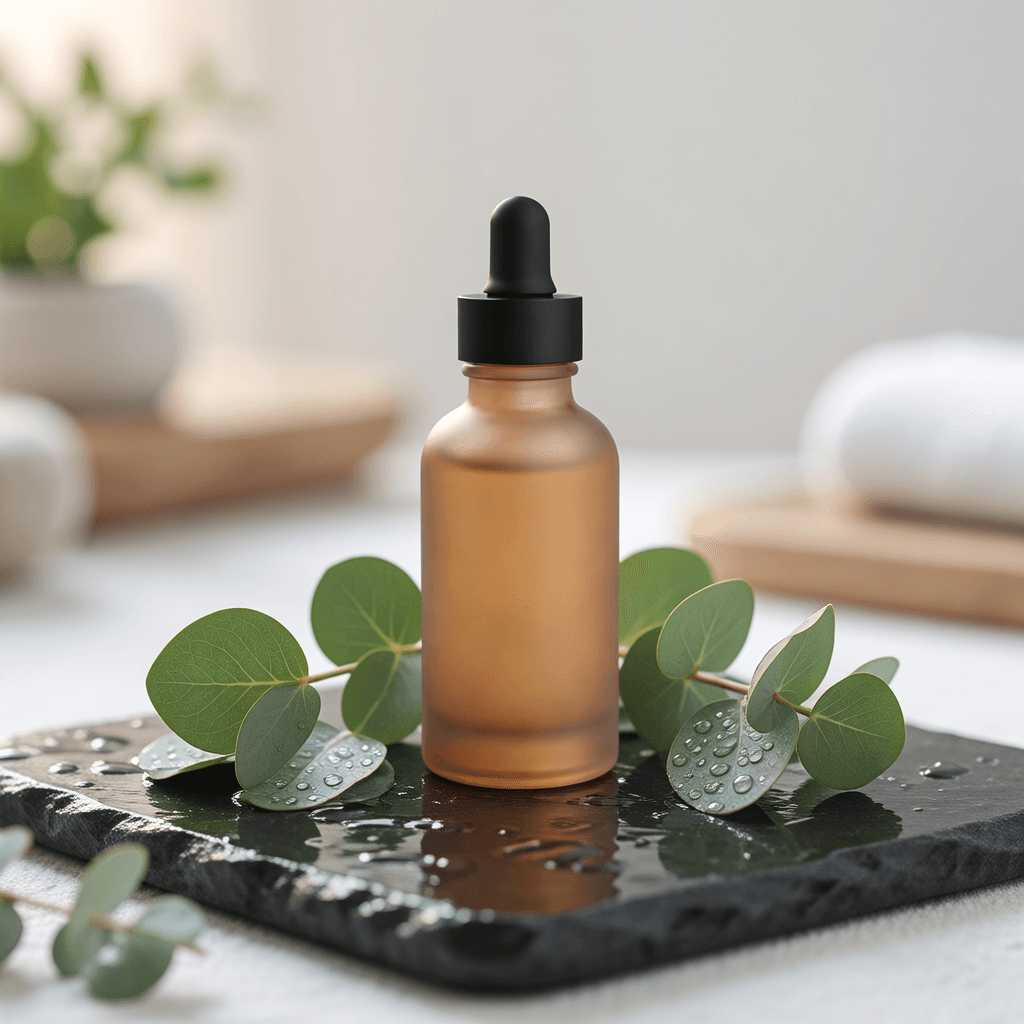
In testing, a plain studio product shot was recomposed into a premium spa scene — wet stone, eucalyptus, water droplets, soft light — while the bottle and dropper cap identity were preserved exactly, with clean, artifact-free results.
Prompt Tips and Output Quality
- •Name the target scene precisely and add a clause like keep the subject unchanged to lock product or character identity.
- •For repeatable campaigns, keep a fixed
seedand reuse the returnedstructured_instruction, changing only small attributes. - •Use
maskfor localized edits on a single image; use multiple images to merge references. - •The API returns JSON: the edited image is at
output.image_url, alongsideseedandstructured_prompt.