Ideogram V4 Remix — Image-to-Image Transformation
What is Ideogram V4 Remix?
Ideogram V4 Remix turns an existing image into a new one from a text instruction, keeping the original composition while restyling it. It is the remix (image-to-image) mode of Ideogram 4.0, Ideogram AI's open-weight foundation model built around design-grade output. You pass a source image and a prompt; an image_weight control decides how much of the original is preserved, so the same photo can become a subtle retouch or a fully reimagined poster.
What sets it apart is text. Ideogram has led in-image typography since its first release, and 4.0 renders headlines, taglines, packaging copy, and signage that actually say the right words at native 2K resolution. That makes Remix a fast path from a plain product shot or sketch to a finished, on-brand design.
Key Features
- Prompt-driven restyle: transform any JPEG, PNG, or WebP without starting from scratch.
- Image weight control: dial similarity to the source from 1 (highly varied) to 100 (close match).
- Best-in-class text rendering: legible, structurally integrated type, not fragile overlays.
- Native 2K output: photoreal detail across square, portrait, and landscape aspect ratios.
- Adjustable rendering speed: TURBO, DEFAULT, or QUALITY tiers to trade speed for fidelity.
Best Use Cases
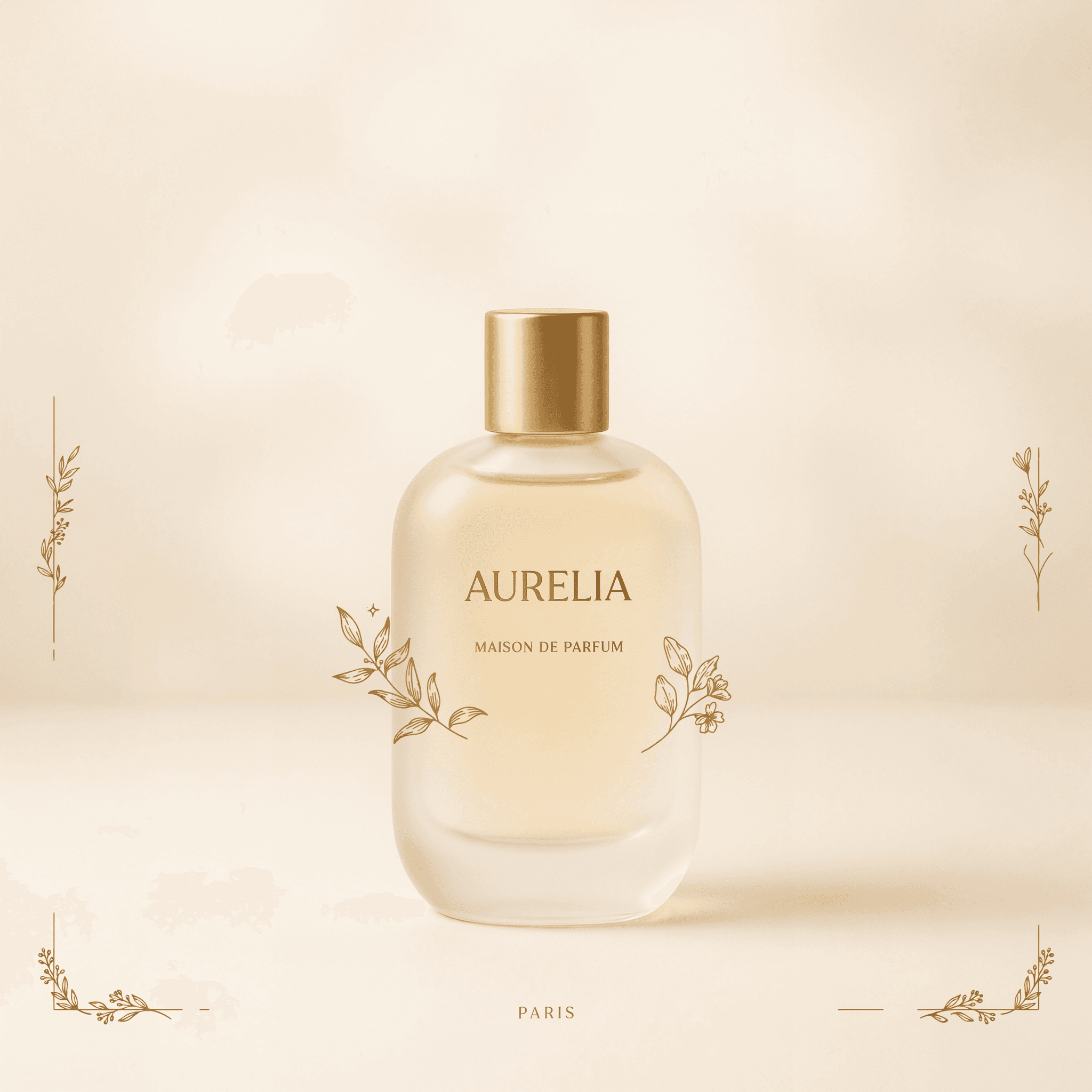
Remix shines on design and branding work: campaign and movie posters, product mockups, packaging concepts, social media graphics with hero copy, book and album covers, logos, and signage. In testing, a plain studio product photo restyled cleanly into a luxury advertising poster with a crisp headline, sub-line, tagline, and decorative border — the source structure preserved while the styling and typography were rebuilt. It is equally strong for style transfer, turning photographs into painterly or illustrated versions while keeping the subject recognizable.
Prompt Tips and Output Quality
Wrap literal text in double quotes (e.g. "AURELIA") and name a specific typeface for cleaner results. Keep each label on its own line and add "no repeated words" to avoid duplicated headlines. Use image_weight 40–50 to give the model room to compose a poster while keeping the subject; push to 70+ for subtle restyles that hug the original. QUALITY renders the sharpest final art; TURBO is best for quick drafts. Output is consistently crisp and photorealistic, though very long text strings and photoreal human faces remain the hardest cases.