Using MiniMax H3 Optimised Reference to Video
MiniMax H3 Optimised Reference to Video generates a short, fully-sounded clip from reference images, an optional reference video and a prompt. Reach for it when identity or motion must stay consistent — a recurring character, a specific product, or a camera move you want repeated.
Set up your references
Upload up to four reference images and name them in the prompt as Image 1 to Image 4: one clear, well-lit portrait is enough to lock a face, and separate images can carry a character, a product and a scene at once. Add one reference video (Video 1) when you want the clip to follow a specific motion or camera movement. At least one reference is required.
Write the prompt
Treat the prompt as a shot brief. Open by tying each reference to its role ("Image 1 is the driver"), then describe the action, the camera, the exact spoken line and the sounds. Because audio is generated natively, spell out dialogue and effects rather than leaving them implied. Keep spoken lines short on 5-second clips so lip-sync stays tight, and avoid relying on legible on-screen text.
Choose settings
Default to 768p, the natively generated tier; pick 1080p or 2k (both upscaled) only when you need more pixels. Set duration in whole seconds from 5 to 15, and an aspect ratio that matches your delivery — 16:9, 9:16 or 21:9. Leave Enhance Prompt on to let the model expand a terse brief, or turn it off to send finished copy verbatim.
Recommended Settings
- •Resolution: 768p (natively generated)
- •Duration: 5 seconds for a single beat; up to 15 for a short sequence
- •Aspect ratio: 16:9
- •Quality: high for finals (low renders faster and looks nearly identical)
- •Enhance Prompt: on, unless your prompt is already final
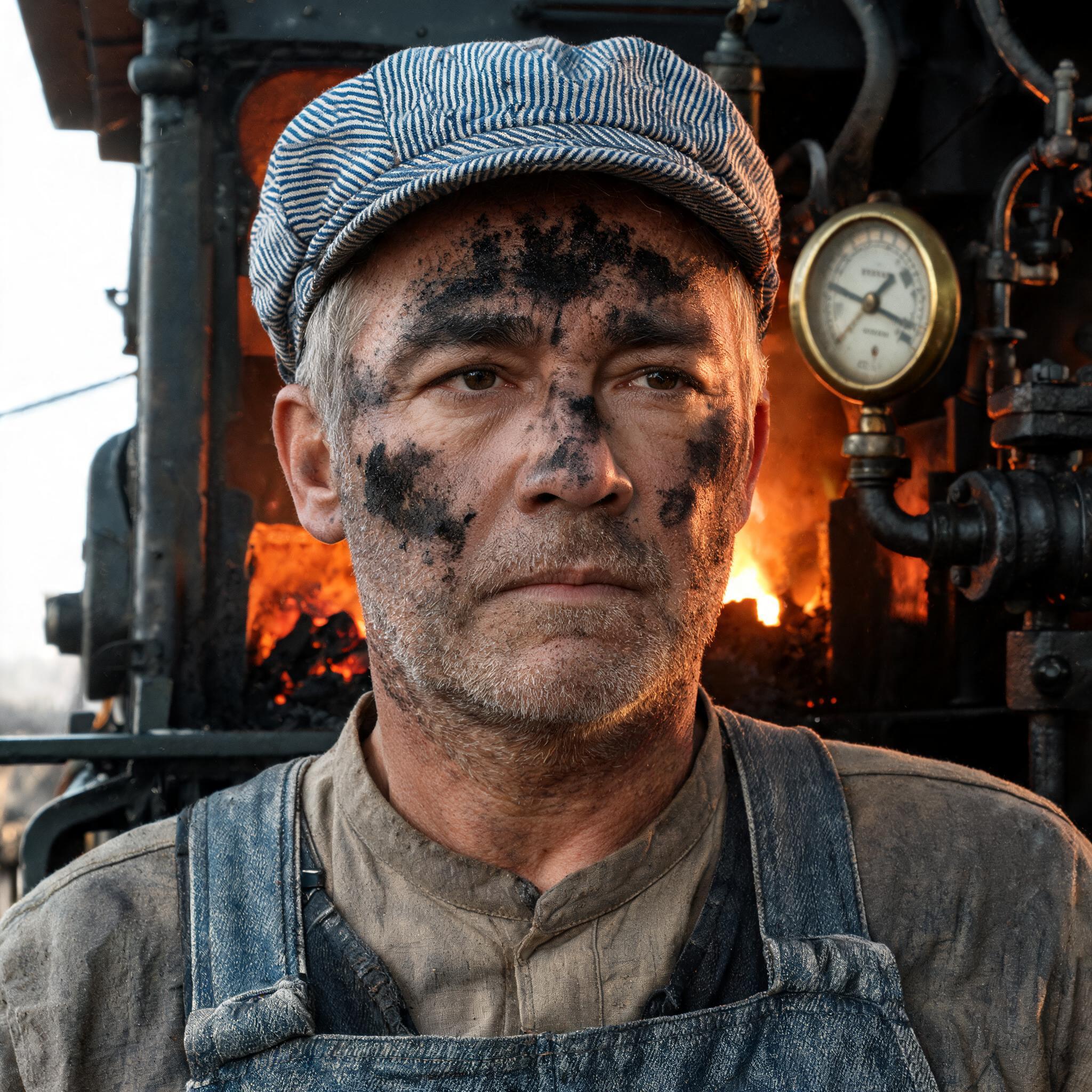
These are the settings used for the default example: a reference portrait plus a reference video of a steam locomotive produced a clean 1344x768, 24 fps clip in which the driver's identity carried from the image and the camera followed the reference video's move, with the spoken line lip-synced and the whistle on the action.
Examples to try
Each example below ran end to end at the settings shown — 768p, 5 seconds, 16:9 — and the subject's identity, the motion and the framing carry from the reference media named in the prompt. Reference-to-video takes up to four images (Image 1 to Image 4) for identity and one optional video (Video 1) for motion or camera; name each one in the prompt and send at least one.
- •Reference identity with a camera move from a clip. Prompt: "Image 1 is the locomotive driver. On the footplate of a steam locomotive pounding along an open track, he leans out of the cab window, looks back along the train and says clearly, 'Right, she's holding pressure - take us up the bank.' Follow the camera movement from Video 1. The firebox throws an orange glow across his face, white steam streams past, and a moment later the whistle lets out a long shriek as the wheels hammer the rails. Medium shot from alongside the moving cab." The generated driver matches the reference portrait while the camera tracks alongside the engine like the reference clip, the line lip-synced and the whistle on cue. Keep dialogue to one short line at 5 seconds so the sync holds.
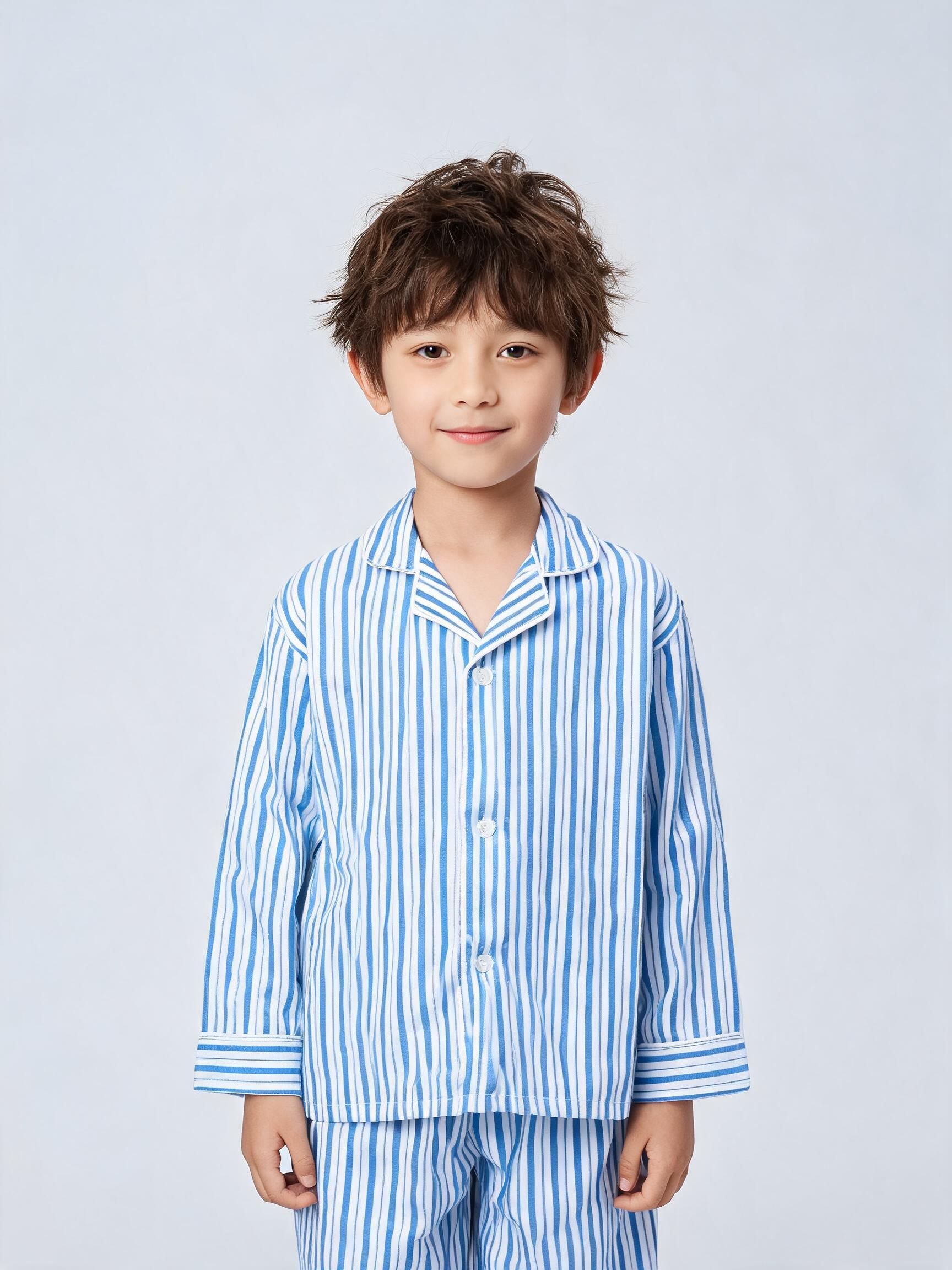
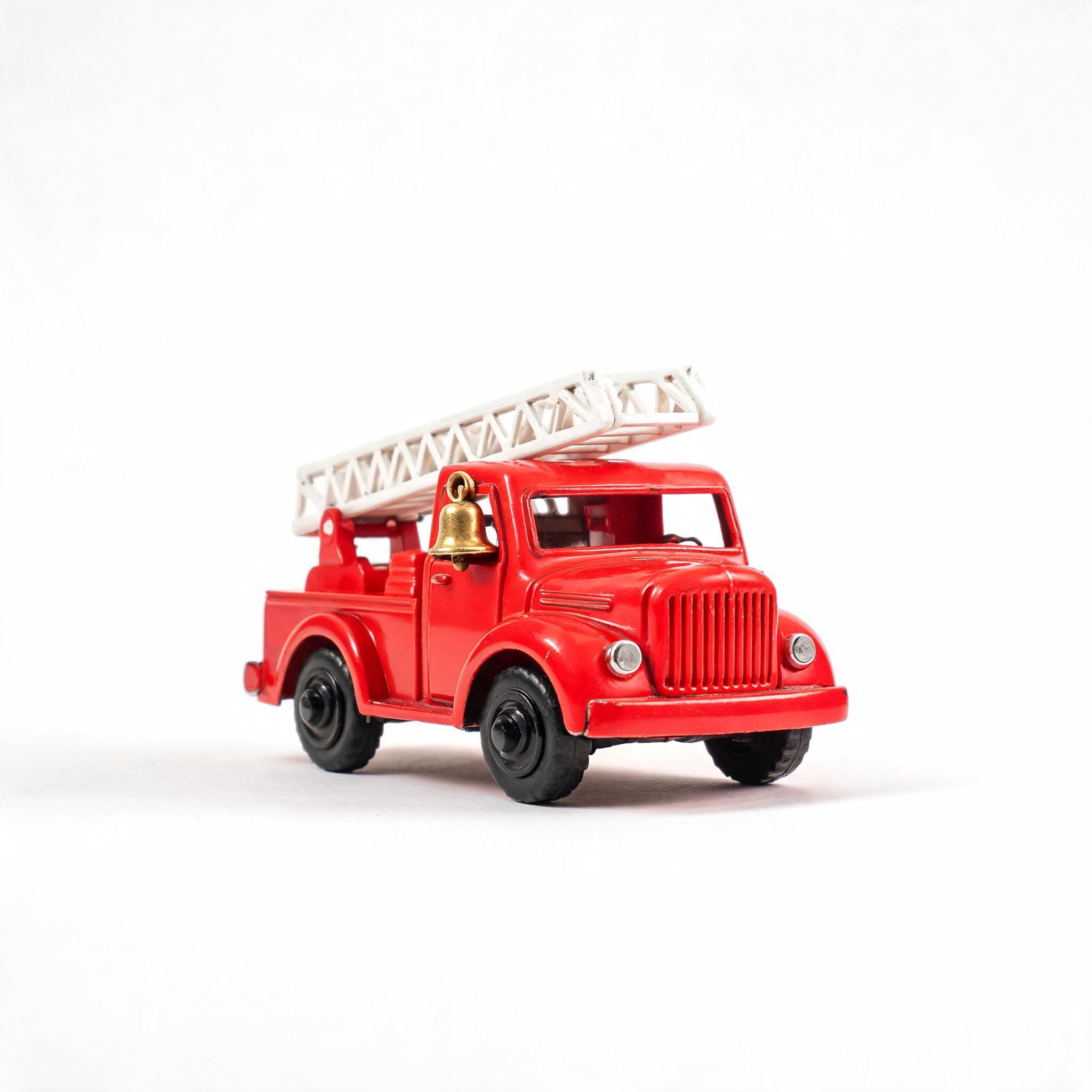
- •Two references in one shot. Prompt: "A low tracking shot that follows the toy across a sunlit wooden floor. Image 1 is the boy in blue-striped pyjamas with tousled brown hair; Image 2 is the red tin fire truck with a white ladder. He kneels, pushes the fire truck forward with one hand and calls out a bright 'wee-ooo' as it rolls; the brass bell on the truck dings twice. Morning light falls from a window at the side. Sound: the truck's wheels rumbling on the boards, the small bell, the boy's voice. The truck rolls to a stop as he grins after it." Both the boy (Image 1) and the fire truck (Image 2) stay recognisably themselves in one frame, so you can stage two of your own references together. Give each image one job, and skip the reference video when the prompt already describes the camera.
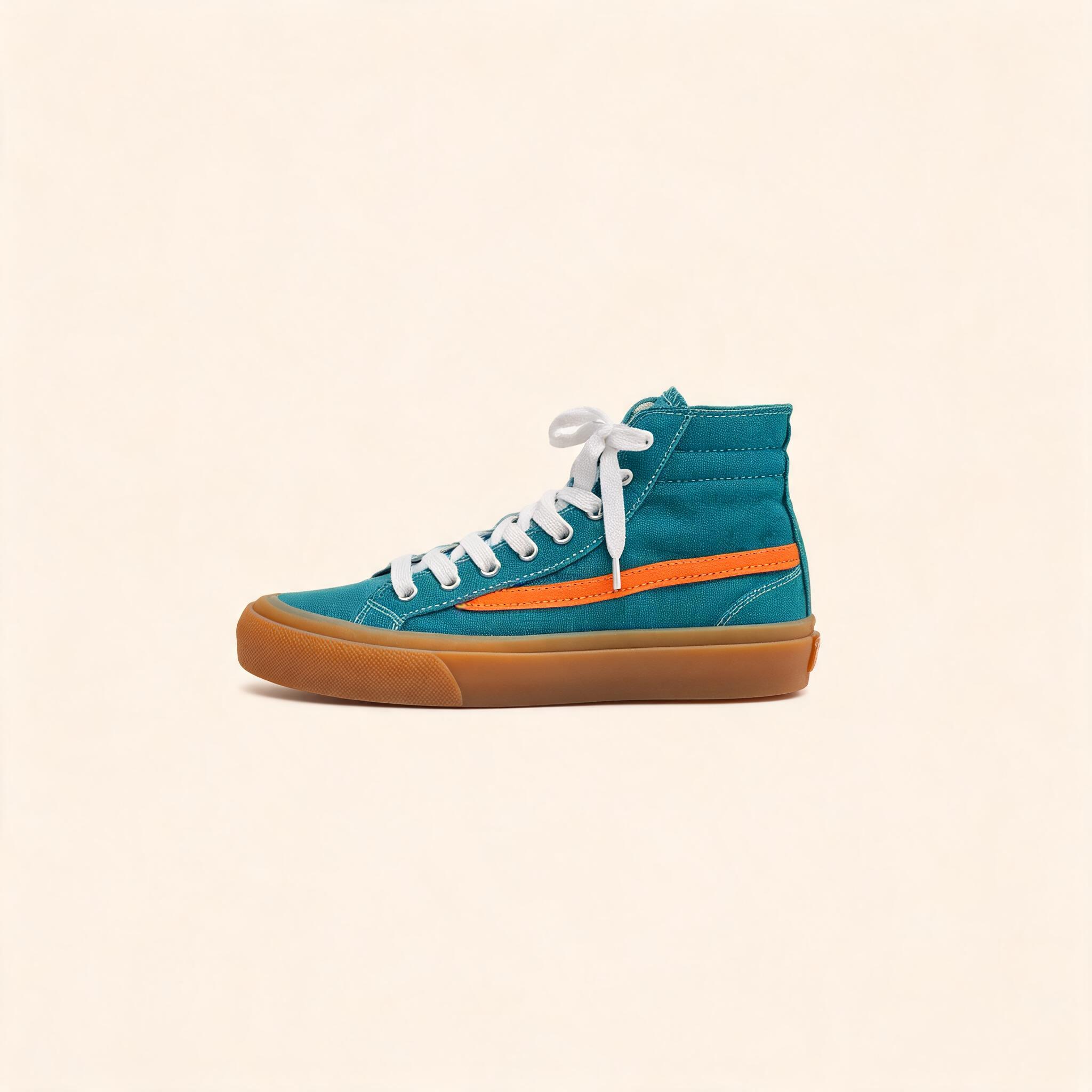
- •Hold a product's design across a moving shot. Prompt: "A slow quarter-turn arc around a teal high-top sneaker standing on a round acrylic plinth in a bright product studio. Image 1 is the sneaker: teal canvas upper, a single orange side stripe, white laces and an amber gum sole. A hand reaches in and turns it a quarter spin so the orange stripe and gum sole come round to the lens, then lets it settle. Even studio light, pale seamless background. Sound: the faint squeak of rubber on acrylic and a low studio room tone. The sneaker rests three-quarters to camera." The sneaker's colourway and gum sole hold through the quarter-turn, proving a packshot can carry across a moving shot. Lead with the features to preserve, and lean on shape and colour rather than printed text, which this stack renders weakly.
Try other briefs the model is built for: "Image 1 is the barista; she steams milk and says 'Two minutes.'", "Image 1 is the trainer and Image 2 the toy robot; they cross a gym together", or "Follow the handheld move from Video 1 as a florist wraps a paper bouquet."