Krea 3 on Segmind: native 2K text-to-image and label-exact image editing
Krea 3 comes to Segmind as two endpoints: generate native 1K and 2K images from text with a high thinking mode, or edit photos and combine up to eight references while products, people and labels stay pixel-exact in native 2K.
Krea 3 is Krea's newest foundation image model, and it comes to Segmind as two endpoints. Krea 3 Text to Image turns a written prompt into a finished 1K or 2K image in seconds, with a high thinking mode for complex scenes. Krea 3 Image Edit takes one to eight reference images and a plain-language instruction, changing what you ask while products, labels and faces stay pixel-exact. Both render at native 2K.
 ModelKrea 3 Text to ImageText-to-image at native 2K with a high thinking mode.
 ModelKrea 3 Image EditEdit images and swap products, keeping labels pixel-exact.
What it does well
Land a crowded prompt with high thinking
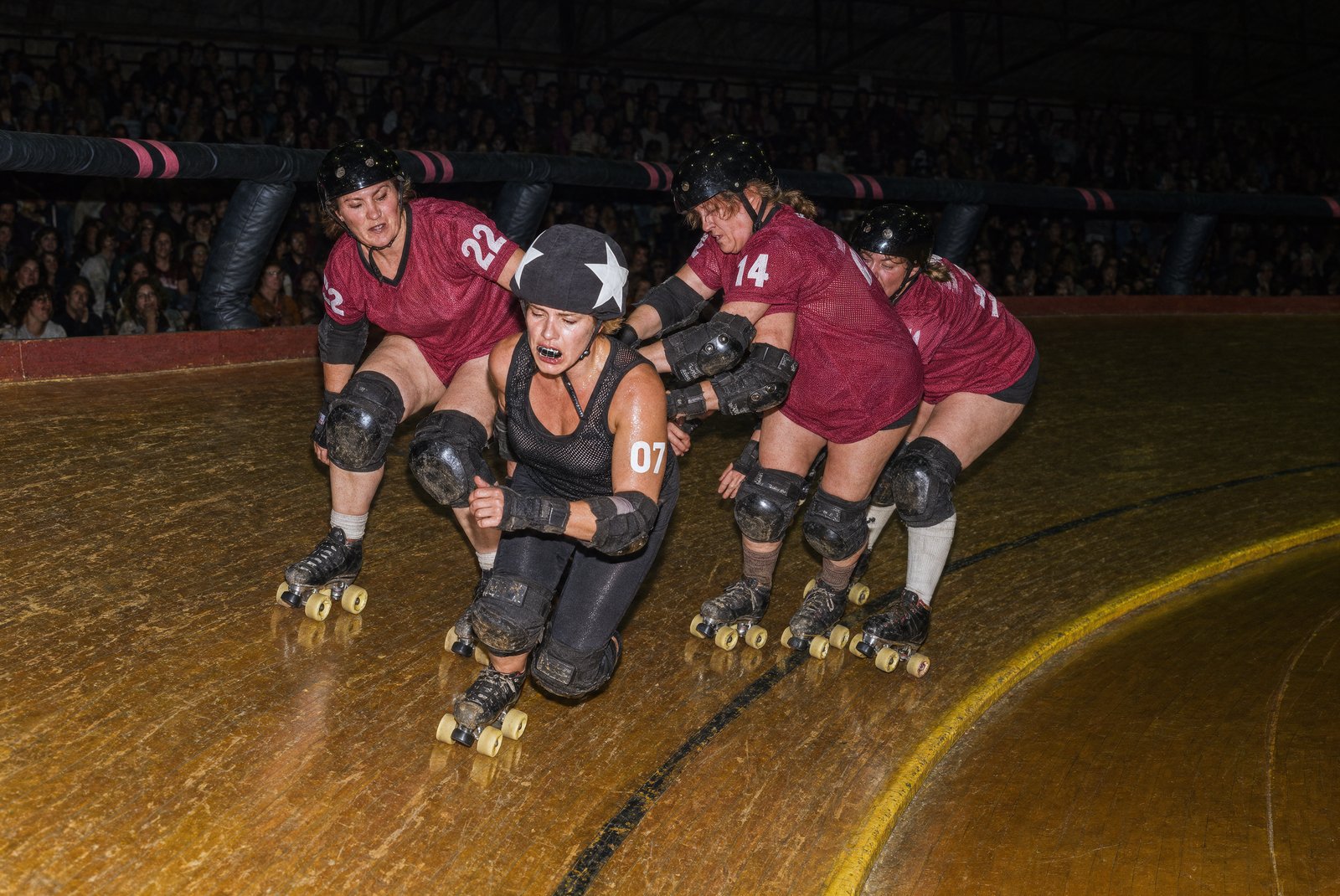
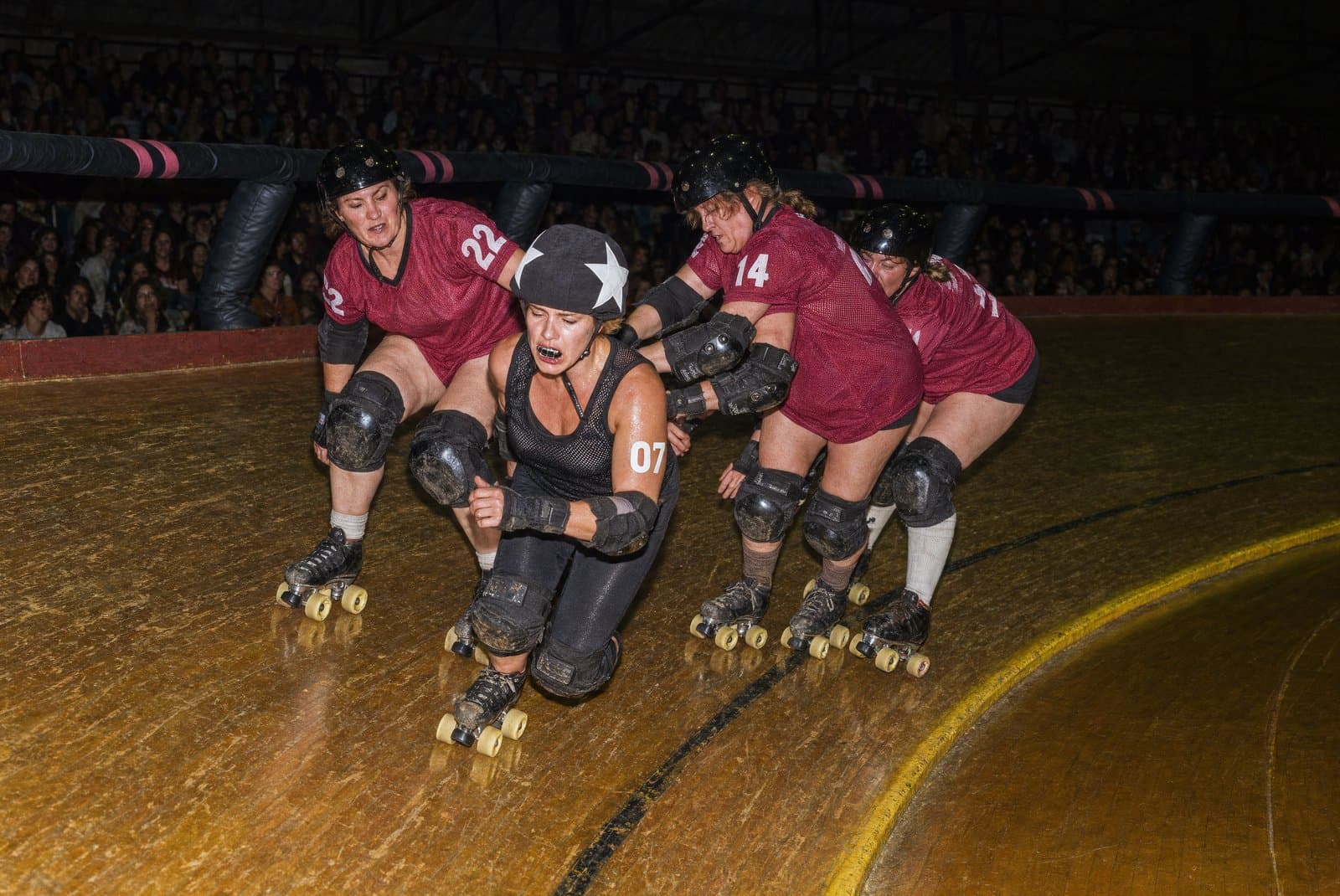
Krea 3 Text to Image has two thinking modes. fast handles everyday prompts; high reasons about the prompt before it renders, which keeps a busy scene coherent. The roller-derby prompt below stacks several skaters, motion blur and in-image numbers at once.
Roller derby jam on a banked wooden track: a jammer in a star-marked helmet cover bursts through a wall of three blockers, one blocker sliding on a knee pad. Roster numbers printed large on their arms and mesh tank jerseys read '07', '22', and '14'. Motion blur streaks off the spinning wheels while the skaters' bodies stay sharp; sweat, scuffed floor tape, taped-up pads. Direct on-camera flash, dark packed crowd behind, 35mm documentary sports photograph.
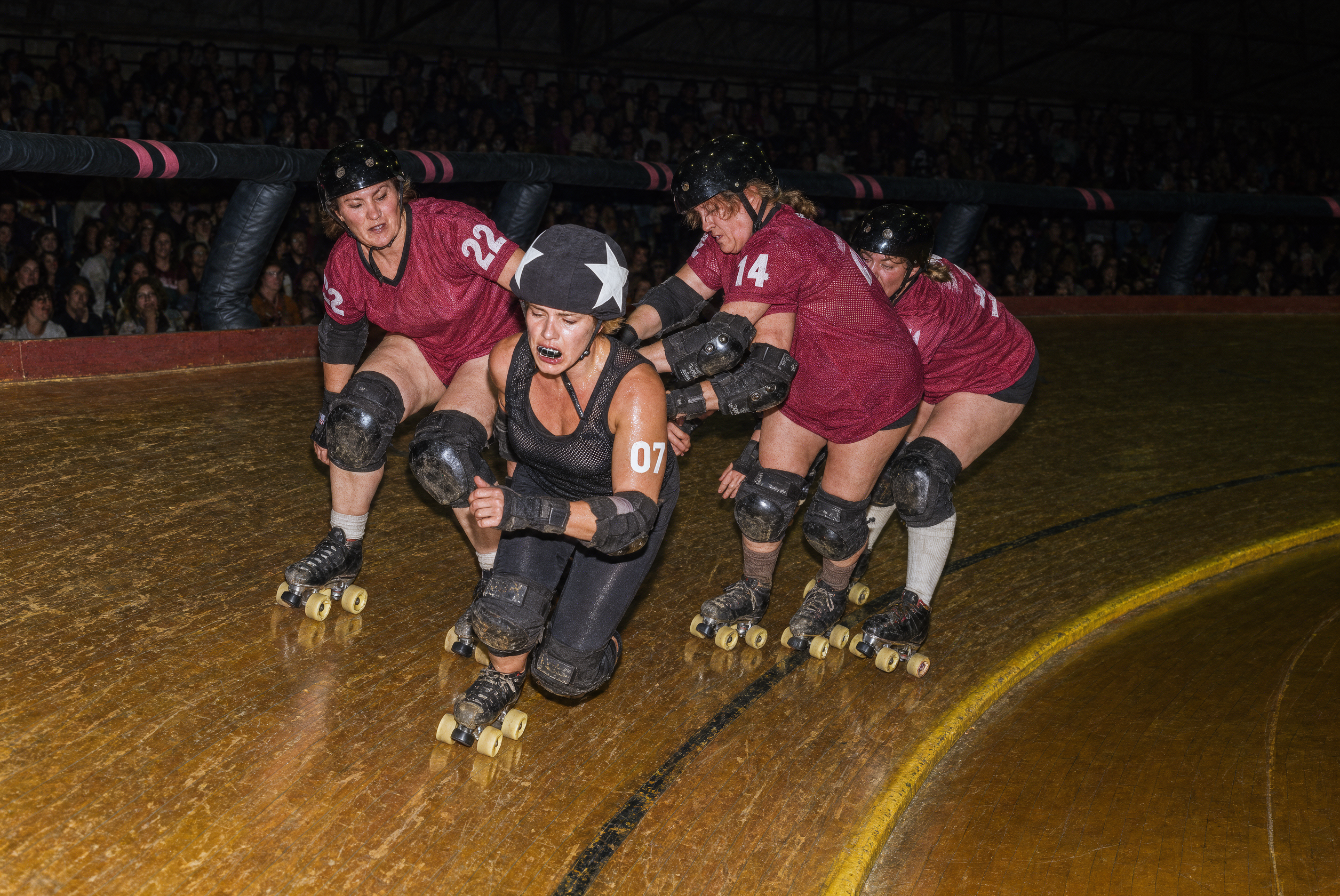
At 2k with high, the interacting skaters and the roster numbers "07", "22" and "14" all hold together in one clean frame. Keep high whenever a prompt stacks figures, motion and text.
Hold an art-directed medium
Krea 3 carries Krea 2's art direction: name a medium and the output stays in that medium instead of collapsing into a glossy photo. Ask for a ukiyo-e woodblock print and you get carved outlines, flat ink and paper grain.
Ukiyo-e woodblock print of a kabuki actor frozen in a mie pose, one arm thrust out, the sleeves of a crane-patterned kimono flaring; carved black outline, flat layers of indigo and vermilion ink, visible paper grain and a slight registration offset, a paper lantern at each edge.
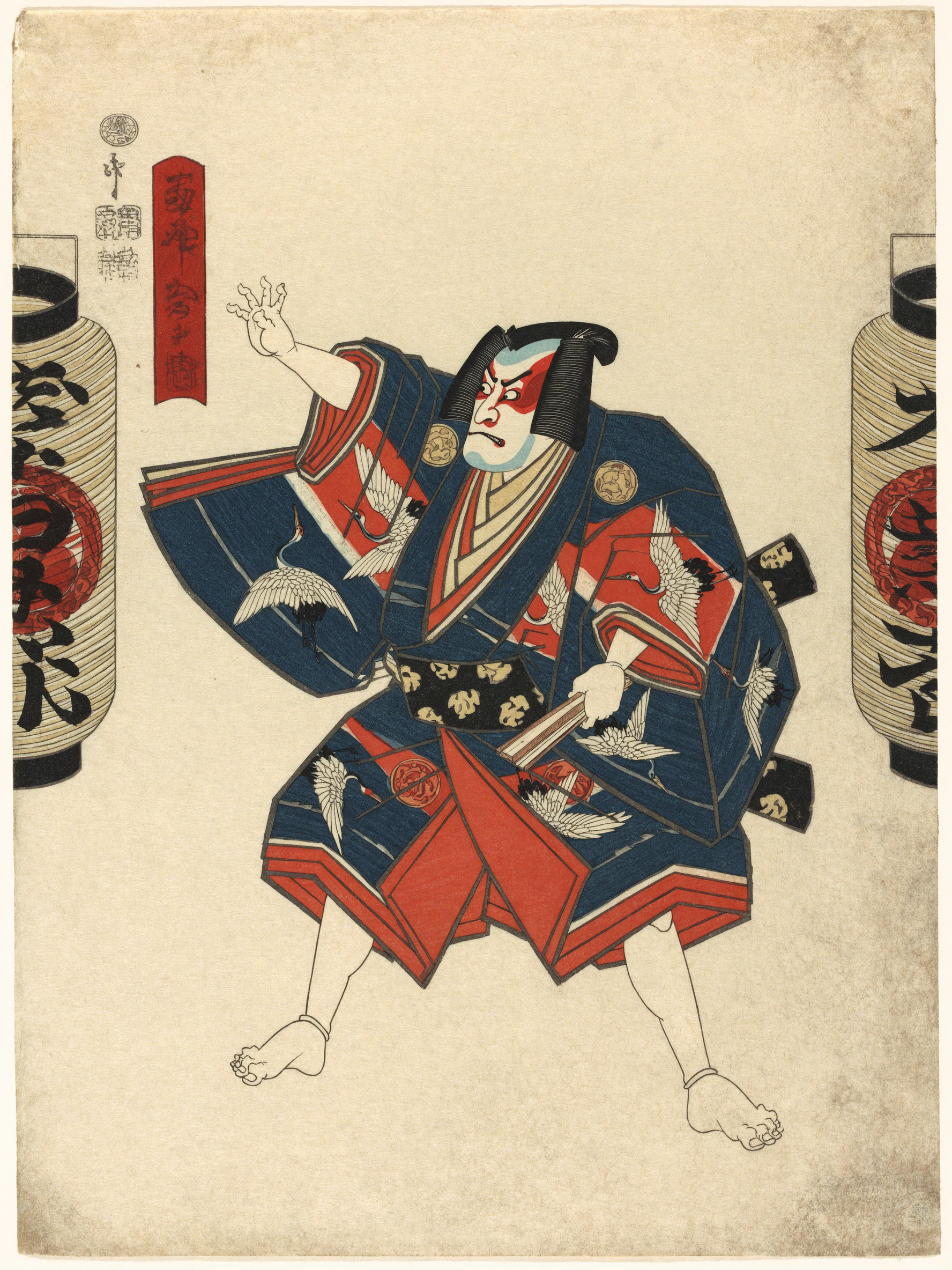
The result reads as a real woodblock print — flat indigo and vermilion ink, carved lines, visible paper grain. Name the medium and its materials, and stay at 2k so the fine line work holds.
Change the scene, keep the product exact
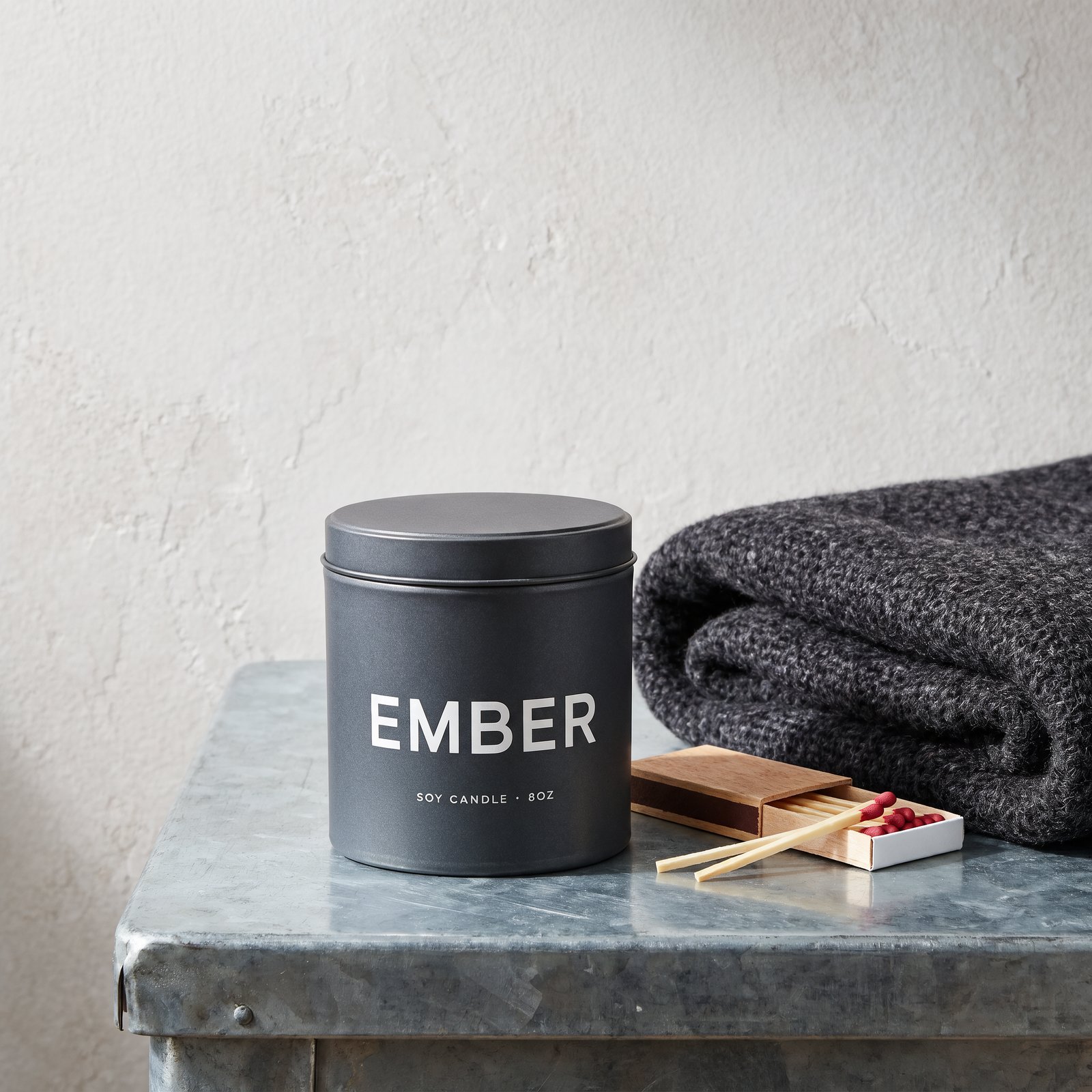
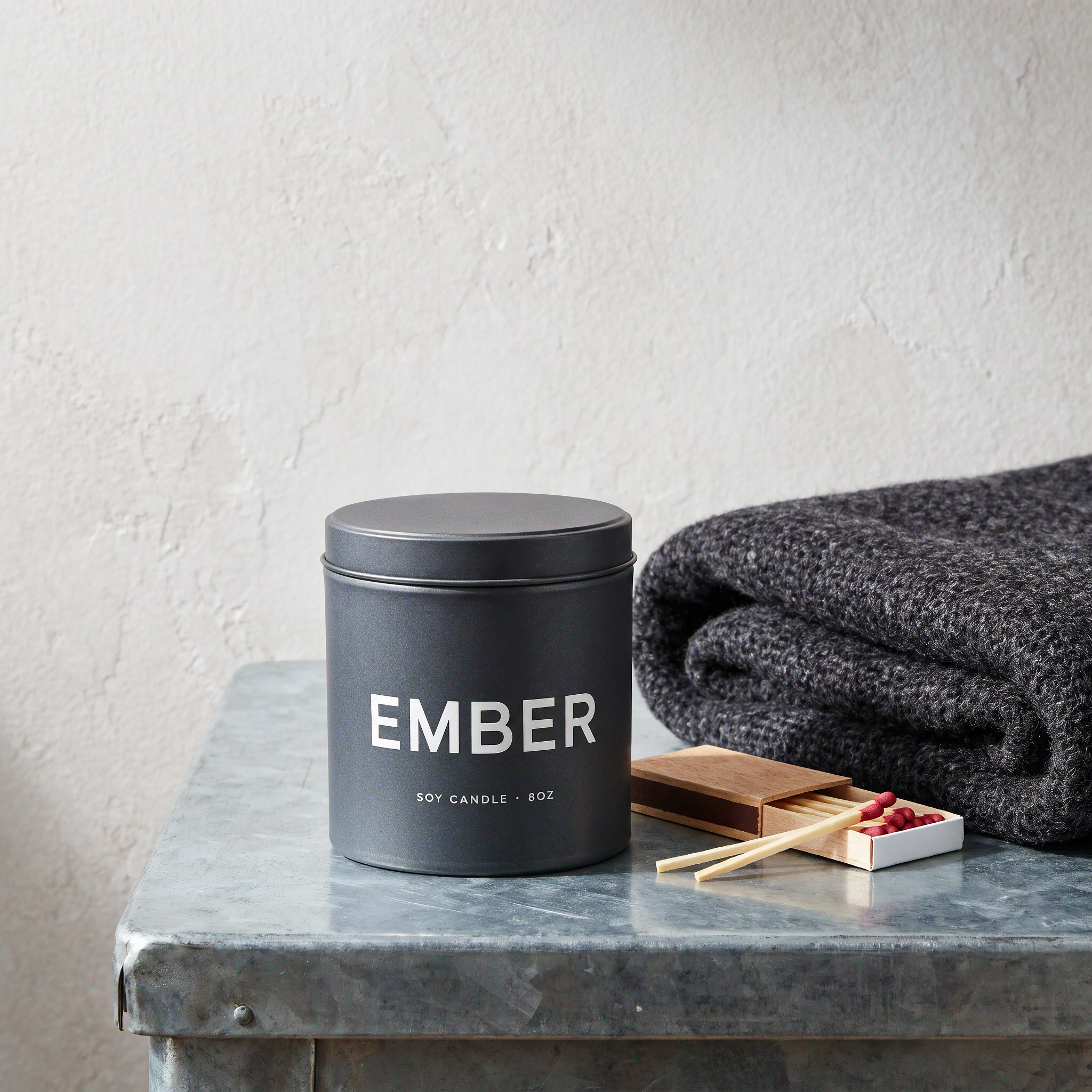
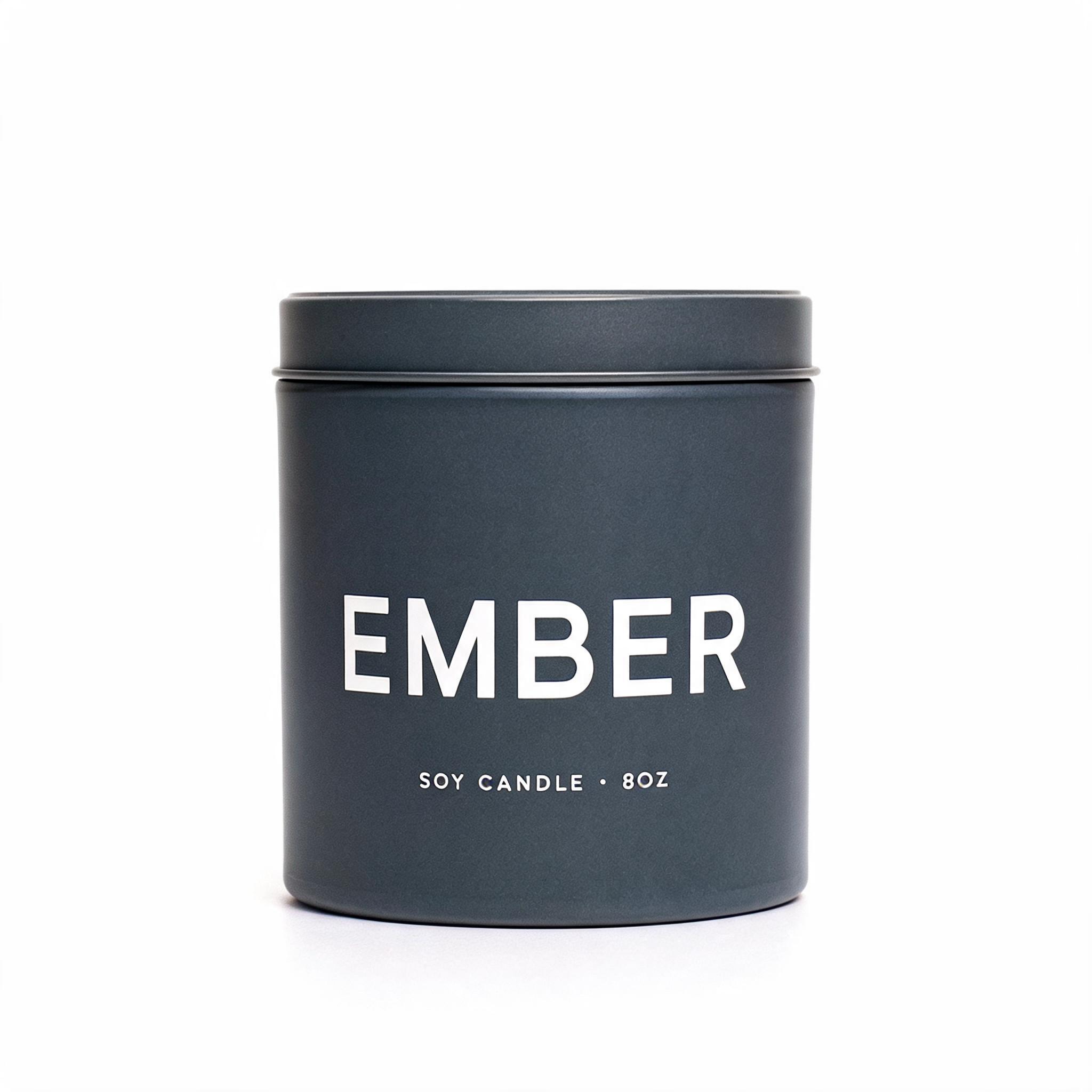
Krea 3 Image Edit is tuned to leave alone anything you do not mention. Change the setting around a product and its shape, label and logo stay sharp, so a plain packshot becomes a campaign photo. Lead with the change and close with one sentence naming what must stay.
 InputOutput
Here the white studio is rebuilt into a zinc tabletop with a wool throw and an open matchbox, while the tin and its EMBER wordmark stay pixel-exact.
Change one thing and only that thing
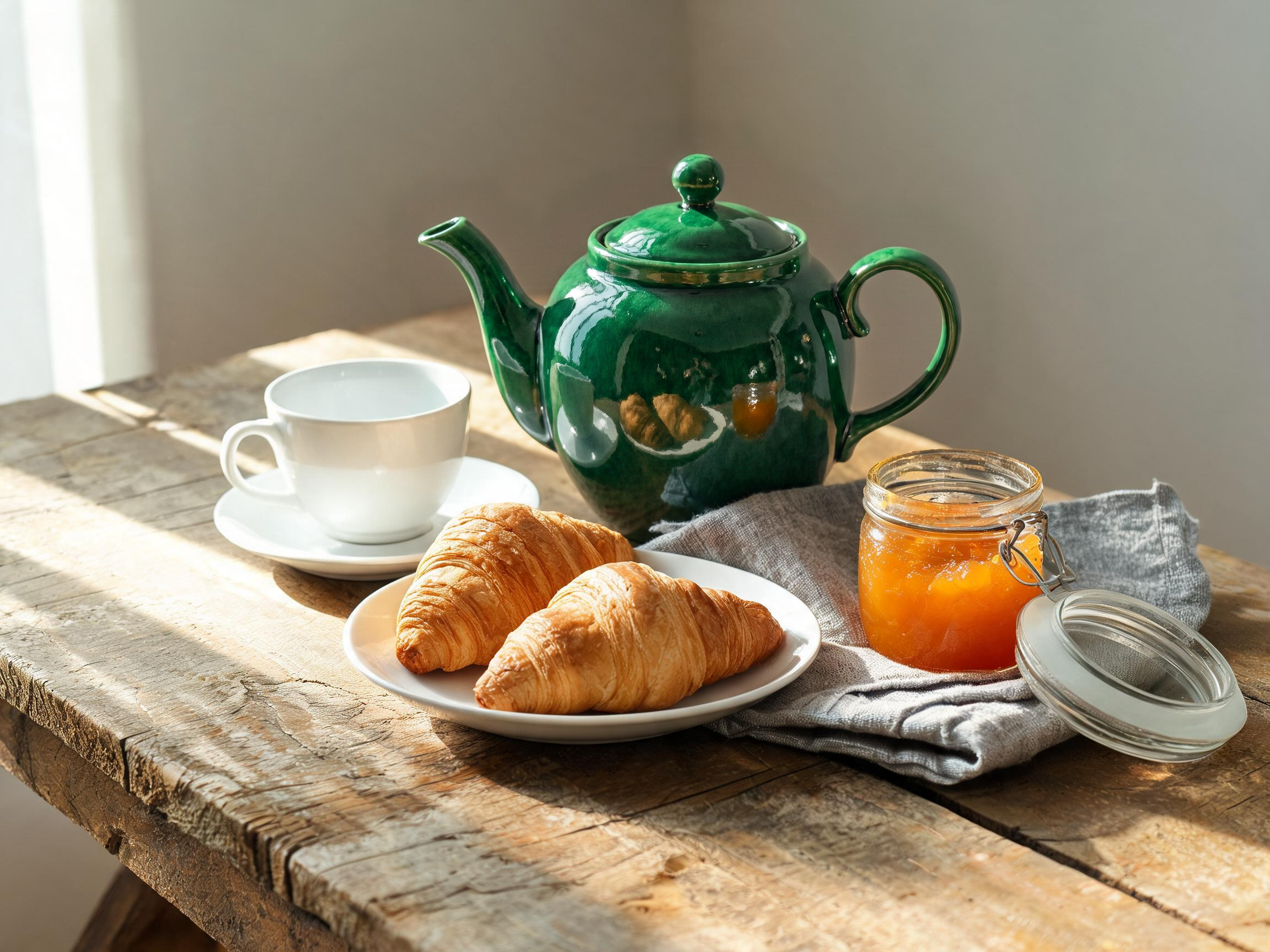
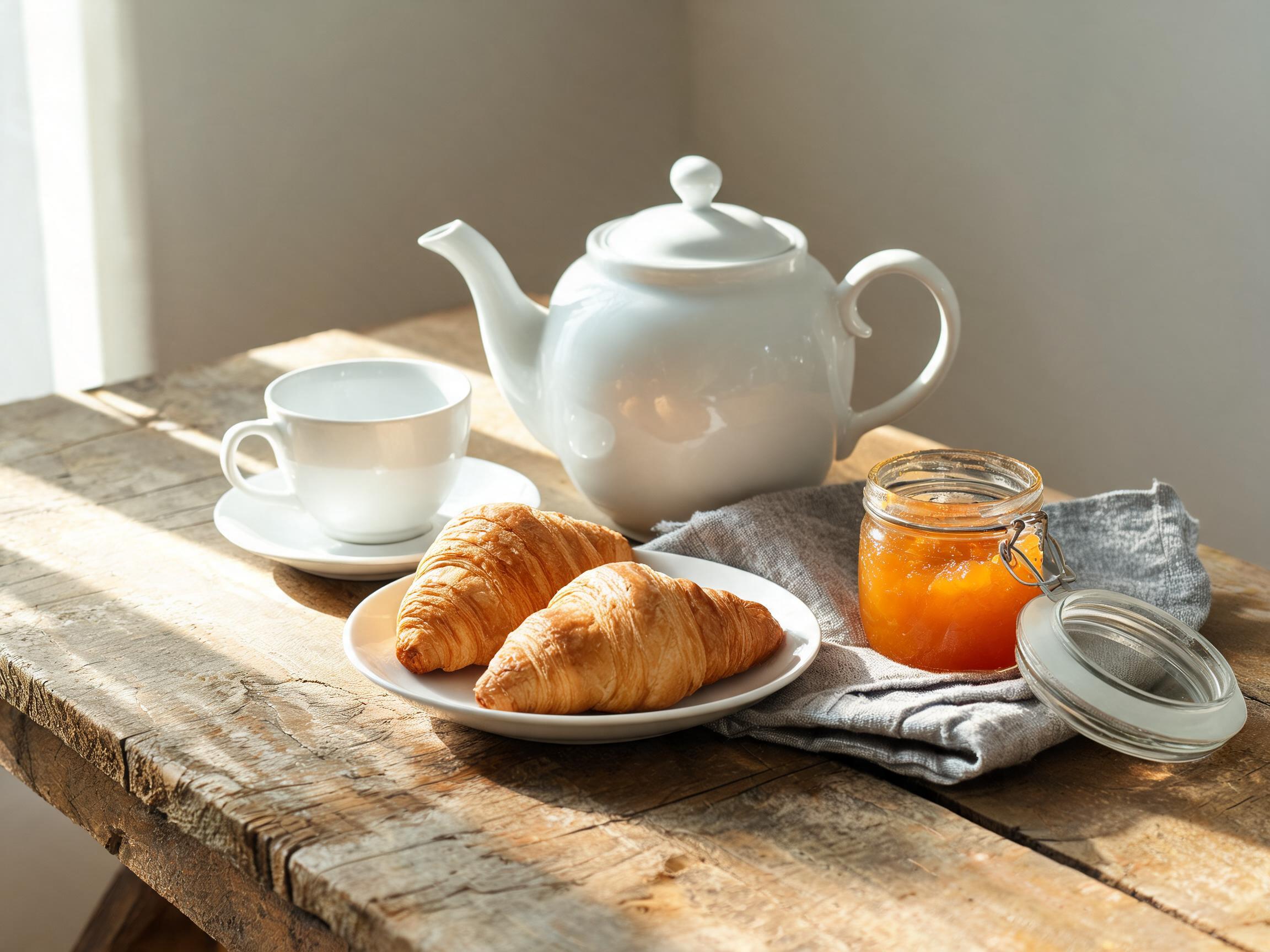
Turn on regional_edit and Krea 3 regenerates only the region your prompt describes, leaving the rest of the frame pixel-exact. That lets you recolour, swap or remove one element and chain further edits without quality loss.
 InputOutput
Name the single object to change, close with what to keep, and everything else survives untouched.
Examples to try
A precise materials brief
Mid-century modern living room photographed straight on: a burnt-orange wool sofa, a teak credenza with a record spinning on its turntable, a round travertine coffee table, an olive shag rug, a brass arc lamp curving overhead, and a white paper lantern lit in the corner; north-window daylight falling across a terrazzo floor.
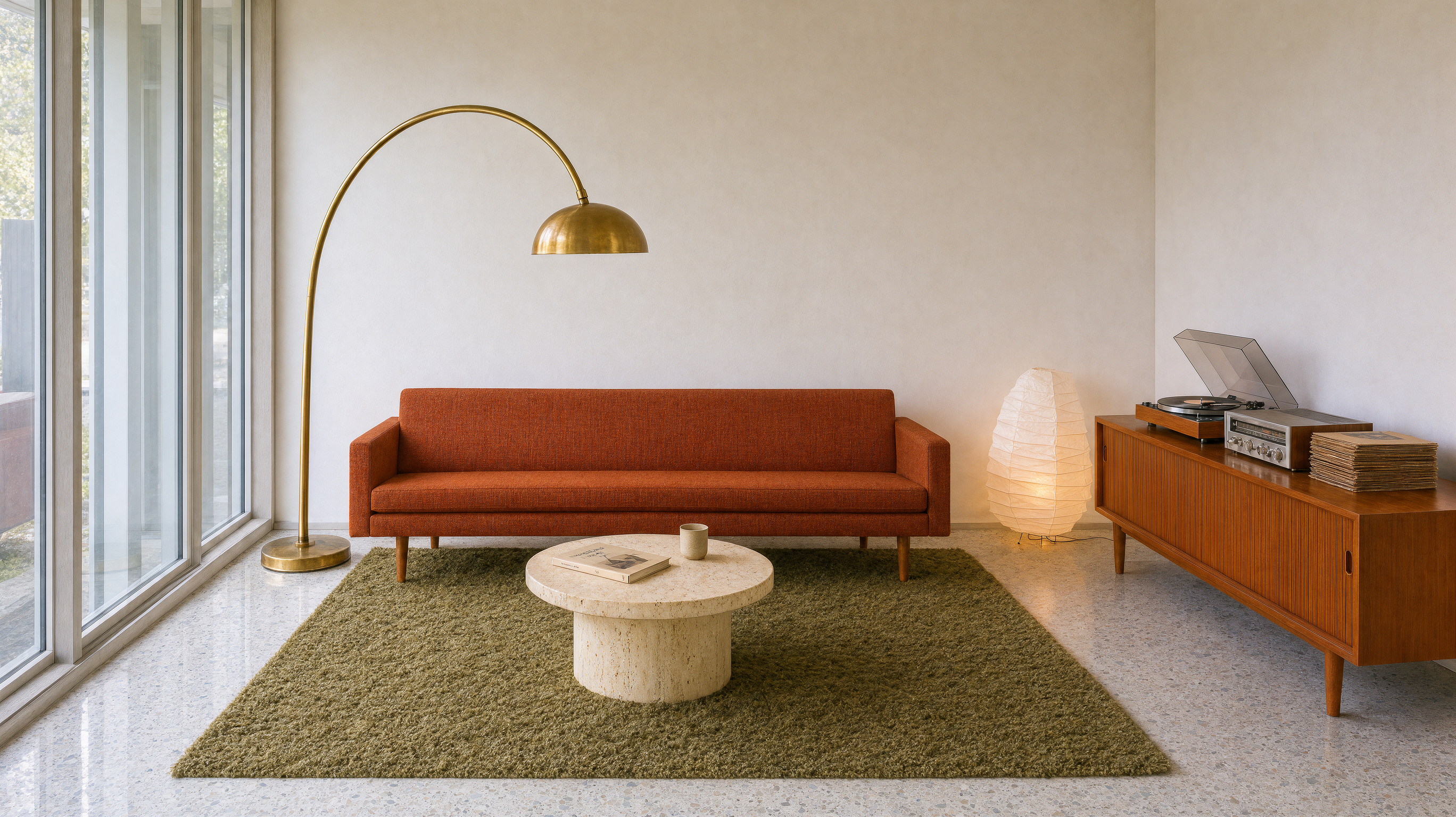
Every named material arrives in its place — burnt-orange sofa, teak credenza, travertine table, olive shag rug, brass arc lamp and terrazzo floor. Write one material per clause and keep thinking_mode high so none drop.
The fast 1K draft tier
Studio fashion portrait of a woman turning to face the camera in a saffron silk sari with gold zari embroidery, a single softbox lighting the pleats, a seamless charcoal-grey backdrop, her hands resting at her waist.
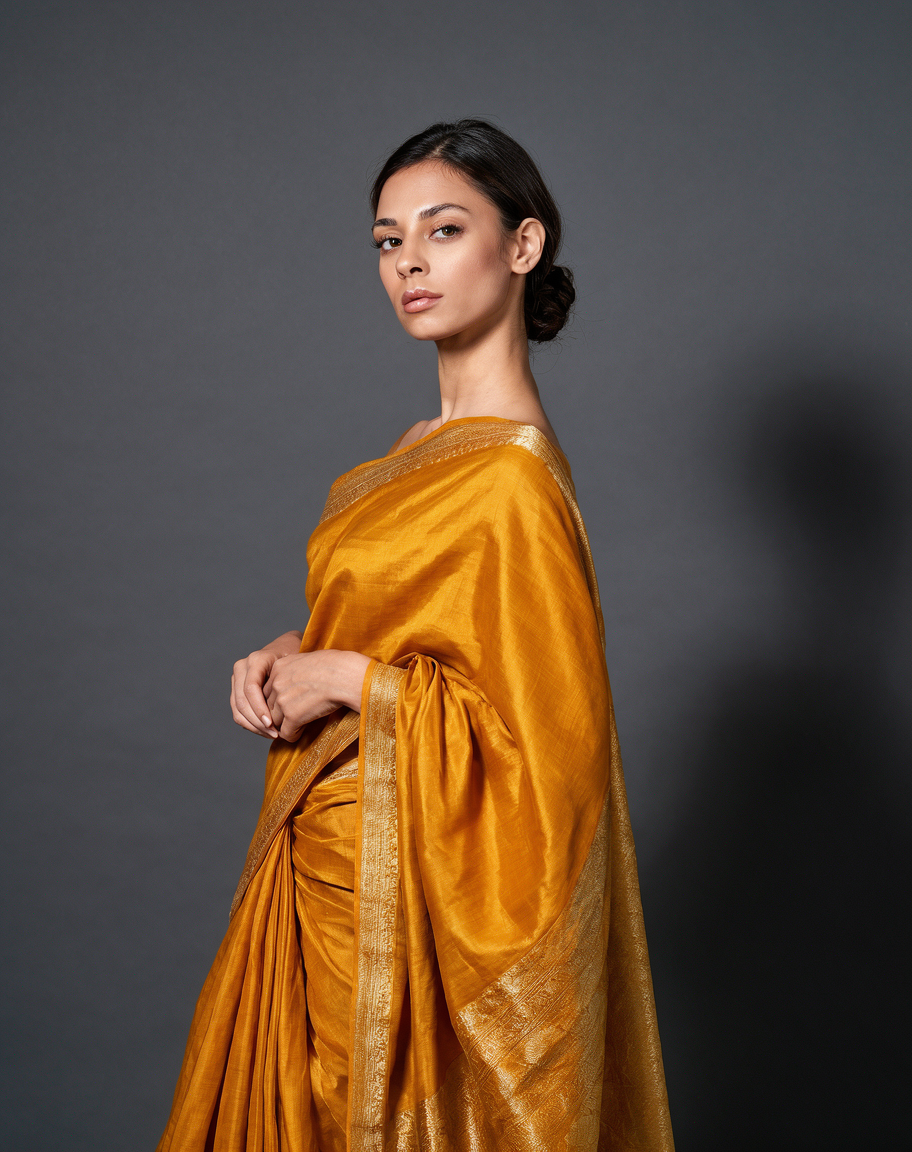
At 1k with fast, the face, hands and gold zari border still come back clean. Draft single subjects at the 1K/fast tier, then re-run the keeper at 2k.
Combine several references
Image 1 Image 2 Image 3 Output
Number each reference and say what it is for; the exact chair and lamp drop into the referenced room. Use thinking_mode high and four or fewer references when fine detail matters.
Sketch to a finished render
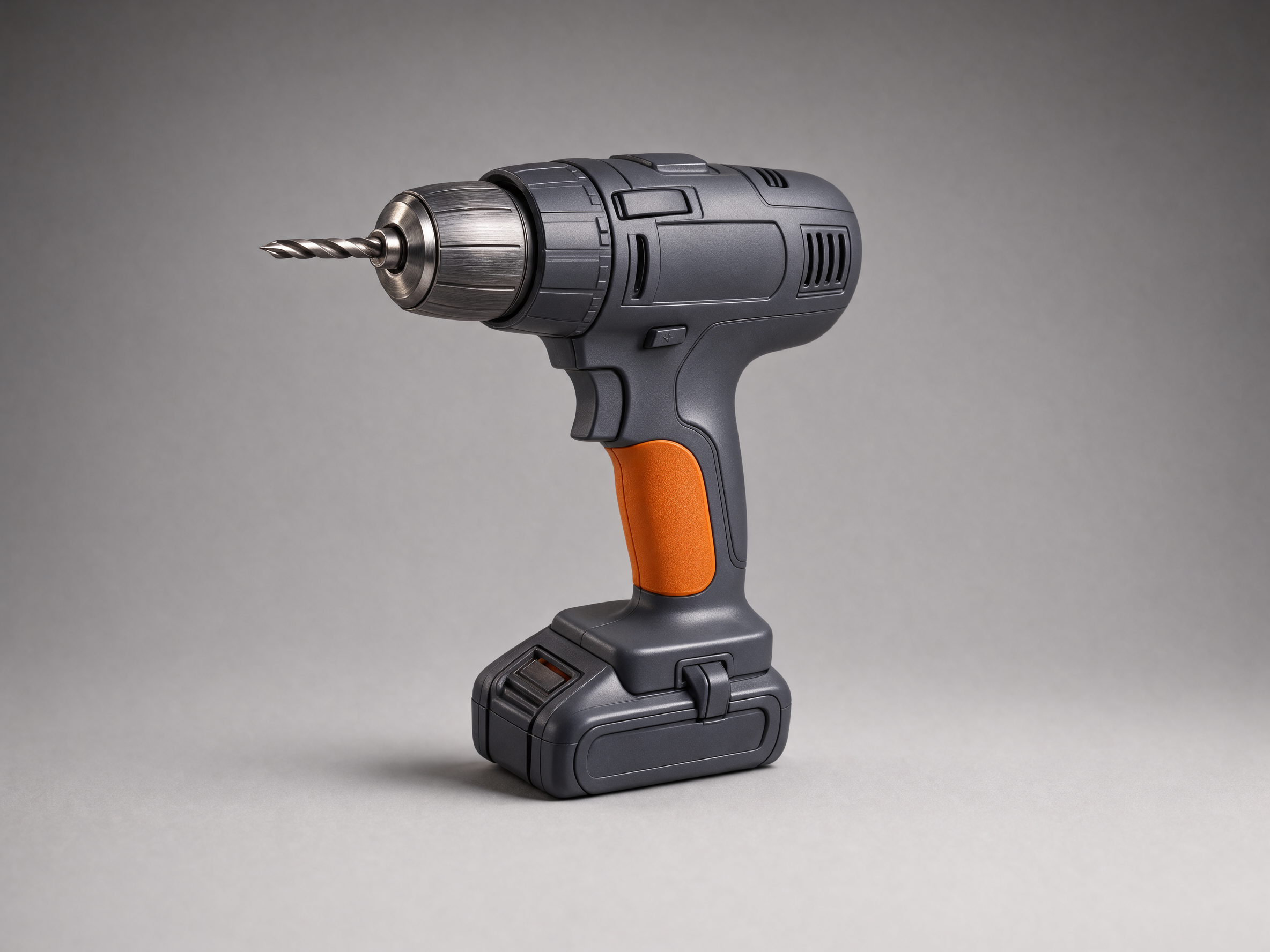
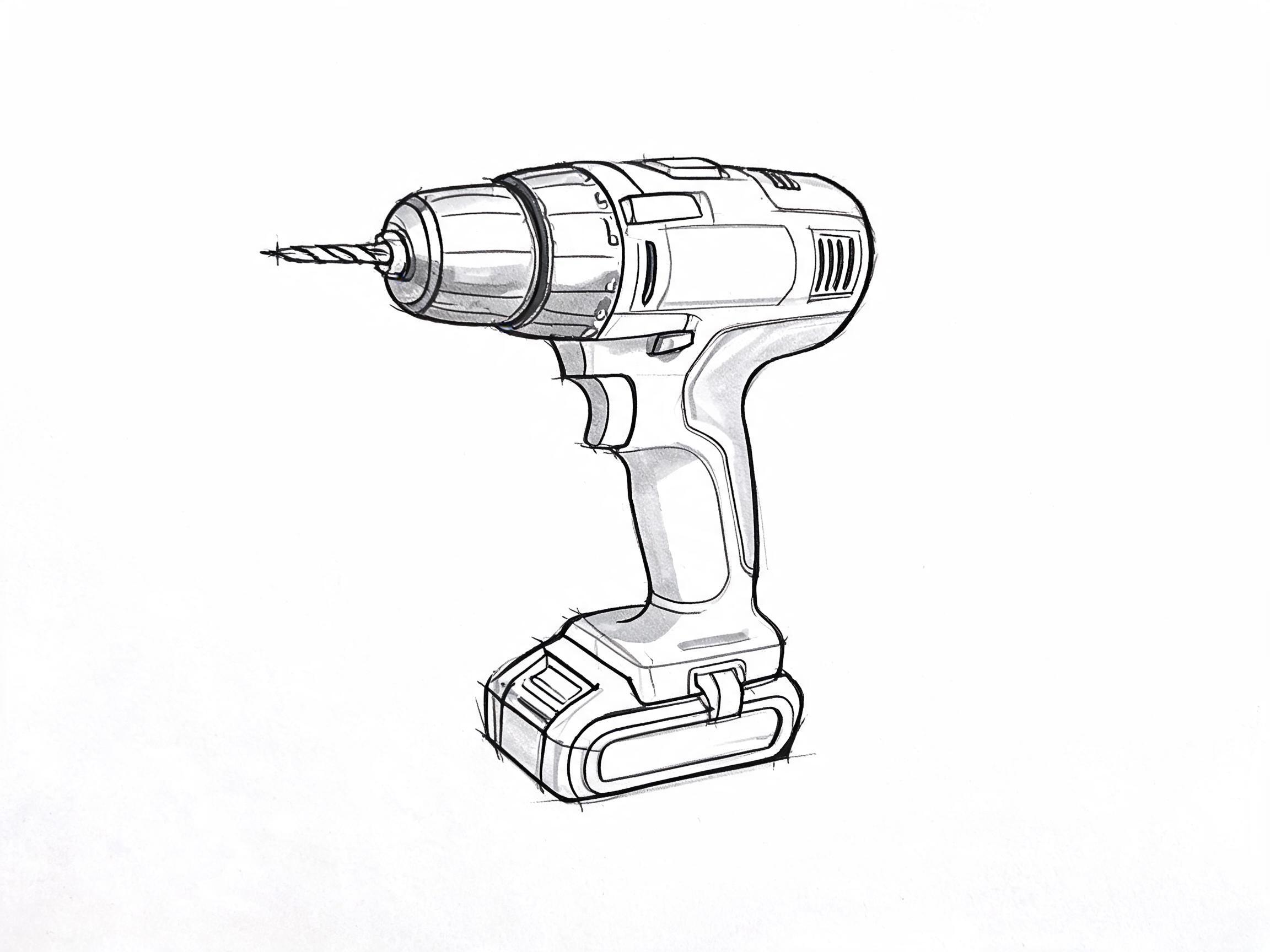 InputOutput
The same model restyles a line drawing into the materials you name. Add the finish you want and keep thinking_mode high so it reasons from the lines.
Recommended settings
| Setting | Value | When |
|---|---|---|
| resolution | 1k / 2k | 1k for fast, cheap drafts; 2k for final deliverables, small text or fine texture |
| thinking_mode | fast / high | fast for simple prompts and everyday edits; high for crowded scenes or multi-reference edits |
| aspect_ratio | auto or a fixed ratio | auto lets the model frame (edit follows the reference); set a fixed ratio for a known canvas |
| regional_edit (edit) | true / false | true to confine a change to one region; false for whole-scene rebuilds and composites |
| images (edit) | 1–8 URLs | one to eight references; send four or fewer when fine detail matters |
| seed | integer or empty | leave empty for variety — a reused seed is not guaranteed to reproduce an image |
Good to know
- Krea labels Krea 3 text-to-image as experimental and still points to Krea 2 for generation-led work.
- On image edits, small text, logos, technical diagrams and faces are not guaranteed — check them before production.
- Image Edit takes up to eight reference images; send four or fewer when fine detail matters.
- LoRAs and style references are not yet available through the API.
Use it from the API
Each setting on a card maps to one field in the request body. These are the two default examples; the page renders the Python and cURL from them.
# pip install "segmind>=1.1.0"
# export SEGMIND_API_KEY="YOUR_API_KEY"
import segmind

result = segmind.run(
    "krea-3-text-to-image",
    prompt="Roller derby jam on a banked wooden track: a jammer in a star-marked helmet cover bursts through a wall of three blockers, one blocker sliding on a knee pad. Roster numbers printed large on their arms and mesh tank jerseys read '07', '22', and '14'. Motion blur streaks off the spinning wheels while the skaters' bodies stay sharp; sweat, scuffed floor tape, taped-up pads. Direct on-camera flash, dark packed crowd behind, 35mm documentary sports photograph.",
    resolution="2k",
    aspect_ratio="3:2",
    thinking_mode="high",
)
print(result.get("output"))
# 1. Submit the request; the reply carries its request_id
REQUEST_ID=$(curl -s -X POST "https://api.segmind.com/v2/krea-3-text-to-image" \
-H "x-api-key: YOUR_API_KEY" \
-H "Content-Type: application/json" \
-d '{
"prompt": "Roller derby jam on a banked wooden track: a jammer in a star-marked helmet cover bursts through a wall of three blockers, one blocker sliding on a knee pad. Roster numbers printed large on their arms and mesh tank jerseys read '\''07'\'', '\''22'\'', and '\''14'\''. Motion blur streaks off the spinning wheels while the skaters'\'' bodies stay sharp; sweat, scuffed floor tape, taped-up pads. Direct on-camera flash, dark packed crowd behind, 35mm documentary sports photograph.",
"resolution": "2k",
"aspect_ratio": "3:2",
"thinking_mode": "high"
}' | jq -r .request_id)
# 2. Check its status until it is COMPLETED
curl -s "https://api.segmind.com/v2/requests/$REQUEST_ID/status" \
-H "x-api-key: YOUR_API_KEY"
# 3. Fetch the result
curl -s "https://api.segmind.com/v2/requests/$REQUEST_ID" \
-H "x-api-key: YOUR_API_KEY"# pip install "segmind>=1.1.0"
# export SEGMIND_API_KEY="YOUR_API_KEY"
import segmind
result = segmind.run(
"krea-3-image-edit",
images=[
"https://segmind-resources.s3.amazonaws.com/input/krea-3-image-edit-input.jpg",
],
prompt="Place the candle tin on a weathered zinc tabletop beside a folded charcoal wool throw and an open box of matches, with a limewashed plaster wall behind it. Keep the tin and its printed EMBER label exactly as they are.",
resolution="2k",
aspect_ratio="auto",
thinking_mode="fast",
regional_edit=False,
)
print(result.get("output"))# 1. Submit the request; the reply carries its request_id
REQUEST_ID=$(curl -s -X POST "https://api.segmind.com/v2/krea-3-image-edit" \
-H "x-api-key: YOUR_API_KEY" \
-H "Content-Type: application/json" \
-d '{
"images": [
"https://segmind-resources.s3.amazonaws.com/input/krea-3-image-edit-input.jpg"
],
"prompt": "Place the candle tin on a weathered zinc tabletop beside a folded charcoal wool throw and an open box of matches, with a limewashed plaster wall behind it. Keep the tin and its printed EMBER label exactly as they are.",
"resolution": "2k",
"aspect_ratio": "auto",
"thinking_mode": "fast",
"regional_edit": false
}' | jq -r .request_id)
# 2. Check its status until it is COMPLETED
curl -s "https://api.segmind.com/v2/requests/$REQUEST_ID/status" \
-H "x-api-key: YOUR_API_KEY"
# 3. Fetch the result
curl -s "https://api.segmind.com/v2/requests/$REQUEST_ID" \
-H "x-api-key: YOUR_API_KEY"Resources
- Try Krea 3 Text to Image on Segmind
- Try Krea 3 Image Edit on Segmind
- Krea 3 Text to Image API reference
- Krea 3 Image Edit API reference
- Krea 3 API overview — endpoint, parameters, thinking modes, regional edits, reference limits and a prompting section.
- Introducing Krea 3 — Krea's launch post with positioning, worked examples and the recommended prompt pattern.
- Krea 3 (user guide) — Krea's own guide: native 2K output, what to use it for, and when to choose Krea 3 vs Krea 2.
- Krea API: Text to Image examples — text-to-image usage across Krea models with code samples.
- #krea
- #text-to-image
- #image-editing
- #model-launch
- #2k