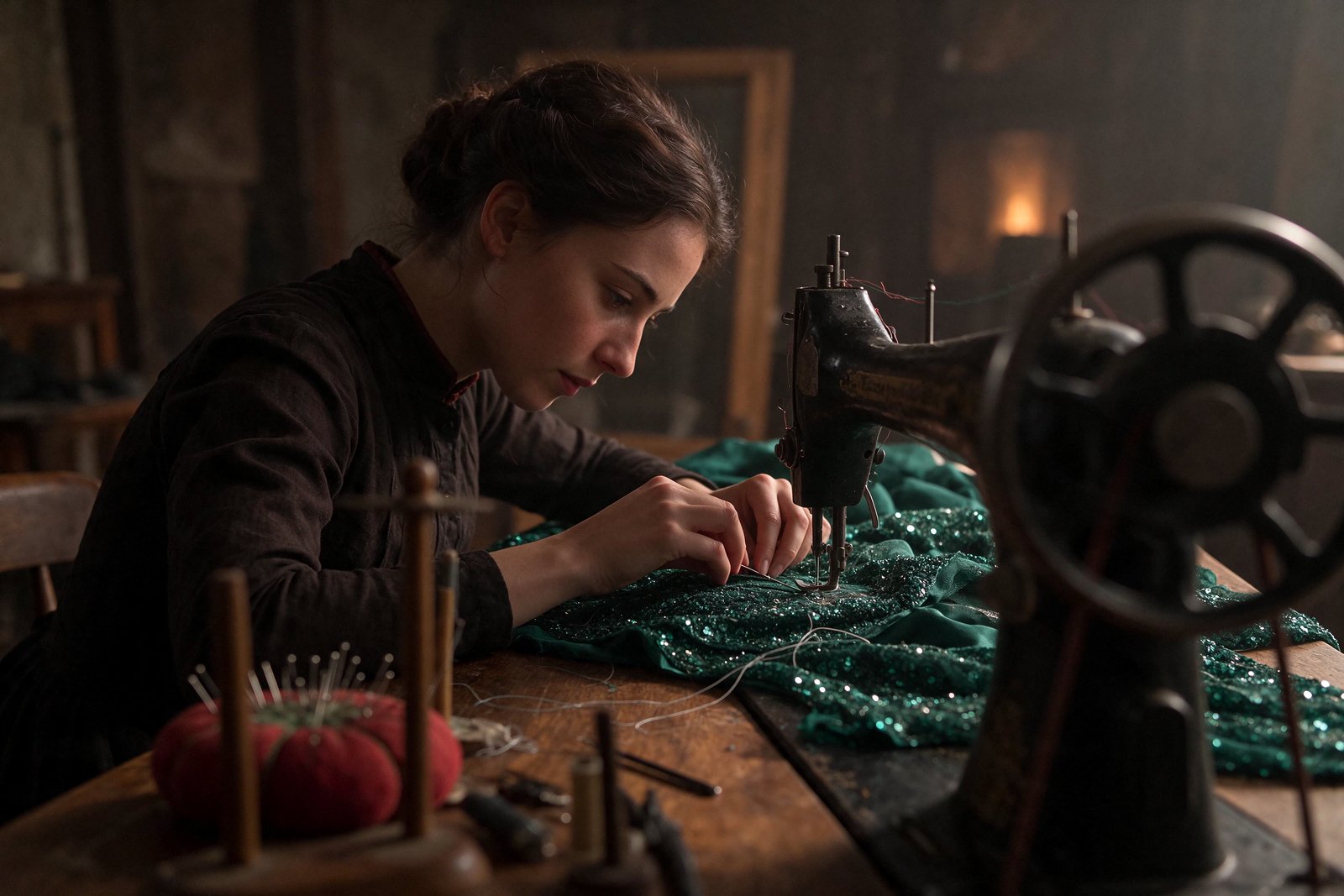
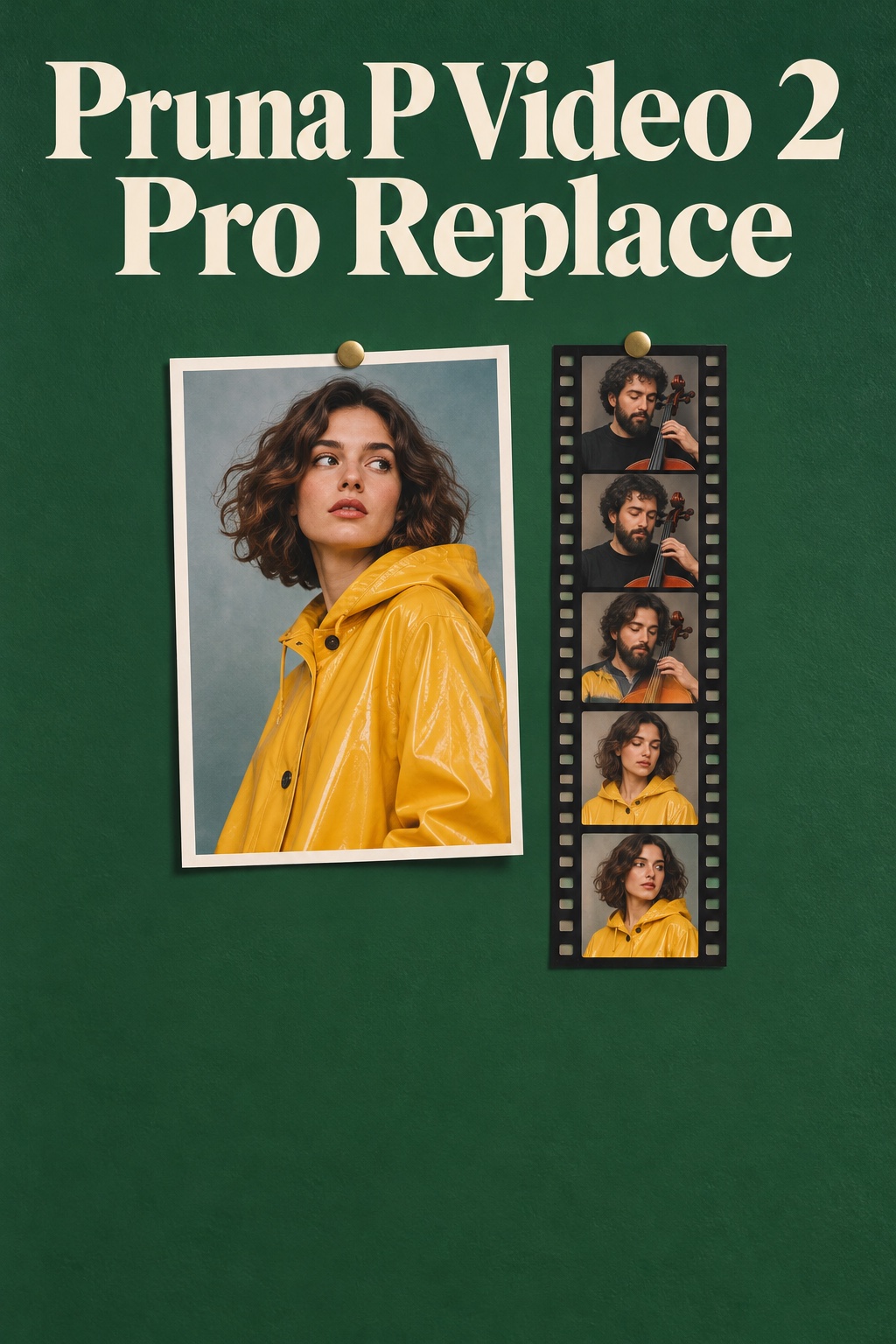
MiniMax H3 Image on Segmind: native 4K text-to-image and reference editing
MiniMax H3 Image is MiniMax's open-weight image model on Segmind, in two modes: text to image with legible in-image text, and image edit for combining up to 16 reference pictures. Both render natively at up to about 16 MP (4K) in one pass.
MiniMax H3 Image is MiniMax's open-weight H3-Image model, on Segmind in two modes. Text to image turns a written prompt into a high-resolution still, and image edit takes one to sixteen reference pictures and a single instruction and returns an edited image. Both generate natively at up to about 16 megapixels (4K) in one pass, with no separate upscaler, and both follow detailed instructions closely. You can pick any aspect ratio from 1:3 to 3:1, request up to 10 images at once, and choose a standard or highspeed tier.
Text to image
Text to image turns a written prompt into a high-resolution still. It renders legible in-image text: quote the exact words and they come back correctly spelled. Output is native at up to about 16 megapixels (4K) in one pass, in any aspect ratio from 1:3 to 3:1. Prompt enhancement is on by default: it expands your prompt into the detailed caption the model reads, and returns that rewrite so you can see what was generated.
 ModelMiniMax H3 Text to ImageRender legible in-image text at native 4K.
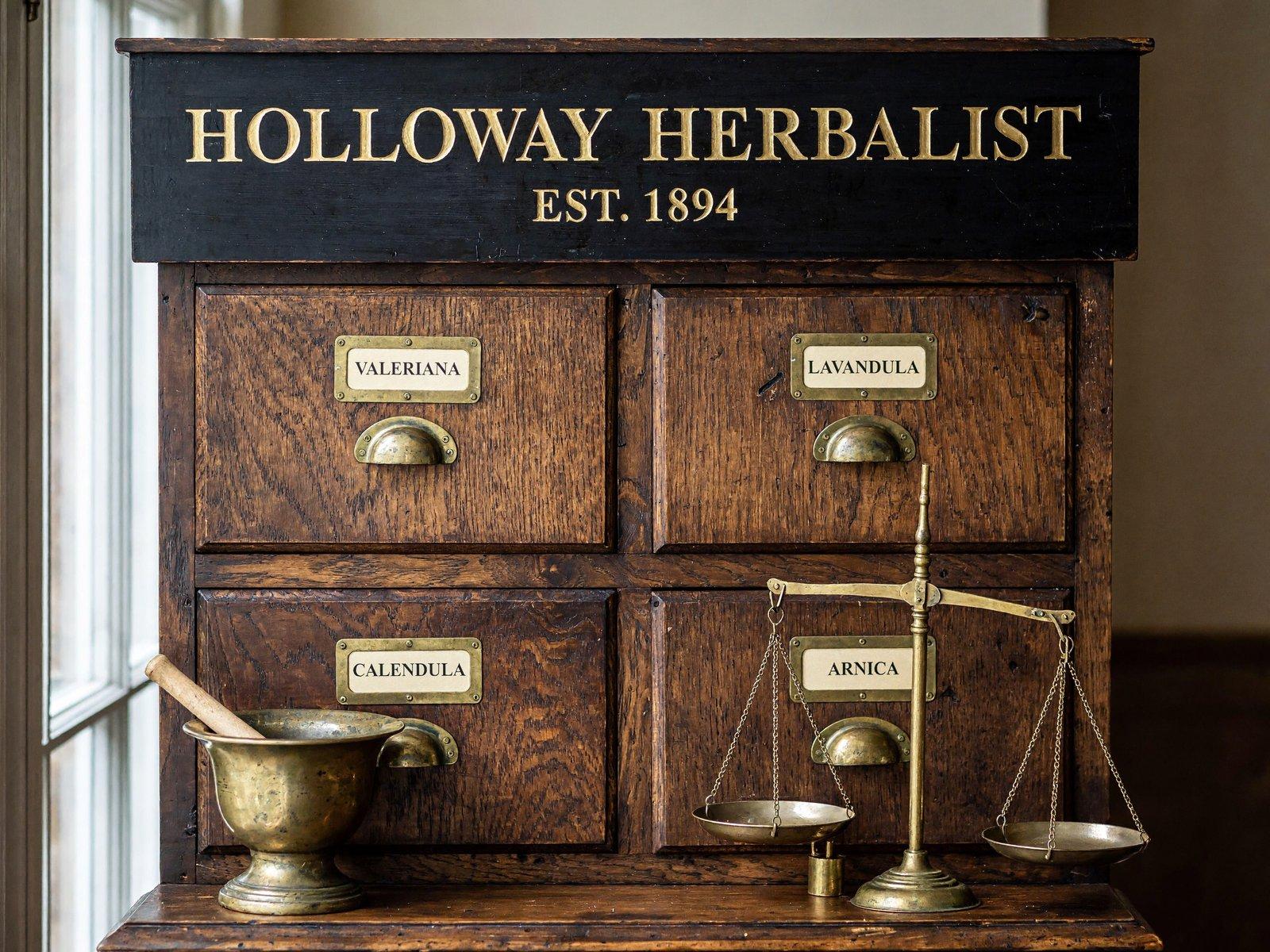
A straight-on view of a Victorian herbalist's cabinet: a grid of small oak drawers, each with a round brass cup handle and a cream card label in a brass frame. The front labels read 'VALERIANA', 'LAVANDULA', 'CALENDULA' and 'ARNICA' in black serif capitals. A hand-painted wooden header board above the drawers reads 'HOLLOWAY HERBALIST' with 'EST. 1894' beneath in gold leaf. A brass mortar and pestle and a set of apothecary scales rest on the counter below. Even daylight from a side window, aged wood grain and tarnished brass.
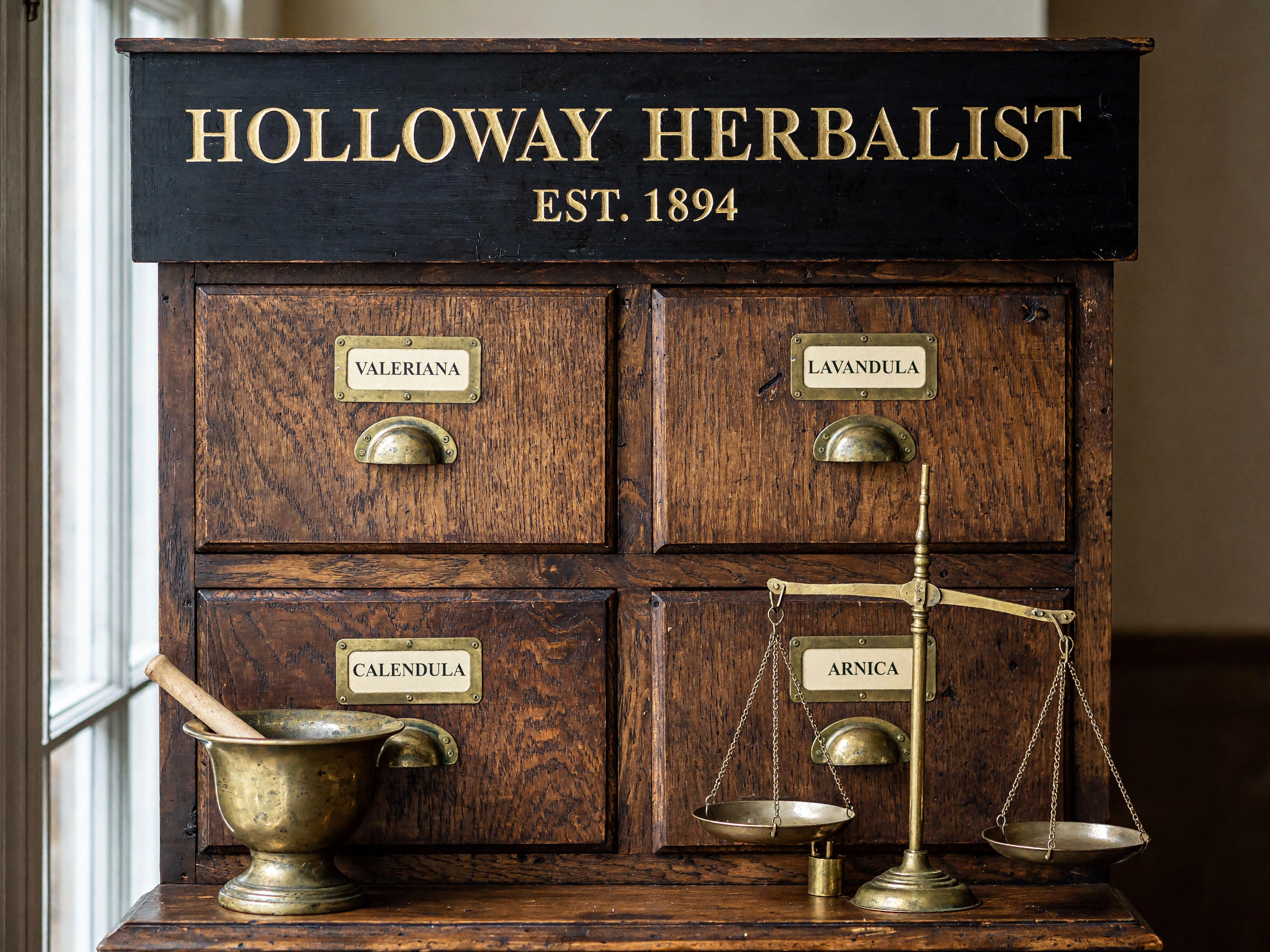
Every requested word renders correctly spelled and placed, from the gold-leaf header to the four drawer labels, inside a photoreal cabinet.
An ultra-wide view straight down a car-factory assembly line: a long row of unpainted silver sedan shells on a steel conveyor recedes to a vanishing point, flanked on both sides by orange robotic welding arms frozen mid-weld, each throwing a short burst of white sparks. Polished concrete floor, yellow painted safety lines, cool even overhead lighting, no people.
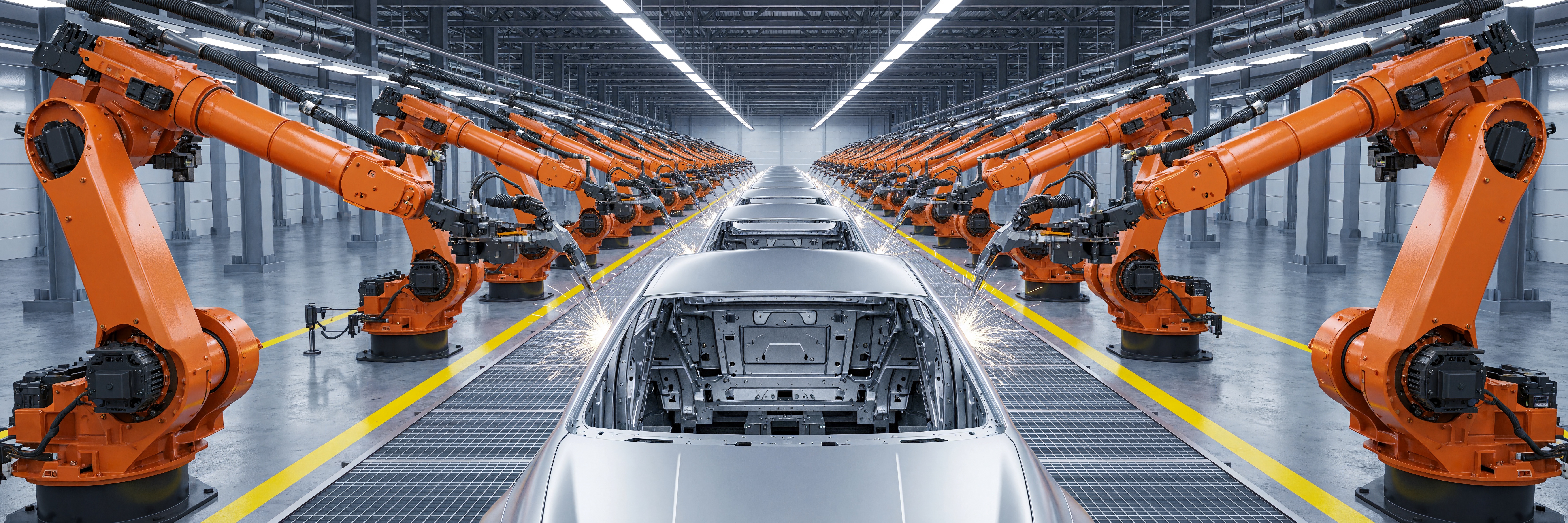
The 3:1 output (7104x2368) fills the whole banner with the assembly line in one-point perspective, with no cropping and no letterboxing.
A cast-iron pan of saffron paella on a dark slate counter, shot three-quarter from above: glossy mussels and seared prawns on golden rice, a charred socarrat crust at the pan's edge, two lemon wedges and a scatter of chopped parsley, faint steam rising. Side daylight, visible grains of rice and an oil sheen.
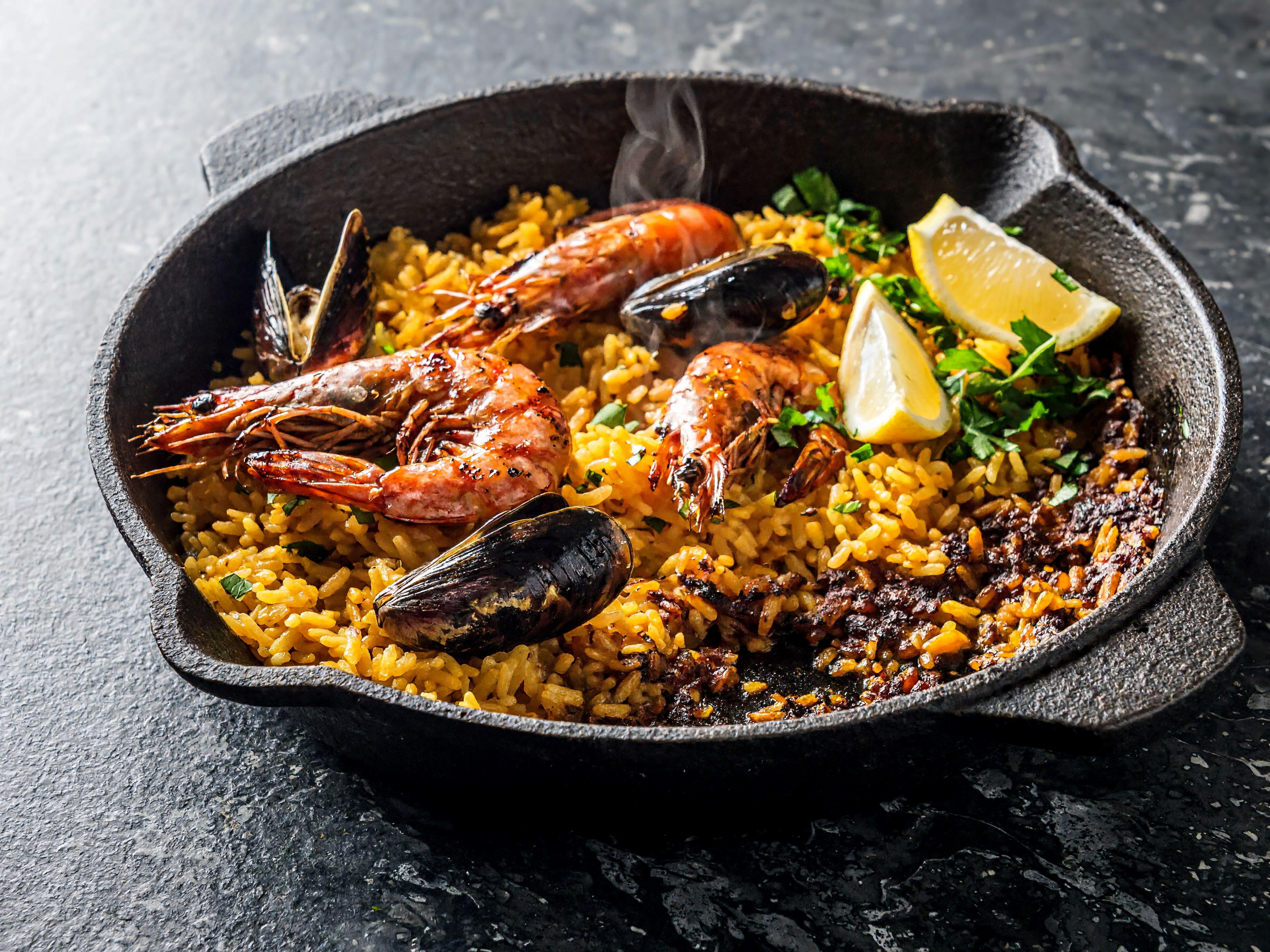
Glistening shellfish, separate rice grains, a charred socarrat crust and rising steam read as a photograph rather than an AI render.
A gouache concept illustration of a whale-shaped airship drifting low over terraced green rice paddies, its wooden gondola slung beneath on rope rigging, two tiny farmers looking up from a flooded terrace. Loose visible brushstrokes, flat poster-like colour, soft paper grain.
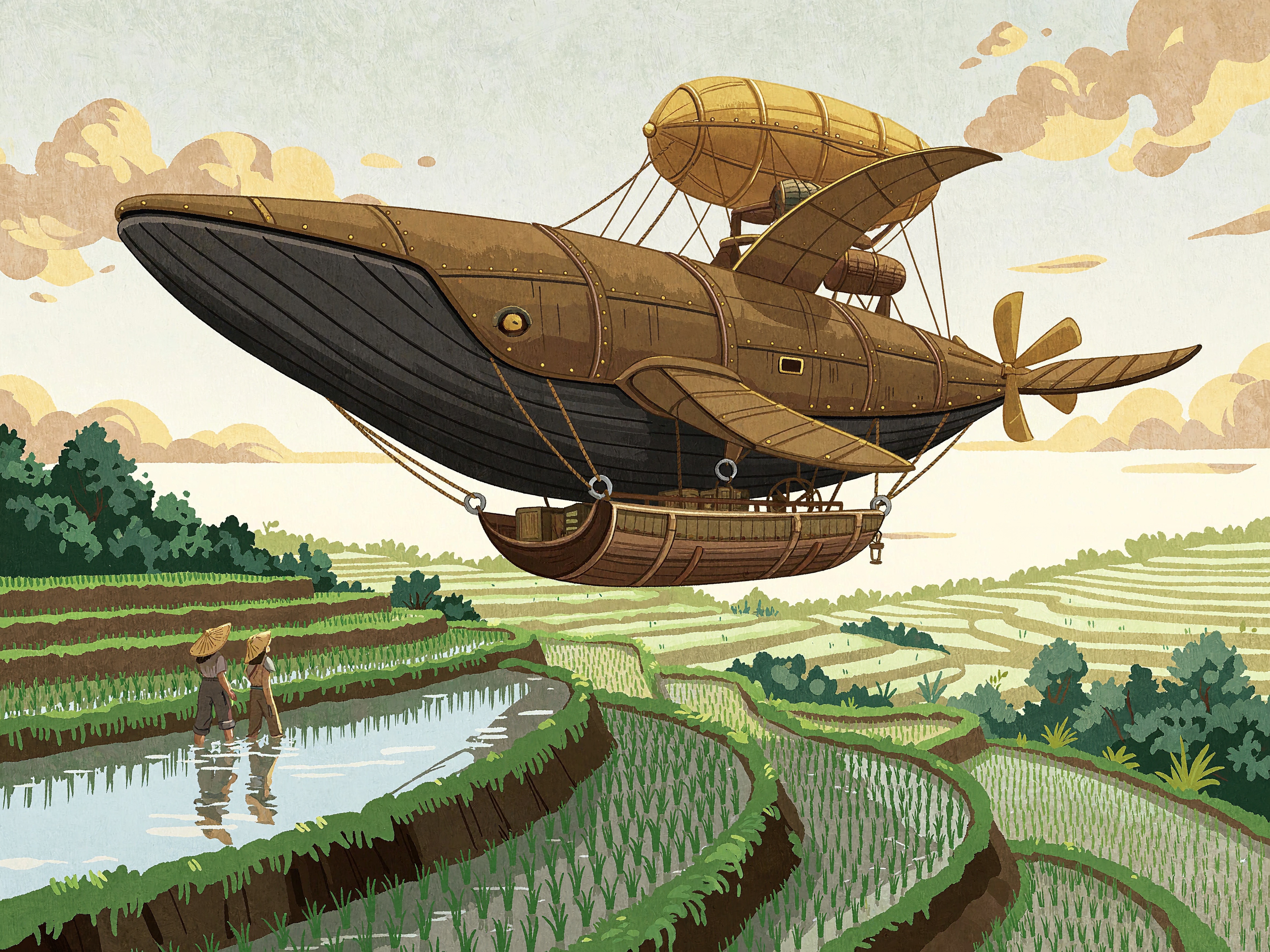
Visible brushstrokes, soft paper grain and flat poster colour keep this clearly painted concept art, not a photo.
Use text to image from the API
One prompt and a few settings; the response returns the image and the enhanced prompt the model read.
# pip install "segmind>=1.1.0"
# export SEGMIND_API_KEY="YOUR_API_KEY"
import segmind

result = segmind.run(
    "minimax-h3-text-to-image",
    prompt="A straight-on view of a Victorian herbalist's cabinet: a grid of small oak drawers, each with a round brass cup handle and a cream card label in a brass frame. The front labels read 'VALERIANA', 'LAVANDULA', 'CALENDULA' and 'ARNICA' in black serif capitals. A hand-painted wooden header board above the drawers reads 'HOLLOWAY HERBALIST' with 'EST. 1894' beneath in gold leaf. A brass mortar and pestle and a set of apothecary scales rest on the counter below. Even daylight from a side window, aged wood grain and tarnished brass.",
    speed="standard",
    num_images=1,
    area="4K",
    aspect_ratio="4:3",
)
print(result.get("output"))
# 1. Submit the request; the reply carries its request_id
REQUEST_ID=$(curl -s -X POST "https://api.segmind.com/v2/minimax-h3-text-to-image" \
-H "x-api-key: YOUR_API_KEY" \
-H "Content-Type: application/json" \
-d '{
"prompt": "A straight-on view of a Victorian herbalist'\''s cabinet: a grid of small oak drawers, each with a round brass cup handle and a cream card label in a brass frame. The front labels read '\''VALERIANA'\'', '\''LAVANDULA'\'', '\''CALENDULA'\'' and '\''ARNICA'\'' in black serif capitals. A hand-painted wooden header board above the drawers reads '\''HOLLOWAY HERBALIST'\'' with '\''EST. 1894'\'' beneath in gold leaf. A brass mortar and pestle and a set of apothecary scales rest on the counter below. Even daylight from a side window, aged wood grain and tarnished brass.",
"speed": "standard",
"num_images": 1,
"area": "4K",
"aspect_ratio": "4:3"
}' | jq -r .request_id)
# 2. Check its status until it is COMPLETED
curl -s "https://api.segmind.com/v2/requests/$REQUEST_ID/status" \
-H "x-api-key: YOUR_API_KEY"
# 3. Fetch the result
curl -s "https://api.segmind.com/v2/requests/$REQUEST_ID" \
-H "x-api-key: YOUR_API_KEY"Image edit
Image edit takes one to sixteen reference images and a single instruction, and returns one edited picture. Name each input as Picture 1, Picture 2 in the prompt, then state both the change and what must stay the same. It combines subjects, swaps or restyles elements and composes new scenes while holding the identity of the parts you name. Output is native 4K in one pass, framed to any aspect ratio from 1:3 to 3:1, or left on auto to follow the references.
 ModelMiniMax H3 Image EditEdit and combine up to 16 reference images in 4K.
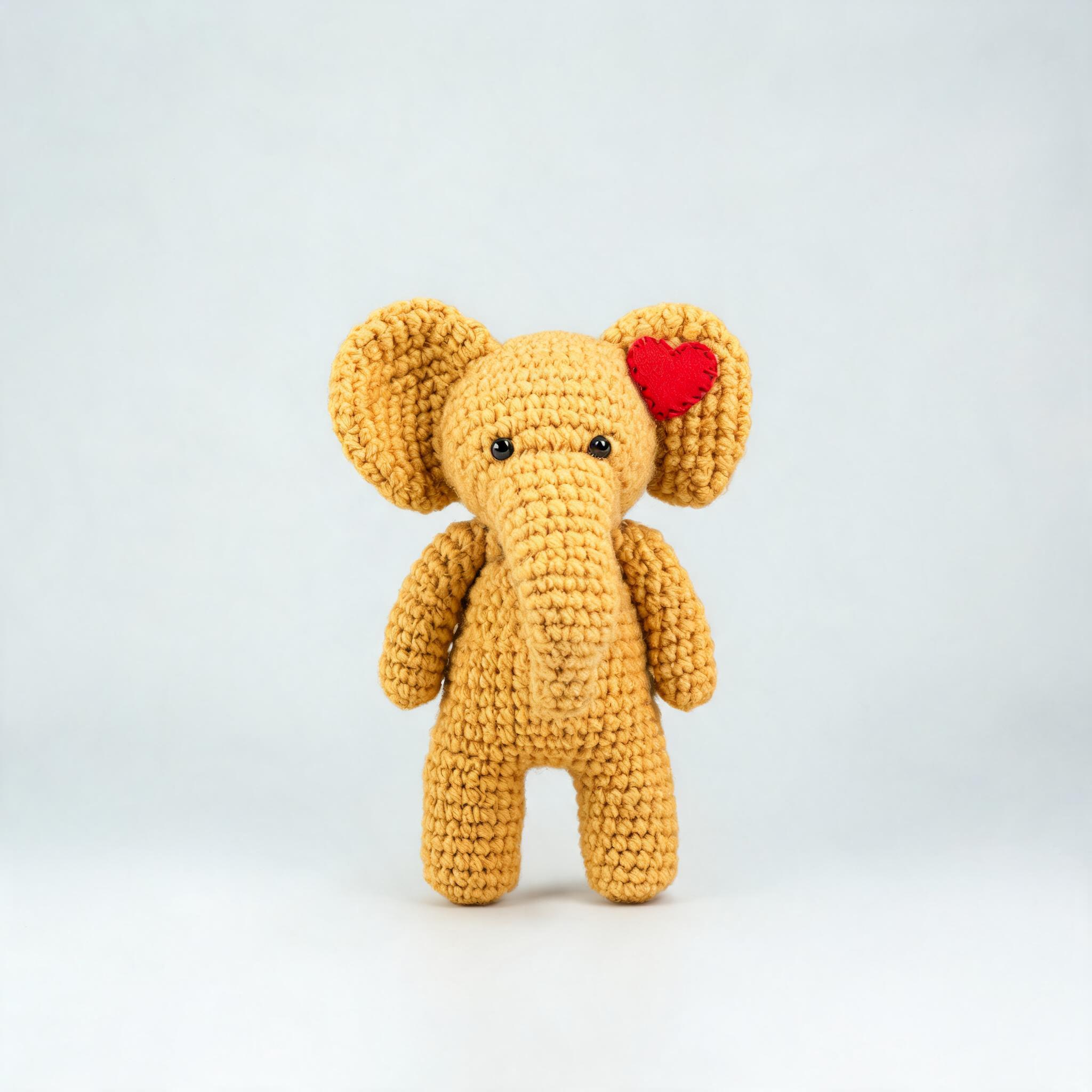
Picture 1 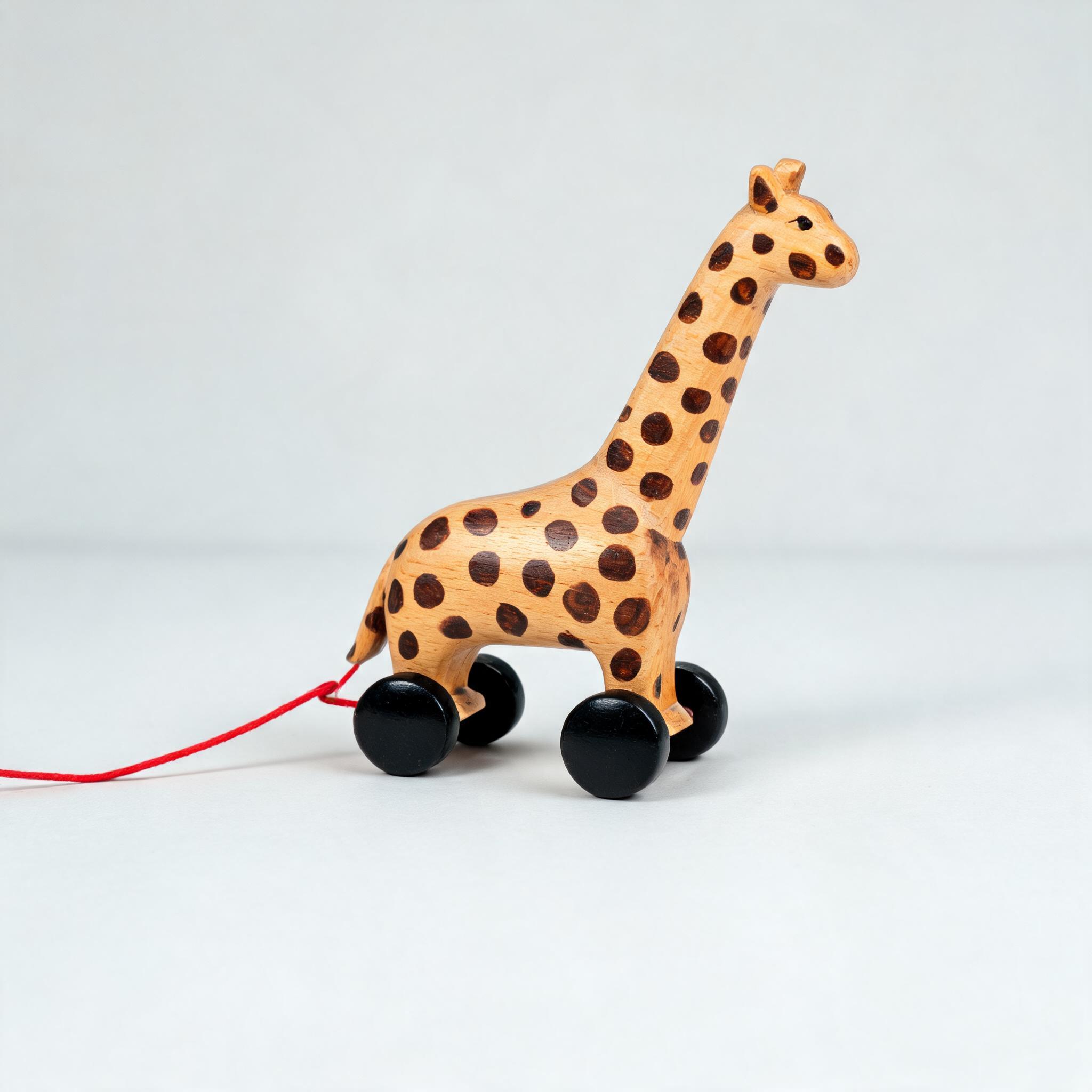
Picture 2 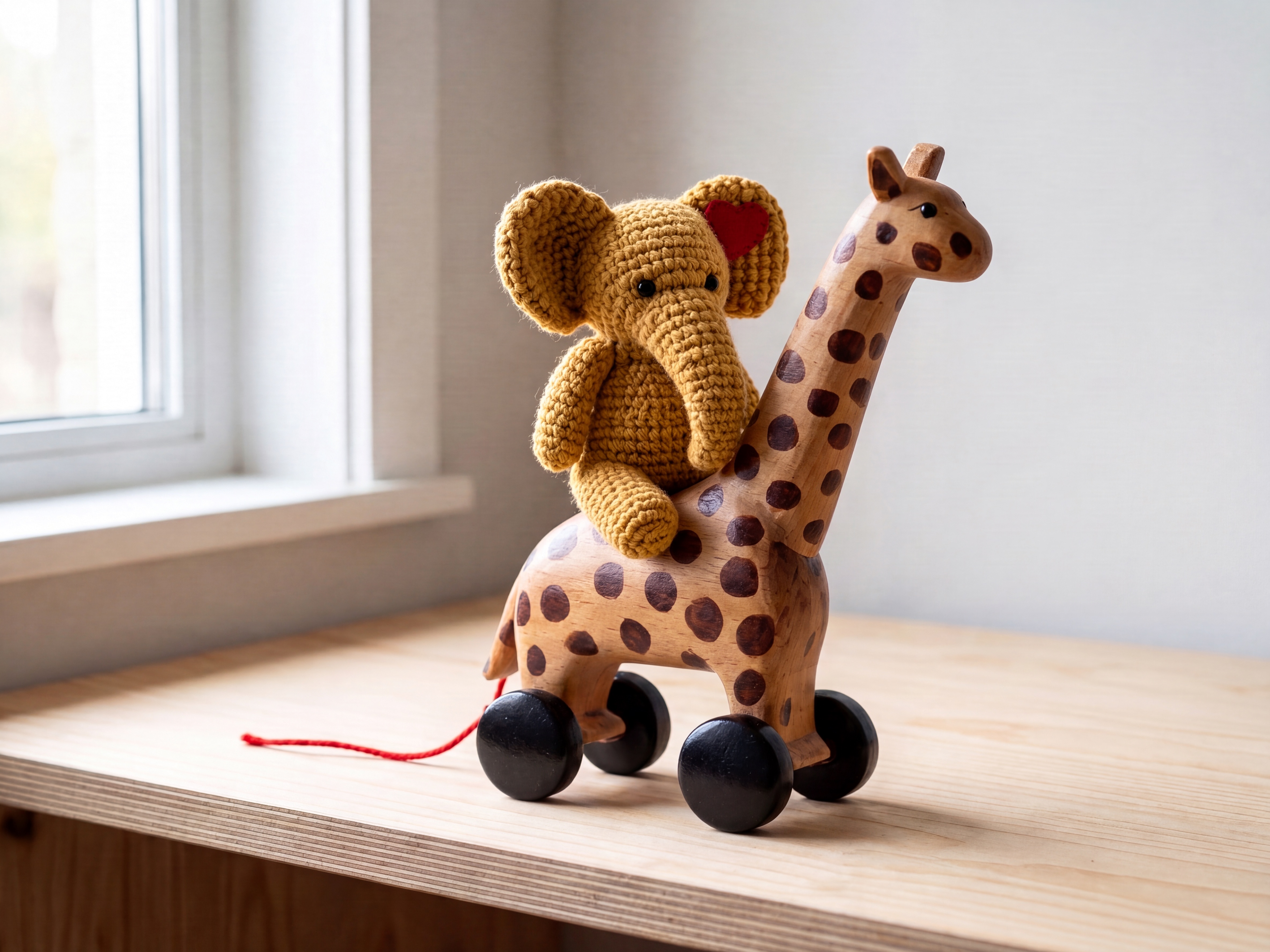
Result
Both reference toys land in one coherent 4K nursery-shelf scene, with each object's texture and markings carried across.
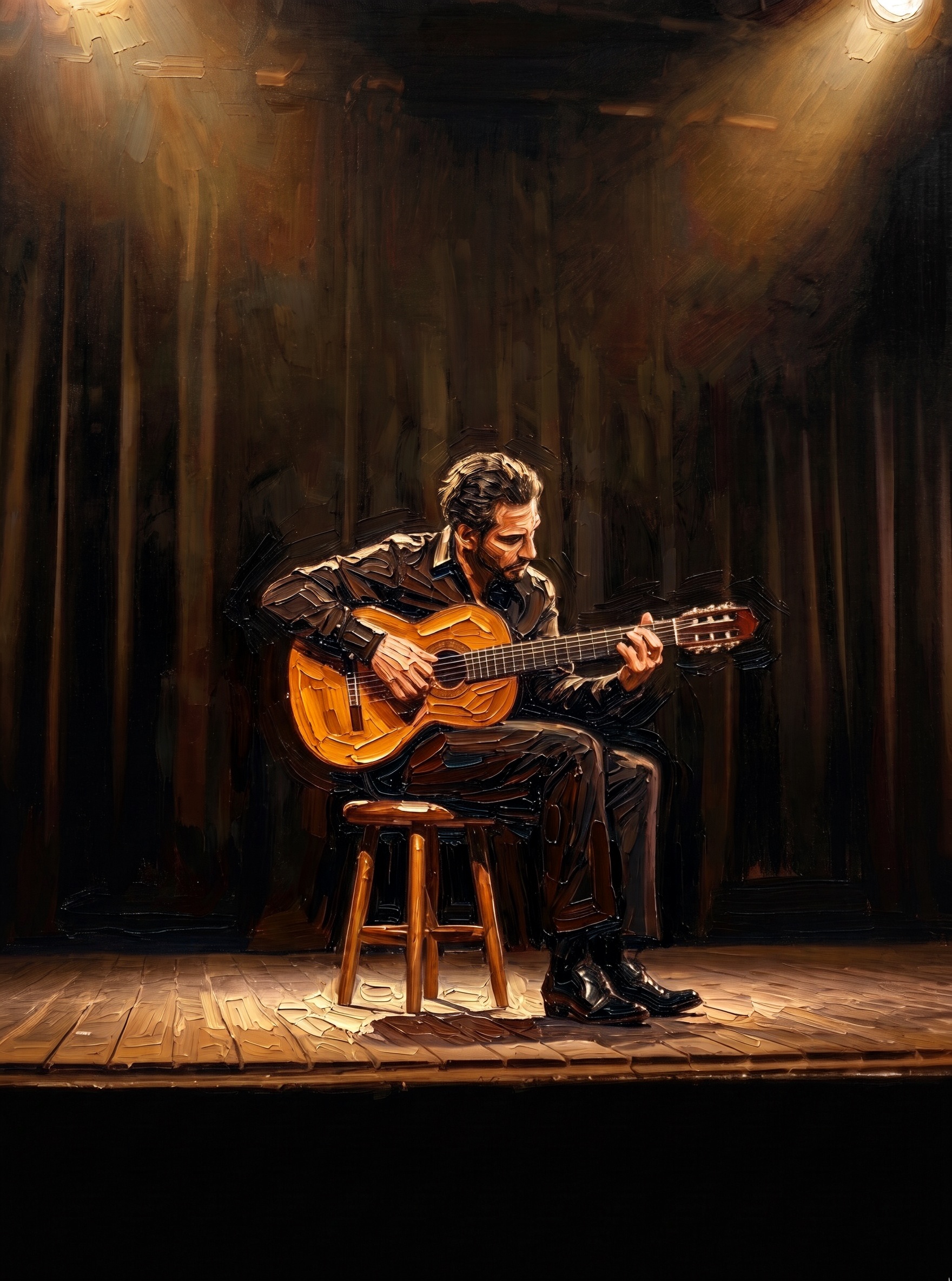
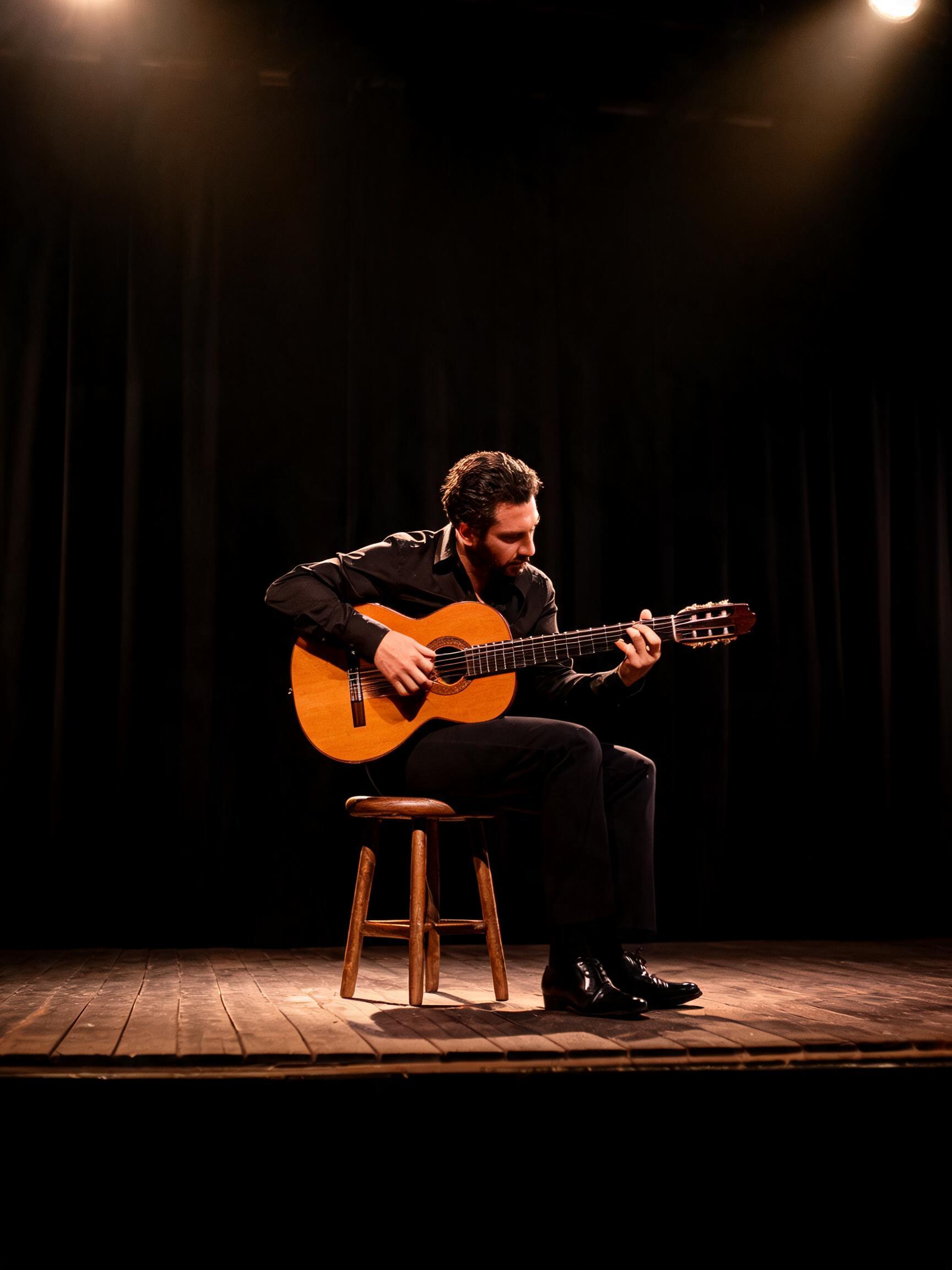 PhotographOil painting
The photographed guitarist, guitar, stool and stage return as a thick-brushstroke oil painting, the pose and layout intact under a new medium.
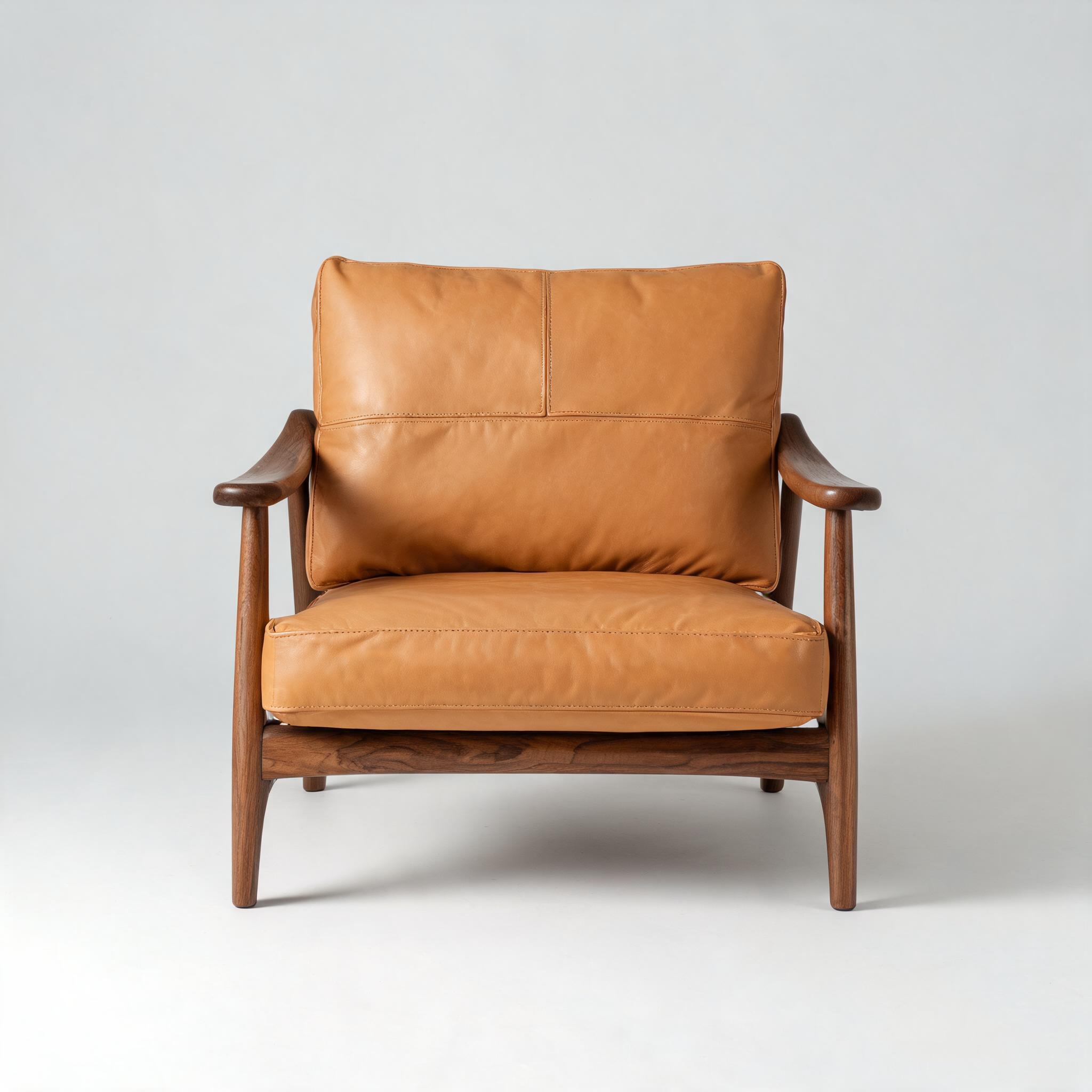
Picture 1 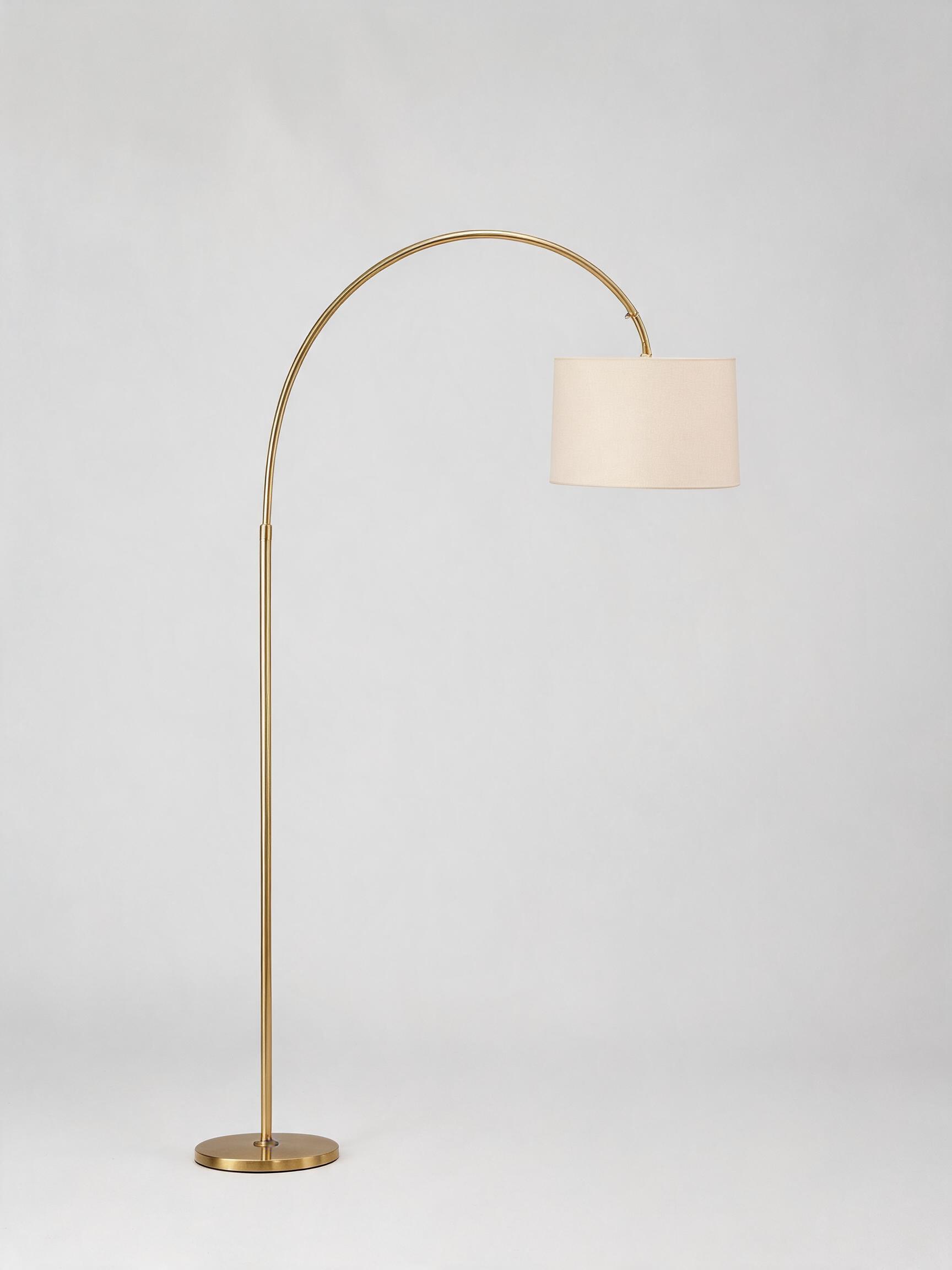
Picture 2 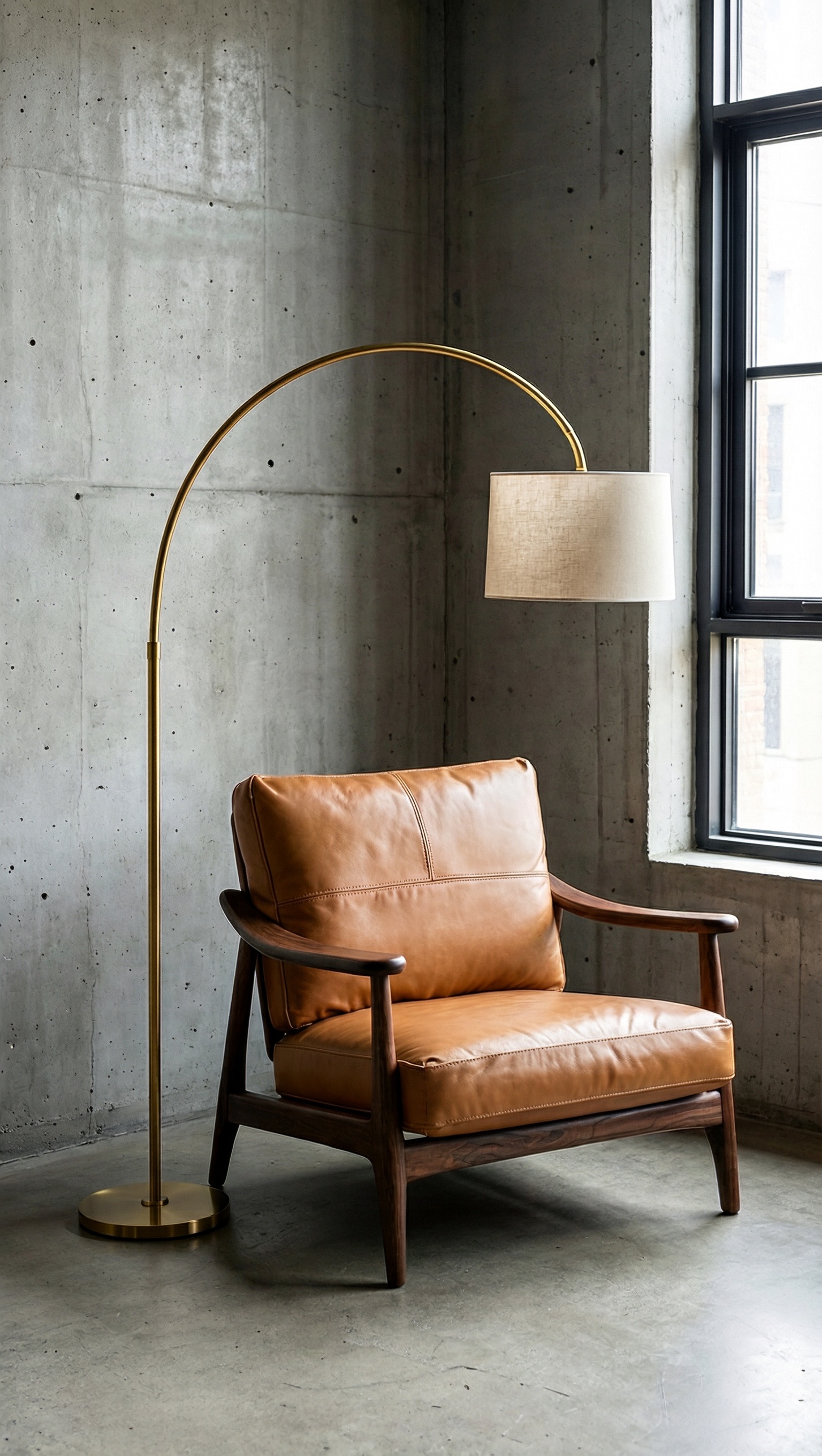
Result
The lounge chair and the arched floor lamp from the two references share one loft corner, framed tall at 9:16 with neither one cropped.
Use image edit from the API
Pass the reference images and one instruction that names each as Picture 1, Picture 2; the response returns the edited image.
# pip install "segmind>=1.1.0"
# export SEGMIND_API_KEY="YOUR_API_KEY"
import segmind

result = segmind.run(
    "minimax-h3-image-edit",
    reference_images=[
        "https://segmind-resources.s3.amazonaws.com/input/minimax-h3-image-edit-elephant-683ded41.jpg",
        "https://segmind-resources.s3.amazonaws.com/input/minimax-h3-image-edit-giraffe-1dac0d32.jpg",
    ],
    prompt="Picture 1 is a mustard hand-knitted plush elephant; Picture 2 is a wooden pull-along giraffe. Seat the knitted elephant from Picture 1 upright on the back of the wooden giraffe from Picture 2, on a pale birch nursery shelf with a window of diffused daylight to the left. Keep the elephant's chunky knit stitches, its red felt heart and black bead eyes exactly as in Picture 1, and keep the giraffe's painted brown spots, red pull-string and black wheels exactly as in Picture 2.",
    speed="standard",
    num_images=1,
    area="4K",
    aspect_ratio="4:3",
)
print(result.get("output"))
# 1. Submit the request; the reply carries its request_id
REQUEST_ID=$(curl -s -X POST "https://api.segmind.com/v2/minimax-h3-image-edit" \
-H "x-api-key: YOUR_API_KEY" \
-H "Content-Type: application/json" \
-d '{
"reference_images": [
"https://segmind-resources.s3.amazonaws.com/input/minimax-h3-image-edit-elephant-683ded41.jpg",
"https://segmind-resources.s3.amazonaws.com/input/minimax-h3-image-edit-giraffe-1dac0d32.jpg"
],
"prompt": "Picture 1 is a mustard hand-knitted plush elephant; Picture 2 is a wooden pull-along giraffe. Seat the knitted elephant from Picture 1 upright on the back of the wooden giraffe from Picture 2, on a pale birch nursery shelf with a window of diffused daylight to the left. Keep the elephant'\''s chunky knit stitches, its red felt heart and black bead eyes exactly as in Picture 1, and keep the giraffe'\''s painted brown spots, red pull-string and black wheels exactly as in Picture 2.",
"speed": "standard",
"num_images": 1,
"area": "4K",
"aspect_ratio": "4:3"
}' | jq -r .request_id)
# 2. Check its status until it is COMPLETED
curl -s "https://api.segmind.com/v2/requests/$REQUEST_ID/status" \
-H "x-api-key: YOUR_API_KEY"
# 3. Fetch the result
curl -s "https://api.segmind.com/v2/requests/$REQUEST_ID" \
-H "x-api-key: YOUR_API_KEY"Shared settings
| Setting | Value | Members | When to use |
|---|---|---|---|
| area | 1K, 2K or 4K (default 4K) | Both | 4K for print and legible small text, 2K for faster iterations, 1K for drafts |
| aspect_ratio | auto, any ratio from 1:3 to 3:1, or an exact WIDTHxHEIGHT size | Both | Set a ratio for a fixed shape; auto lets the model (on edit, the references) choose |
| speed | standard or highspeed | Both | standard for the best quality, highspeed when turnaround matters more |
| num_images | 1 to 10 | Both | 1 for a final image, more to compare variations in one call |
| output_format | jpeg, png or webp | Both | png for sharp text or transparency, jpeg for smaller files |
| enhance_prompt | on or off (default on) | Text to image | Keep it on for richer scenes, or turn it off to render your words verbatim; image edit always enhances |
| reference_images | 1 to 16 images (JPG, PNG, WEBP or HEIC) | Image edit | Name each as Picture 1, Picture 2 in the prompt, in upload order |
Good to know
- There is no negative prompt. The model runs a short, distilled sampler without a classifier-free-guidance pass, so describe what you want in the scene rather than what to leave out.
- On text to image, enhancement is on by default and rewrites your prompt; turn it off to use your words verbatim, and the model then reads about the first 4,096 tokens. Image edit always enhances.
- Image edit needs clean, well-lit reference shots from 128 to 8192 px a side, as JPG, PNG, WEBP or HEIC; name each one Picture 1, Picture 2 in upload order.
Resources
- Try MiniMax H3 Text to Image on Segmind · API reference
- Try MiniMax H3 Image Edit on Segmind · API reference
- MiniMax H3-Image generation guide — how to prompt, output size, aspect ratio, area, formats, references and limits
- MiniMax-H3-Image model card — the model's three highlights, architecture, model zoo, showcase and license
- MiniMax H3-Image text-to-image API reference — the full text-to-image request schema and the revised_prompt field
- MiniMax H3-Image edit API reference — the edit request schema for combining up to 16 images
- MiniMax H3-Image release post — the open-weight release and a capabilities overview
- MiniMax-H3-Image on GitHub — official examples, local deployment and the full workflow
- #minimax-h3-image
- #minimax
- #model-launch
- #image-generation
- #image-editing