Ideogram 4.5 — Text-to-Image Generation
What is Ideogram 4.5?
Ideogram 4.5 is a text-to-image model built by Ideogram, the lab whose signature strength is rendering readable text inside generated images. Give it a prompt and it returns a finished PNG where every headline, caption, date, and price you quote is spelled exactly as written — in English or almost any other language. It is designed for design work: posters, logos, packaging, signage, menus, infographics, and social graphics, where typography is part of the artwork rather than a caption added later. On Segmind it runs as a straightforward text-to-image generator with controls for size, quality, and prompt expansion.
Key Features
- •Exact in-image typography — quote the words and they render correctly, across multiple lines, weights, and fonts in a single generation.
- •Multilingual text rendering — non-English words, including accents and diacritics, come out verbatim.
- •Design-first layouts — headlines, sub-copy, and objects composed into real posters, logos, and packaging.
- •Native 1K and 2K output — dense small text and fine detail stay sharp without a separate upscaling pass.
- •Three quality tiers — low, medium, and high trade render time for fidelity.
- •Magic Prompt — auto expands sparse prompts while preserving your quoted text; off keeps wording verbatim.
Best Use Cases
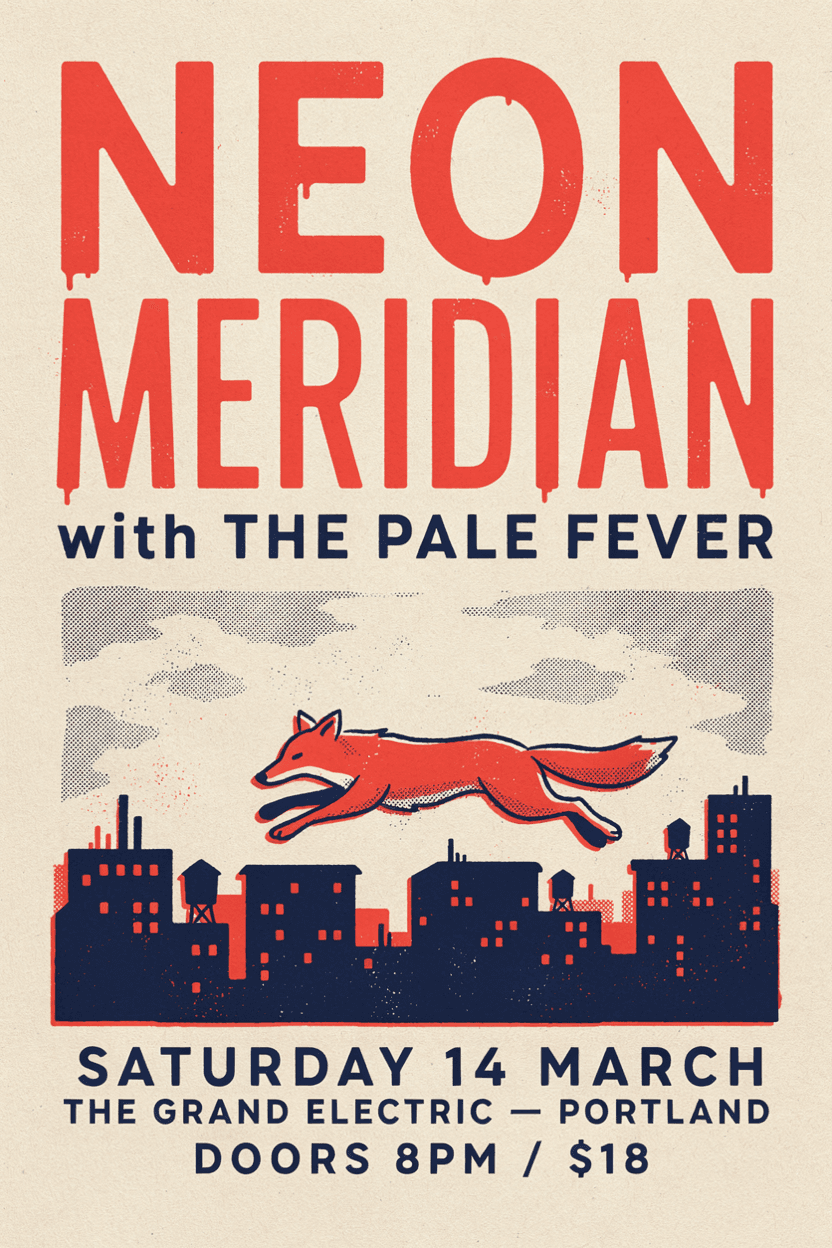
Ideogram 4.5 shines wherever exact text and layout matter. In testing it produced a two-color screen-printed concert poster with the band name, support act, venue, date, and door price all legible; a photoreal German bakery storefront sign with correct umlauts; a clean two-color club emblem logo with curved wordmark text; and a dense educational infographic whose title and five labeled callouts stayed crisp at 2K. Typical jobs: event and gig posters, product packaging and labels, logos and brand wordmarks, menus, infographics, book and album covers, storefront signage, and multilingual campaign assets.
Prompt Tips and Output Quality
Lead with the subject, then put each exact text string in quotes, and keep the words short — long, complex words render less reliably. Name a print or graphic style ("two-color risograph", "flat vector") and let Magic Prompt auto handle layout; switch it off when you need strictly verbatim wording. Use a 2K size with high quality for designs packed with small text.