p-image: Text-to-Image Model
What is p-image?
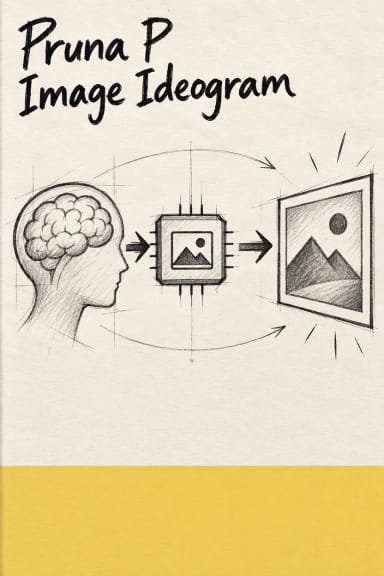
p-image is Pruna's premium text-to-image AI model engineered for developers who need ultra-fast generation without sacrificing quality. Built with automatic prompt enhancement and a two-stage refinement architecture, p-image transforms text descriptions into detailed, high-resolution images in seconds. Unlike models that force you to choose between speed and quality, p-image delivers both through intelligent preprocessing and optimized inference. With flexible aspect ratio support and custom dimension controls, it's designed for production environments where performance and visual fidelity matter equally.
Key Features
- •Two-Stage Refinement Process: Automatic enhancement pipeline ensures vivid detail and composition quality without manual prompt engineering
- •Ultra-Fast Generation: Optimized inference speeds make real-time and high-volume applications practical
- •Flexible Aspect Ratios: Support for common ratios (1:1, 16:9, 9:16, 4:3, 3:2) plus fully custom dimensions from 256px to 1440px
- •Reproducible Outputs: Seed control for consistent generation across iterations
- •High Rate Limits: 250 requests per minute for enterprise-scale deployments
- •Built-in Safety: Optional safety checker ensures content compliance
Best Use Cases
E-commerce & Marketing: Generate product visualization mockups, social media assets, and ad creatives at scale with consistent brand quality.
Content Creation Platforms: Power user-facing image generation features in apps, websites, and creative tools where speed directly impacts user experience.
Prototyping & Design: Rapidly iterate on visual concepts for UI mockups, storyboards, and client presentations without waiting for renders.
Game Development: Create placeholder assets, environment concepts, and texture references during pre-production phases.
Prompt Tips and Output Quality
Start Simple, Let the Model Enhance: p-image includes automatic prompt enhancement, so descriptive but straightforward prompts often work best. Instead of "extremely detailed photorealistic 8K render," try "sunset over a calm ocean with fishing boats."
Aspect Ratio Matters: Choose aspect ratios based on your end use—16:9 for landscape banners, 9:16 for mobile stories, 1:1 for profile images. Custom dimensions give precise control when targeting specific canvas sizes.
Use Seeds for Consistency: When refining a particular output, lock the seed parameter (default 42) to reproduce the same base composition while tweaking your prompt. Set seed to -1 for completely random variation.
Resolution Sweet Spots: The model supports dimensions from 256px to 1440px. For high-quality results, stick to 1024px+ on the longest edge. Smaller dimensions generate faster but with less fine detail.