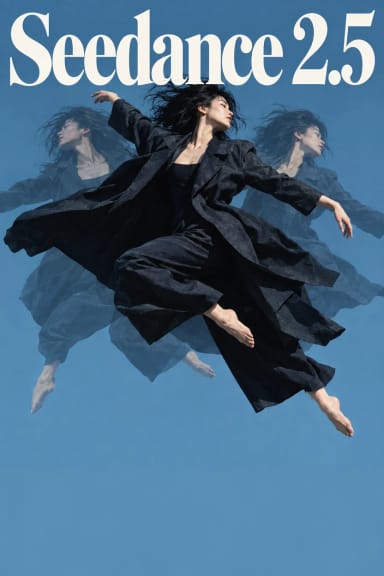
Your actor's real pixels. A new world around them.
Segmind Double Capsule Plate Composite is an AI video-to-video reshoot tool for film, TV, commercial and VFX studios that keeps the camera-original actor. Seedance 2.5 edits your shot into a new location, light, time of day, season or weather. The actor is then pulled from your original plate with a matte, relit to the new shot's light and composited back over the AI take. Face, skin, hair and wardrobe are the pixels your camera recorded, not a redraw. The shot is finished for your timeline at your clip's exact length and frame rate, with your camera's grain and your sound, in 10-bit HEVC.
It is the compositing version of Segmind Double Capsule. Both take the same inputs, so you can run a shot through each and keep the better take.
Plate Composite or Double Capsule?
Choose Plate Composite when the actor's likeness has to be camera original:
- close-ups and hero shots, where a redrawn face or eyes would be noticed;
- talent and likeness approvals, beauty and fashion;
- fine wardrobe detail: pinstripes, knitwear, lace, embroidery, jewellery;
- skin and hair texture that has to match the rest of the scene.
Choose Segmind Double Capsule when:
- the actor moves a lot, turns or leaves the frame;
- the change should reach the actor too: a new costume, rain on their coat, haze in front of them;
- it is a wide shot, where the redraw doesn't show;
- you want the cheapest look test.
Not sure? Run both on one hero shot with the same inputs and compare.
How the plate composite works
- The new world: Seedance 2.5 edits your shot from one reference image and one sentence, keeping the performance, framing and camera move.
- Two mattes: an actor matte is pulled from your plate, and another from the Seedance take.
- Relight: the real actor is relit to the take's light. The light is measured in a coarse grid inside the matte, so the new location's colour and direction fall across them while their own detail stays.
- Edge clean-up: wherever Seedance drew its actor outside the real actor's outline, that edge is painted out with the take's own background, so there is no second outline.
- Finish: the shot is stretched back to your clip's exact length and frame rate, with an optical-flow in-between where a frame would repeat. Your camera's grain is matched on the new background (the real actor already carries it), and your sound is carried over.
What you get
- New shot (plate composite): MP4, HEVC (H.265) Main 10, at 1080p by default (or 720p or 480p), at your clip's exact length and frame rate, with source audio as AAC. It drops straight onto the original in Premiere Pro, DaVinci Resolve or Final Cut Pro, and plays in QuickTime, Safari and Chrome. 16:9 and vertical 9:16 both work.
- Actor matte pass: the plate's matte as its own ProRes 422 HQ file, frame-matched to the new shot, so you can tune the composite in Nuke, After Effects, Fusion or Resolve.
- Seedance take: the AI take before the composite, for your own comp. It is about 5% shorter than your clip and has no sound.
- Actor matte (VP9 alpha): the plate's matte as a WebM with alpha.
Know before you run
- Edge outlines on some takes: Seedance sometimes draws its actor a little larger than, or offset from, the real one; on some takes the gap is 30 to 50 pixels. The clean-up removes most of it, but a faint outline can show around the body. Every run is a new take, so run again, or use Double Capsule, which has no composite edge.
- The actor keeps their plate look: anything the change should do to the actor (a new costume, rain on them, smoke in front of them) is covered by the original plate inside the matte.
- Props in hand: an object the actor holds can be part of their matte, so a held prop comes back from the plate. Swap props that sit apart from the actor.
- The actor keeps the plate's shading: the relight moves their brightness and colour toward the new light in broad areas, so a strong key from a new side, or a hard pattern such as blinds, won't fall across them as it does in the Seedance take.
- People only: the matte is set for people. For vehicles or products, use Double Capsule.
Who it is for
- Feature film and episodic: change a location, the time of day or the season after the shoot, and keep the lead's close-ups camera original.
- Commercials and brand: seasonal and regional versions of one shoot with talent likeness intact.
- VFX and post houses: a relit plate composite with its matte pass, ready to refine in your own comp.
- Fashion and beauty: new backdrops; fabric, make-up and skin stay real.
How to use it
- Upload your clip (4 to 30 seconds, one continuous shot, one main actor).
- Upload a reference image of the new look: a location photo, a mood frame, or one frame of your shot changed in any image editor.
- Describe the change in one sentence, for example "Change the setting to the back room of a 1920s jazz club: blue haze, warm brass table lamps; keep his cigarette smoke."
- Say who to keep, for example "the man in a white shirt, tie and suspenders".
- Leave Resolution at 1080p, or pick 720p or 480p.
- Leave Smooth retime + grain match on (optical-flow in-betweens and your camera's grain), or switch it off for a plain retime.
- Run. A 5-second shot takes about seven to eight minutes at 1080p.
Pricing
You pay per shot, with no subscription. A 5-second shot costs about:
- 1080p: $3.94
- 720p: $1.92
- 480p: $1.16
Each price includes Seedance 2.5, two actor mattes (about $0.13 each) and $0.30 for the finish step. Longer clips scale with length, up to 30 seconds per run.
Use it from your pipeline
Every Segmind template is also a REST API. Send source_video, reference_image, change, keep, resolution (480p, 720p or 1080p; default 1080p) and smooth_retime_and_grain_match (true or false), then poll for new_shot, seedance_take and actor_matte. The inputs are the same as Segmind Double Capsule's, so one script can send a shot to either.
Tips
- You pay for every second of the clip, so trim it to the shot you need.
- Shots where the actor stays in frame and moves little composite best.
- The closer your reference matches the shot's framing, the more closely Seedance follows it, and the better the actor sits in the new world.
FAQ
What is a plate composite? In VFX, the plate is the footage the camera recorded. A plate composite keeps the actor from that plate, pulled with a matte, and lays them over a new background. Here the background is a Seedance 2.5 edit of your own shot, so the camera move and the perspective already match.
How is it different from Segmind Double Capsule? Double Capsule returns Seedance's take, in which every pixel is redrawn, the actor included. Plate Composite puts the camera-original actor back over that take, relit to its light, and adds the matte as a pass. It costs about $0.26 more per 5-second shot.
Why do I sometimes see an outline around the actor? Seedance redraws the actor too, and on some takes its actor sits slightly outside the real one. The edge clean-up paints most of that out. If an outline remains, run again for a new take, or use Double Capsule for that shot.
Can I fix the composite myself? Yes. The run returns the Seedance take, the actor matte pass and the composite, so a compositor can rebuild or refine it in Nuke, After Effects, Fusion or Resolve.
What resolution does it output? 1080p by default; you can choose 720p or 480p instead. The file is 10-bit HEVC at your clip's exact length and frame rate.
Can I run it by API? Yes. Every run on this page is also available as a REST API with the same inputs.