Segmind MCP ServerGenerate media from any AI agent.
500+ image, video and audio models in Claude, Claude Code, ChatGPT, Grok Build and any MCP client. Sign in once, no API key.
Works with
Claude
Claude Code
ChatGPT
Grok Build
Segmind MCP Server is a hosted Model Context Protocol server that lets AI agents such as Claude, Claude Code, ChatGPT and Grok Build generate images, video and audio with Segmind's catalog of 500+ models. You sign in with your Segmind account instead of pasting an API key, and each generation bills your Segmind credits at the model's API price, with no connector fee.
Connect in minutes
Pick your agent. Paste one URL, sign in, create.
Segmind in Claude
Added as a custom connector in Claude on the web or desktop.
1
Add a custom connector
In Claude, open Customize, then Connectors. Select + Add, then Add custom connector. Name it Segmind, paste the server URL, and select Continue.
Server URL
https://mcp.segmind.com/mcp
2
Sign in
Keep Use Claude's published identity as the OAuth client and choose Sign in now. Select Add, then sign in with your Segmind account.
3
Use it in a chat
In a chat, select the + button, then Connectors, and turn on Segmind. Ask for an image, a video or a voiceover.
Works on every Claude plan; Free accounts can add one custom connector. On Team and Enterprise, an Owner adds it under Organization settings, then Connectors, and members select Connect.
Here is the hero image. Want a portrait crop for social as well?
Prompts to start with
Say it the way you would to a designer.
Copy a prompt into your agent. It picks the model, fills in the parameters and returns the result. Every output here is a real run of the prompt beside it.
Input
E-commerce
$0.60
Product shots from one photo
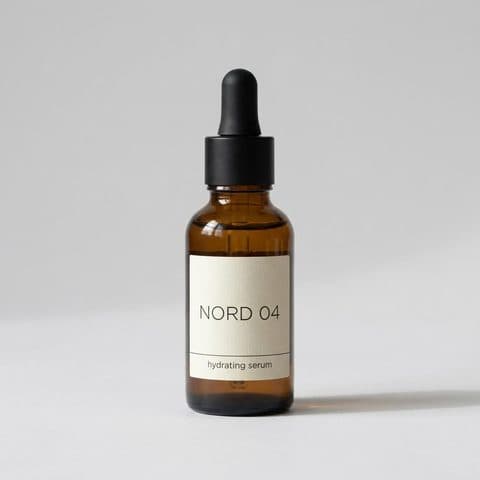
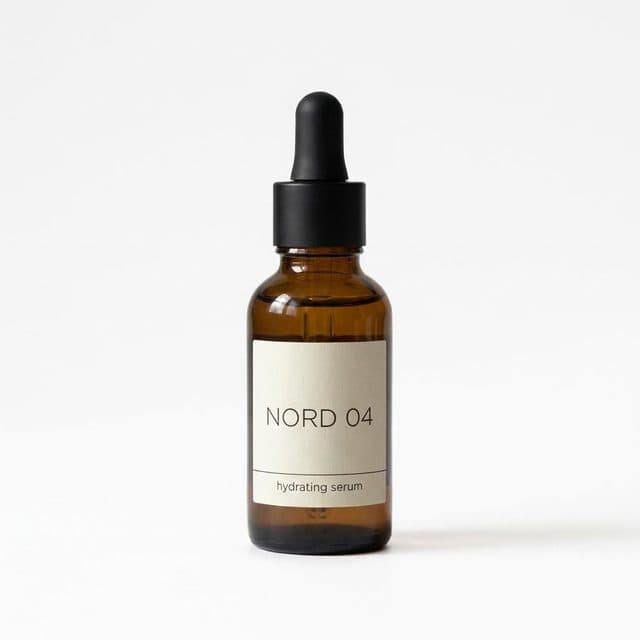
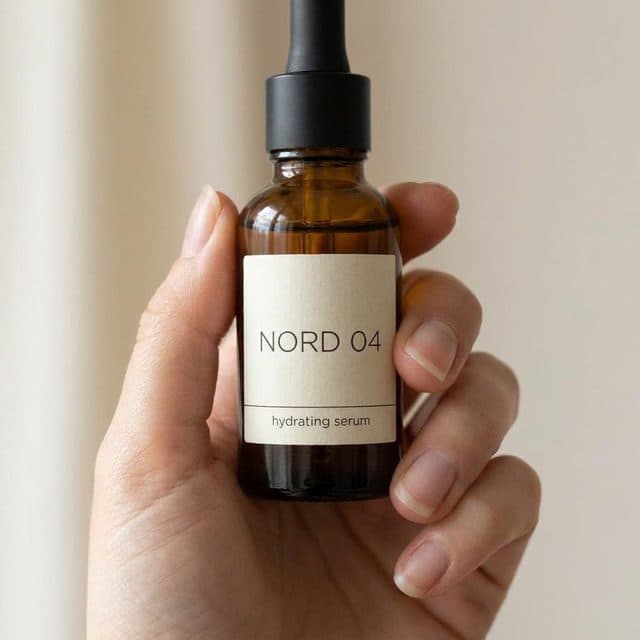
“Take this product photo and generate four e-commerce shots: on white, on a marble counter, held in hand, and a lifestyle shot in a bright kitchen. Keep the label and colors exactly as in the original.”
“Turn this ad still into three campaign variations for spring, summer and holiday. Change the setting and props, keep the product, framing and the tagline placement the same.”
“Animate this sneaker photo into a 5-second 9:16 clip: slow orbit around the shoe on a wet street at night, neon reflections, subtle camera push-in at the end.”
“Read this product explainer as a warm, confident narrator. Natural pacing, a short pause after each sentence, and return an MP3 I can drop into the edit.”
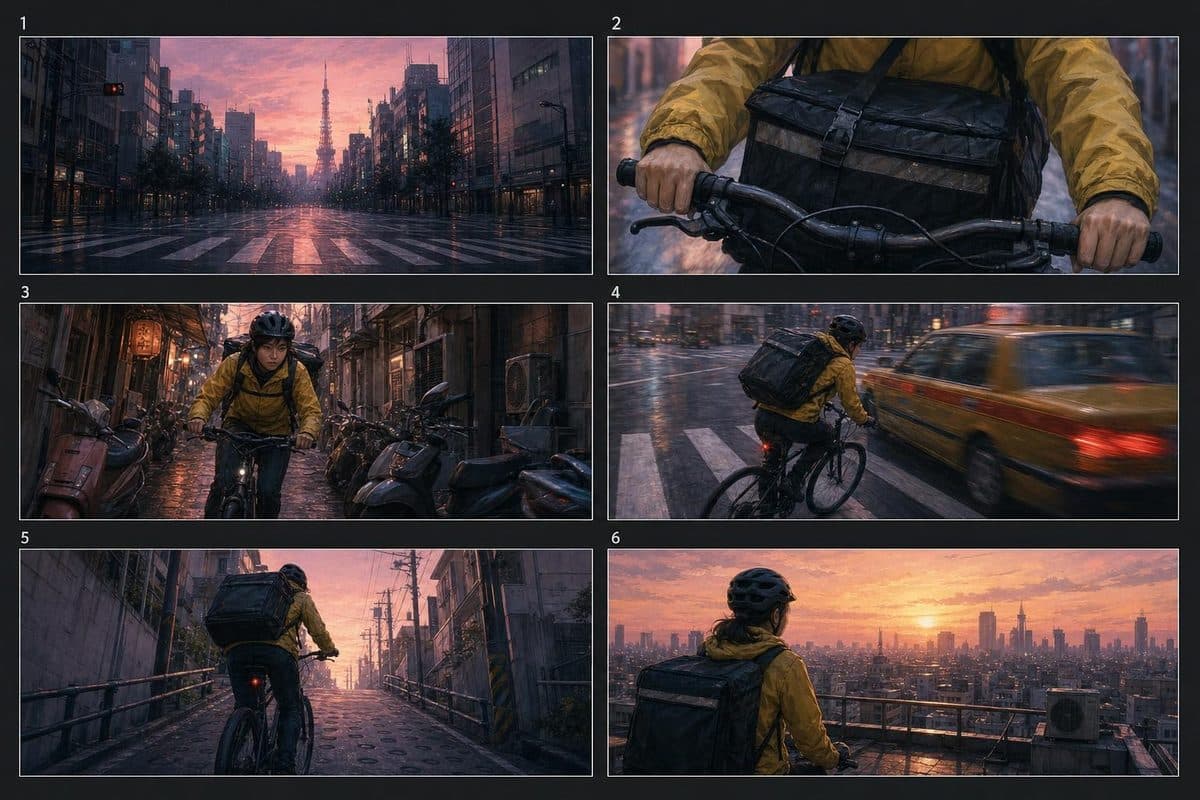
“Storyboard a six-panel sequence of a courier cycling through Tokyo at dawn: wide establishing shot, close-up on the handlebars, a near miss with a taxi, and a final rooftop reveal. Consistent character, cinematic 2.39:1 frames.”
The models developers run most on Segmind this month.
The server reads the live catalog, so every model on Segmind is available the day it ships. These are the ones with the most active accounts in the last 30 days.
The agent discovers models at runtime rather than carrying a tool per model. One catalog, one set of verbs, whatever you are making.
Find a model
The catalog is read live, so a model is callable the day it ships and nothing here goes stale.
list_modelsBrowse and rank the catalog by cost, latency or popularity.
compare_modelsPut a shortlist side by side with their real price tables.
get_model_specThe full spec: parameters, pricing, examples.
Generate
Images come back inline on the fast path. Video and other slow models submit and collect, so nothing times out.
run_inferenceRun a model and wait for it. The fast path for images.
submit_inferenceStart a slow job and return its id straight away.
check_inferenceCollect the output once the job finishes.
Run a Pixelflow
Pixelflows are saved multi-model workflows. Your agent runs a whole pipeline instead of chaining models itself.
list_pixelflowsBrowse published workflows and the models they chain.
get_pixelflow_specThe inputs a flow takes and the models it runs.
submit_pixelflowStart a flow run.
check_pixelflowCollect the flow's outputs.
Inputs and account
Attach a photo in the chat, or point the agent at a file on disk, and it becomes a URL a model can read. The agent can also check the balance, and which account is paying, before an expensive job.
upload_mediaTurn a chat attachment into a URL a model can read.
create_upload_ticketGet a signed URL to upload a local file the agent can read.
get_accountThe credit balance and which account is billed: personal or a team.
pingHealth check and server version.
Key facts
Server URL
https://mcp.segmind.com/mcp
Transport
Remote MCP over Streamable HTTP; no stdio mode and nothing to install
Works with
Claude, Claude Code, ChatGPT, Grok Build (with the Segmind plugin) and other remote MCP clients
Sign-in
OAuth 2.0 with your Segmind account, identified by Client ID Metadata Document; no API key
The Segmind MCP Server is a hosted Model Context Protocol server at https://mcp.segmind.com/mcp that gives AI agents Segmind's catalog of 500+ image, video and audio models. From the chat you already use, your agent can browse and compare models, run a generation or a Pixelflow, and check your credit balance.
Which AI agents can connect to the Segmind MCP Server?
Claude on the web and desktop, Claude Code, ChatGPT on the web, and Grok Build with the Segmind plugin. Other clients connect if they support remote MCP over Streamable HTTP and sign in with a Client ID Metadata Document. The Segmind MCP Server does not offer dynamic client registration, so clients that rely only on it cannot connect yet.
How do I add the Segmind MCP Server to Claude?
In Claude on the web or desktop, open Customize, then Connectors, and add a custom connector named Segmind with the URL https://mcp.segmind.com/mcp. Sign in with your Segmind account, then turn Segmind on from the + menu in a chat. Every Claude plan can add the Segmind MCP Server; Free accounts get one custom connector.
How do I add the Segmind MCP Server to Claude Code?
Run this in your terminal: claude mcp add --scope user --transport http segmind https://mcp.segmind.com/mcp. Then start Claude Code, run /mcp, select segmind and choose Authenticate to sign in to Segmind in your browser. With --scope user, the Segmind MCP Server is available in every project.
How do I add the Segmind MCP Server to ChatGPT?
In ChatGPT on the web, open Plugins, select the plus button and choose Add custom MCP server. Name it Segmind, paste https://mcp.segmind.com/mcp, set authentication to OAuth with the client ID and secret empty, then create and install the plugin. In a chat, type @, select Segmind and sign in to the Segmind MCP Server.
How do I add the Segmind MCP Server to Grok Build?
Run grok plugin install segmind/segmind-grok-plugin in your terminal. Then start Grok Build, run /mcps, select segmind, press i and sign in to Segmind in your browser. Use the plugin rather than grok mcp add: it carries the sign-in settings Grok Build needs to connect to the Segmind MCP Server.
Do I need an API key to use the Segmind MCP Server?
No. The Segmind MCP Server signs you in with your Segmind account over OAuth when your client asks, so there is no API key to copy, store or rotate. Every app you authorize is listed under Connected Apps in the Segmind console, where you can revoke its access at any time.
What can I create with the Segmind MCP Server?
The Segmind MCP Server runs anything in the Segmind catalog: images from text or reference images, image edits, text to video and image to video, text to speech, music and sound effects, upscaling and background removal. It reads the live catalog, so new models appear automatically; 547 models were listed on 13 October 2026.
How much does the Segmind MCP Server cost?
The Segmind MCP Server is free to connect. Each generation uses your Segmind credits at the same price as calling the model's API directly, with no connector fee. Your agent can compare model prices before it runs anything, and check your balance and whether your personal account or a team is billed.
How long does a generation take through the Segmind MCP Server?
Images usually return through the Segmind MCP Server in a few seconds and show inline in the chat. Videos take one to several minutes, so the agent submits the job, gives you the request id and collects the result when it is ready instead of blocking the chat.
Can I use my own photos with the Segmind MCP Server?
Yes. In ChatGPT, attach the image to the chat; in Claude Code or Grok Build, give the agent the file path. The Segmind MCP Server uploads it to a hosted URL the model can read. That URL is public to anyone who holds it, which is what lets the model provider fetch it.
Can the Segmind MCP Server run Pixelflows?
Yes. The Segmind MCP Server can browse published Pixelflows, saved multi-model workflows such as a product photo pipeline or a virtual try-on, and run one end to end instead of chaining models itself. A Pixelflow run bills every model in its chain.
Available now
One URL. Every media model, in your agent.
Paste the connector URL, sign in with your Segmind account, and start creating from the chat you already use.
 Claude
 ChatGPT
 Grok Build