FLUX 3 Image Edit — AI Image Editing and Composition (Image-to-Image)
What is FLUX 3 Image Edit?
FLUX 3 Image Edit is Black Forest Labs' frontier image editor and the image pillar of the multimodal FLUX 3 family. Hand it one image and a plain-language instruction, or up to ten reference images, and it edits, restyles or combines them. Its defining trait is pixel-exact control: recolor, replace, move or remove a single element and every pixel outside that region stays unchanged, so repeated multi-turn edits never degrade the rest of the frame.
Key Features
- •Pixel-precise local edits — change one element and keep everything else identical to the source.
- •JSON bounding boxes written as [y_min, x_min, y_max, x_max] on a 0-1000 grid to place, move, recolor or replace a region; a language model can author the layout from a short brief.
- •Up to ten reference images combined in one request — objects, products, clothing, faces or styles.
- •Whole-image restyling that keeps the original composition.
- •Native text-and-web grounding for real places, products and people.
- •Native 4K (16 MP) output in a single pass with no separate upscaler; tiers 768sq, 1k, 1.5k, 2k, 4k and aspect ratios from 21:9 to 9:21.
Best Use Cases
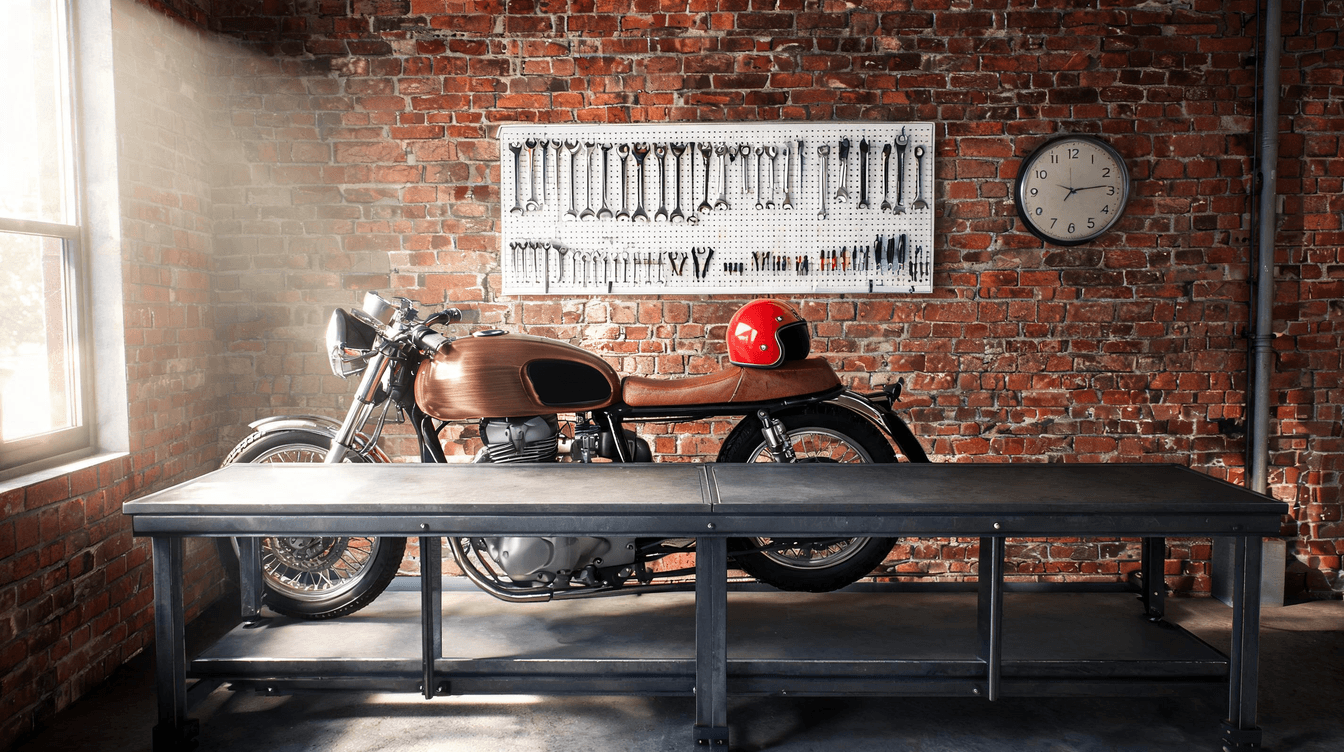
In testing, a cherry-red motorcycle fuel tank was recolored to brushed copper while the pegboard of tools, chrome and brick wall stayed pixel-for-pixel identical — exactly the surgical edit that e-commerce, advertising and product-design teams need. Swap a product color, replace a single object, move an element to new coordinates, composite a product into a scene from a second reference, or restyle a whole frame into a blueprint or illustration. Because boxes are normalized, one layout description works at any output size, which makes the model a strong fit for multi-step pipelines and LLM agents.
Prompt Tips and Output Quality
Name the element and state what must stay: 'change X ... keep everything else exactly unchanged'. For placement, tag the element with an <id> in the prompt and append the bbox array. Refer to inputs as Image 1 and Image 2 and say which supplies the object and which is the scene. In testing, 1k edits returned clean results in roughly 50-90 seconds; step up to 2k or 4k when you need print detail.