FLUX 3 Klein Image Edit (Image-to-Image)
What is FLUX 3 Klein Image Edit?
FLUX 3 Klein Image Edit is Black Forest Labs' compact, open-weights image editor built on the FLUX 3 foundation. It turns a plain-language instruction plus one to ten reference images into a precise edit, so you can recolor, replace, move, resize or remove elements, composite references, or restyle a whole scene from a single API call. Built on a 5.6B-parameter distilled model, it keeps the untouched parts of your image exactly as they were, which makes it a dependable image-to-image engine for production editing pipelines and high-volume iteration.
Key Features
- •Pixel-perfect local edits — change one element and keep the rest of the frame identical.
- •Up to ten reference images — combine a subject, a background and a product into one composition.
- •Bounding boxes in the prompt — place elements or restrict changes to a region on a 0–1000 grid.
- •Whole-image restyle while preserving geometry and positions.
- •Resolution tiers up to native 4K, JPEG or PNG output, adjustable denoising steps and aspect ratio.
Best Use Cases
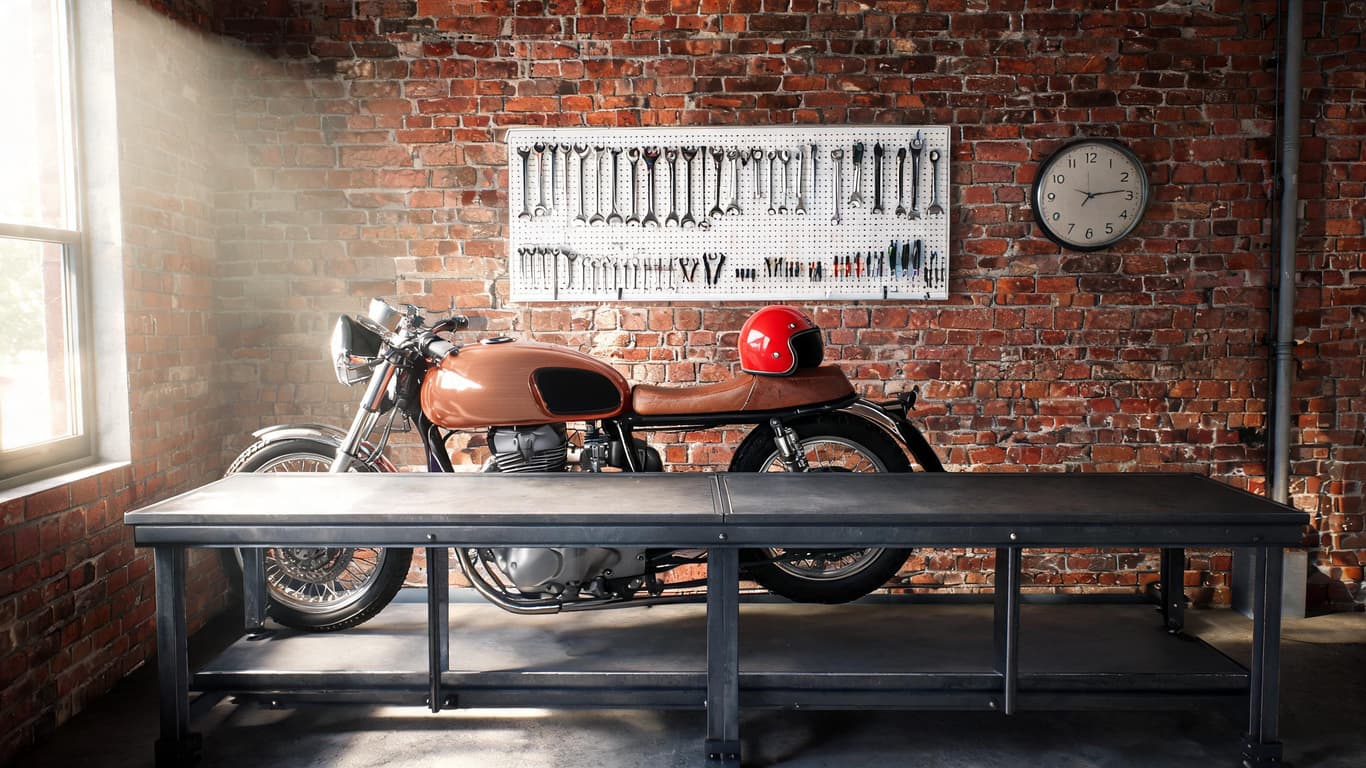
Teams reach for FLUX 3 Klein Image Edit for e-commerce product variants (swap colors, materials or labels without a reshoot), marketing composites (drop a logo, poster or product from a second image into a scene), interior and real-estate restyling, and concept art or style transfer. In testing, a cherry-red motorcycle's fuel tank was recolored to brushed copper while the chrome, tools, brick wall and lighting stayed pixel-identical — and the same source was composited with a poster, relocated via a bounding box, and redrawn as a blueprint, all cleanly.
Prompt Tips and Output Quality
Name the single element to change and explicitly list what to keep ("keep the … unchanged"). Refer to inputs as Image 1 and Image 2, and say where a second-image element should land. For precise placement, tag an element with <id> and append a JSON bounding box. Use 1k for most edits and 2k/4k only when fine detail matters; keep steps at 16 for full quality.