
Every piece of text
Titles, labels, captions and banners, each replaced where it sits.
Translate the on-screen text in a video: titles, labels and captions are replaced in place, in the same size and style. Made with Gemini Omni 1.2 Flash.
Your generated content will appear here
Example
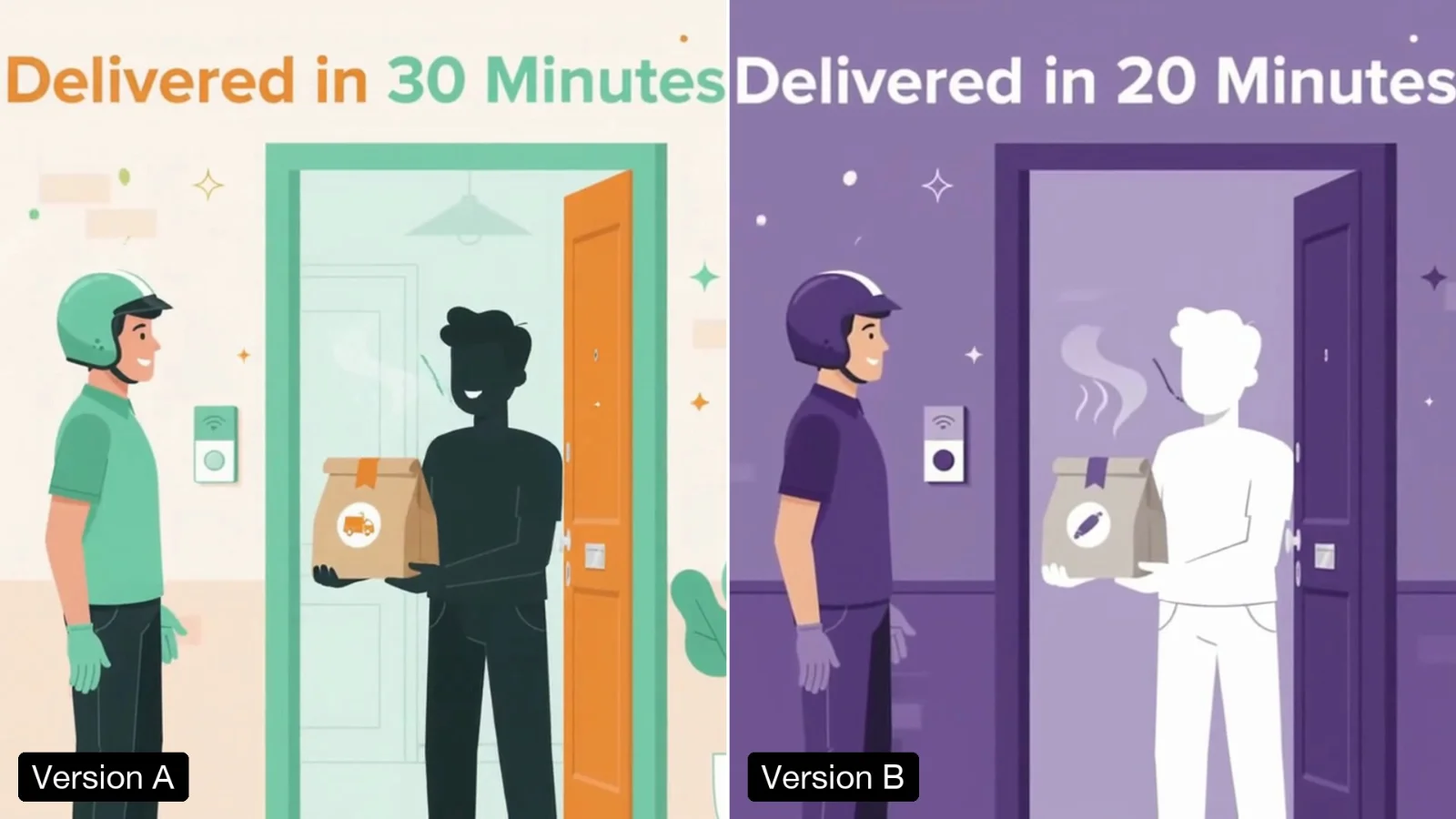
Left, an explainer made with the Claymation Explainer template. Right, one run with the language set to Hindi: the title and all three labels are translated in place.
About this Pixelflow
Translate the On-Screen Text in a Video replaces every title, label and caption in a clip with a translation into the language you choose, in the same place, size and style, appearing at the same moment. The pictures, animation and sound stay as they were. Made with Gemini 3.8 Flash and Gemini Omni 1.2 Flash for explainers, ads and training videos.
Add a clip of up to 15 seconds with text on screen.
Name it, such as Hindi, Tamil, Spanish or Arabic.
Gemini 3.8 Flash reads and translates every piece of text. Gemini Omni 1.2 Flash redraws it in place.
Only the words change, in their own script, where they were.
Titles, labels, captions and banners, each replaced where it sits.
The same position, size, colour and style as the original.
Each translation appears and leaves at the same moment.
The edit follows your clip, so it drops back into your timeline.
MP4 with sound.
Same as your clip, up to 15 seconds.
Follows your clip, landscape or vertical.
720p.
Gemini Omni 1.2 Flash makes the video and Gemini 3.8 Flash writes the prompt.
Put the same explainer in front of Hindi, Tamil or Bengali audiences.
Translate the titles and offers in an ad before a launch.
Give each team the same training clip in its own language.
Building with it? Read the Translate the On-Screen Text in a Video API docs.
No. The video model does not edit speech, so the original audio is kept. Use a dubbing step if the voice must change too.
No. Names, numbers, currency signs and acronyms are kept as they are.
Hindi came out exact in our test. Any language Gemini writes is accepted; have a native reader check the result.
Yes. It runs through the Pixelflow API with the same inputs: submit a run, then poll for the result.
Call it from your code with the same inputs you used here, or talk to us about running it at volume. Segmind is an authorised channel partner of ElevenLabs, Google, ByteDance, Alibaba, OpenAI, Kling and 40+ more AI providers.