Recraft V4 Styles: hold one reference style across every image
Recraft V4 Styles builds a style from 1 to 10 reference images and holds every generated image to it — the same rendering technique, color and texture. Output comes back as PNG raster or editable SVG, at 1K or 2K.
Recraft V4 Styles is a text-to-image model from Recraft built for one job: holding a single style across every image you generate. You attach 1 to 10 reference images, and the model takes their rendering technique, color, texture and composition, then applies that look to whatever your prompt describes. There is no training step and no fixed style menu. The general Recraft V4.1 line works from a prompt alone; this one holds a reference-defined look on every output.
 ModelRecraft V4 StylesStyle-consistent image generation from reference images, PNG or SVG.
What it does well
Each card below sent its own style_reference_urls; the look in every result comes from those images, not from the prompt.
Hold one style across every image
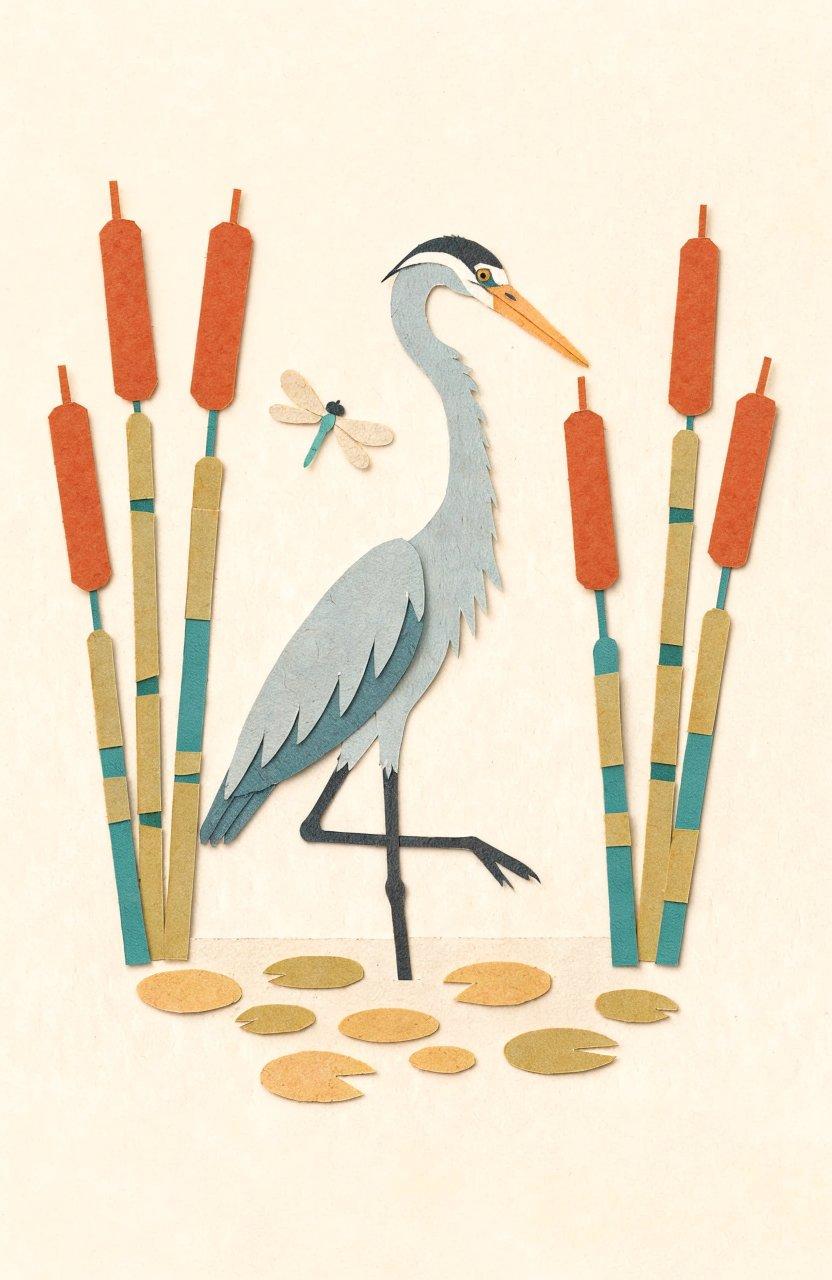
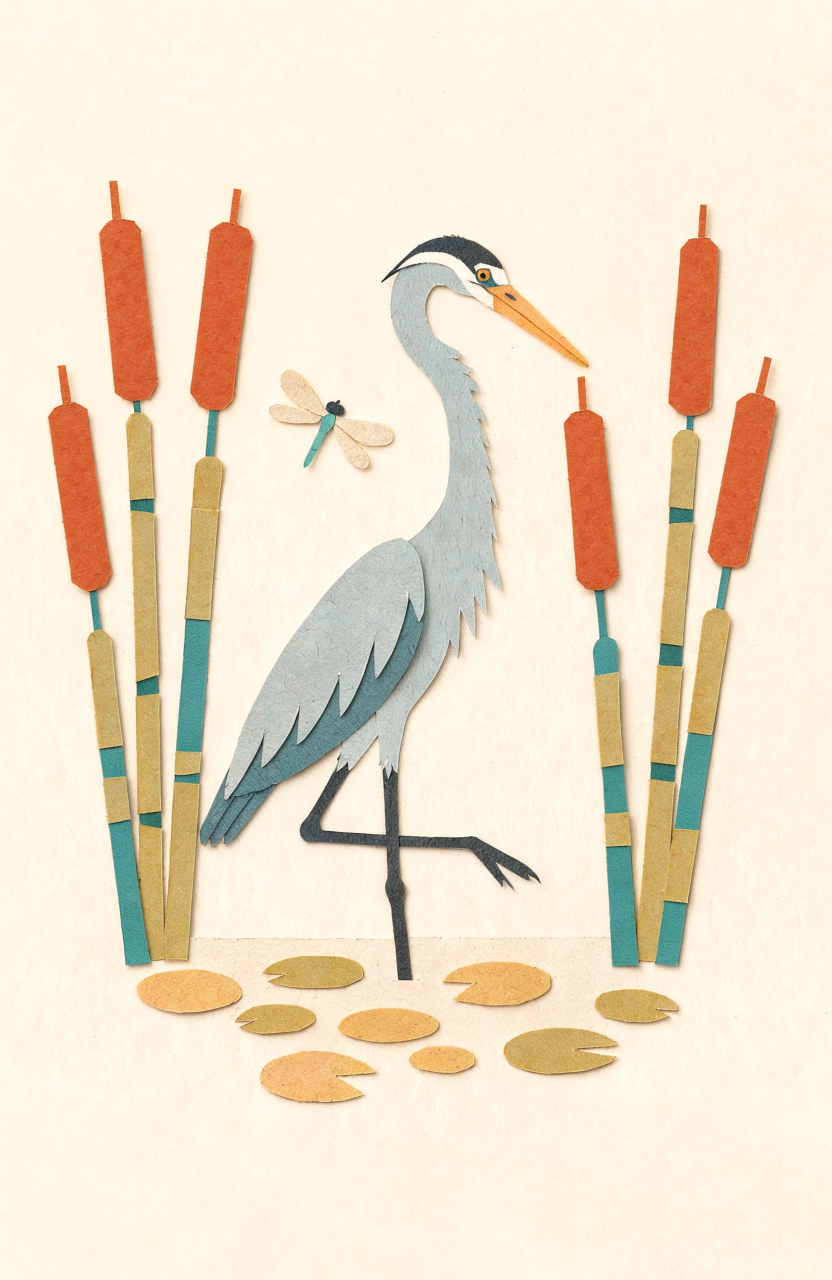
Give the model a reference set and a subject, and the output returns in the references' look rather than a generic one. Here a two-image cut-paper collage set — a fox and botanical stems — renders a heron in the same torn-paper shapes, soft layer shadows and a terracotta, teal and mustard palette. The subject is new; the style is the references'. Send a small, cohesive set for the steadiest signal.
A great blue heron wading among cattail reeds at the edge of a pond, one foot raised above the water, a dragonfly hovering near its head, scattered lily pads on the surface
Bring your own style
The style menu is whatever you supply. Swap the references and the same model renders in a new look. This screenprint pair — flat layered color blocks with halftone grain — turns a rock climber into bold, grainy shapes in a teal, mustard and coral palette. Keep the prompt on the subject and let the references carry the technique.
A rock climber in a red jacket reaching for a handhold high on a sheer granite face, a chalk bag on the harness, a carabiner clipped at the hip, a pine valley far below.

Export an editable SVG
Set output_format to svg and the result comes back as an editable vector file instead of a raster image, built for logos, icons, typography and illustration you need to scale or recolor. A flat-vector reference set returns this camper-van scene as clean shapes with no raster grain, ready to edit after generation.
A camper van in side view parked large across a desert road, two tall saguaro cacti beside it, flat mesa buttes on the horizon, a roof rack carrying a rolled tent and a spare wheel on the rear door.

Examples to try
One more card, replayable from the settings shown.
A cast-iron paella pan seen from above, filled with saffron rice, mussels, shrimp and strips of red pepper, lemon wedges around the rim, a wooden spoon resting on the edge.

The two screenprint references that styled the climber hold on a top-down paella, so a whole series stays on-model. Reuse the identical reference set for every image in a batch.
Recommended settings
| Setting | Value | When to use it |
|---|---|---|
| style_reference_urls | 1 to 10 images | Required on every request. Send a small, cohesive set in one look for the steadiest style. |
| style_match | flexible or precise | Flexible matches the vibe on natural subjects; precise holds line weight, grain and palette across a batch. |
| resolution | 1K or 2K | 1K for screen and web; 2K for print or large-format work. |
| output_format | png or svg | PNG for raster artwork; SVG for editable logos, icons and type. |
| seed | -1 or a fixed integer | -1 varies each run; reuse a seed to reproduce a result. |
Good to know
style_reference_urlsis required on every request: 1 to 10 PNG, JPG or WEBP images. Each card above sent its own set.- A style is built fresh from the references each request. It cannot be saved and reused by an id, so resend your references every time.
- Results depend on the references. A weak or mixed set gives a weak, inconsistent look; a cohesive set in one technique gives a stronger, steadier style.
- It controls shape by aspect ratio, not exact pixel sizes, and is built for styled generation rather than the photoreal realism of the general Recraft V4.1 line.
Use it from the API
Send a prompt and your style_reference_urls, and the post renders Python and cURL from this default request.
# pip install "segmind>=1.1.0"
# export SEGMIND_API_KEY="YOUR_API_KEY"
import segmind

result = segmind.run(
    "recraft-v4-styles",
    prompt="A great blue heron wading among cattail reeds at the edge of a pond, one foot raised above the water, a dragonfly hovering near its head, scattered lily pads on the surface",
    style_reference_urls=[
        "https://segmind-resources.s3.amazonaws.com/input/recraft-v4-styles-ref1-d77f809a.jpg",
        "https://segmind-resources.s3.amazonaws.com/input/recraft-v4-styles-ref2-83ed2448.jpg",
    ],
    aspect_ratio="auto",
    resolution="1K",
    output_format="png",
    style_match="flexible",
    colors=[],
    background_color=None,
    seed=-1,
)
print(result.get("output"))
# 1. Submit the request; the reply carries its request_id
REQUEST_ID=$(curl -s -X POST "https://api.segmind.com/v2/recraft-v4-styles" \
-H "x-api-key: YOUR_API_KEY" \
-H "Content-Type: application/json" \
-d '{
"prompt": "A great blue heron wading among cattail reeds at the edge of a pond, one foot raised above the water, a dragonfly hovering near its head, scattered lily pads on the surface",
"style_reference_urls": [
"https://segmind-resources.s3.amazonaws.com/input/recraft-v4-styles-ref1-d77f809a.jpg",
"https://segmind-resources.s3.amazonaws.com/input/recraft-v4-styles-ref2-83ed2448.jpg"
],
"aspect_ratio": "auto",
"resolution": "1K",
"output_format": "png",
"style_match": "flexible",
"colors": [],
"background_color": null,
"seed": -1
}' | jq -r .request_id)
# 2. Check its status until it is COMPLETED
curl -s "https://api.segmind.com/v2/requests/$REQUEST_ID/status" \
-H "x-api-key: YOUR_API_KEY"
# 3. Fetch the result
curl -s "https://api.segmind.com/v2/requests/$REQUEST_ID" \
-H "x-api-key: YOUR_API_KEY"Resources
- Try Recraft V4 Styles on Segmind
- API reference
- Recraft V4 Styles API reference — Recraft's parameters, request and response shape, and limits.
- Meet Recraft V4 Styles — Recraft's product page for the model.
- Recraft V4 Styles model guide — Recraft's guide to building a style from reference images and applying it across generations.
- #text-to-image
- #recraft
- #model-launch
- #style-consistency
- #svg