Pruna P Video 2 Pro Avatar: Talking-Avatar Video AI Model
What is Pruna P Video 2 Pro Avatar?
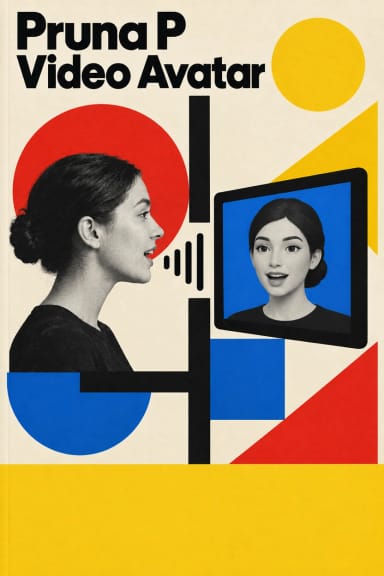
Pruna P Video 2 Pro Avatar is Pruna AI's talking-head model on the P-Video-2-Pro line. You give it one portrait and speech, and it returns a lip-synced talking video with matching expressions. The speech can be your own audio file, which the video follows exactly, or a typed script read by one of 30 built-in voices in 10 languages. Output is a 24 fps MP4 at 480p or 768p whose length equals the speech, from 1 second to 3 minutes.
There is no duration setting: the soundtrack sets the length. When both an audio file and a script are sent, the uploaded audio is used and the script is ignored. The portrait sets the aspect ratio of the video.
Key Features
- One portrait in (jpg, jpeg, png or webp, up to 20 MiB) plus either an audio file (up to 64 MiB and 3 minutes) or a script.
- 30 built-in text-to-speech voices, each labelled Female or Male, in English (US), English (UK), Spanish, French, German, Italian, Portuguese (Brazil), Japanese, Korean and Hindi.
- A voice_prompt field for the delivery (tone, pacing, accent, emotion) and a prompt field for the on-screen performance (gestures, expression, what stays still).
- prompt_upsampling, on by default: a vision model looks at the portrait and appends the scene's own motion to your prompt, with your words kept first. Set it to false to use the prompt exactly as written; the price is the same either way.
- 480p or 768p MP4 at 24 fps, 1 second to 3 minutes, with a seed for reproducible results.
Best Use Cases
In testing, a studio headshot plus a one-line script came back as a 7.5 second 768p clip with synced lips and natural expression, the shape of a spokesperson or onboarding video made from a single photo. A second portrait driven by an uploaded 7 second speech clip followed that audio exactly, which is the path for dubbed explainers, support replies and localised versions where the voice track already exists. A Spanish script read by a built-in voice produced a 10 second clip with prompt_upsampling off and the background held still, the pattern for multilingual product announcements and course content.
Prompt Tips and Output Quality
Use a front-facing portrait with even light on the face and one person in frame, cropped the way you want the video framed. Put the words in voice_script or in the audio, never in prompt; the prompt is a stage direction such as "He speaks to the camera with small natural hand gestures". Set voice_language to match the script, and use voice_prompt for the read. Leave prompt_upsampling on for a livelier take on a plain studio portrait; turn it off when the frame must stay exactly as described. Choose 768p for full-screen playback and 480p for drafts and high-volume runs.
Pricing
Billed per second of the returned video, on its measured length:
- 480p: $0.02 per second.
- 768p: $0.04 per second.
A 60 second clip costs $1.20 at 480p or $2.40 at 768p. Voice, language and prompt_upsampling do not change the price. The default request (a one-line script at 768p, about 7.5 seconds) costs about $0.30.