MAI Image 2.7 Edit: AI Image Editing Model for Precise, Multi-Image Edits
What is MAI Image 2.7 Edit?
MAI Image 2.7 Edit is the image editing version of MAI Image 2.7, Microsoft AI's in-house image model. Send one to five images with a plain-language instruction and get back one edited PNG, JPEG or WebP. It changes what you ask for and leaves the rest alone: people, materials, lettering and light outside the edit stay as they were. At launch, Microsoft reported it as the top model on the Artificial Analysis image-editing leaderboard.
Key Features
- Detail-keeping edits: swap an object, change a word or relight a scene without redrawing the rest.
- Combine up to five images: bring a product, prop or character from one image into another's scene, markings intact.
- Text edits in place: replace or translate words on signs, posters and packaging in the original lettering style.
- Auto aspect ratio: output follows the input size, or pick one of seven ratios at 1K or 2K.
- Two tiers: standard for best quality, flash for lower-cost drafts.
Best Use Cases
- Product compositing into lifestyle or storefront photos
- Localising posters, packaging and signage
- Updating prices, dates or headlines on existing creative
- Relighting and day-to-dusk campaign variants
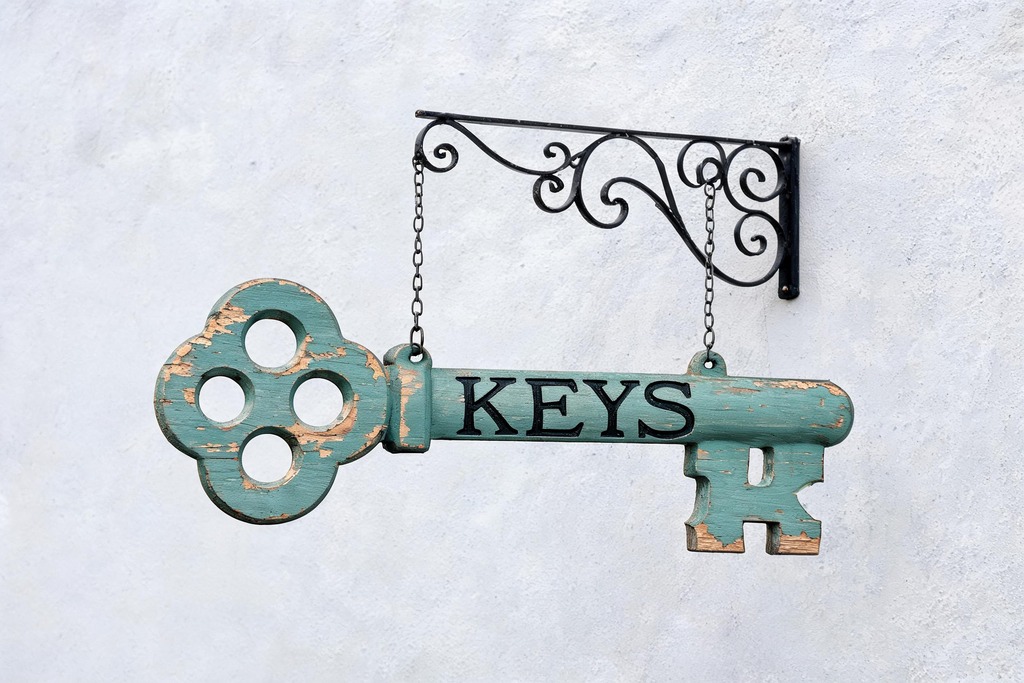
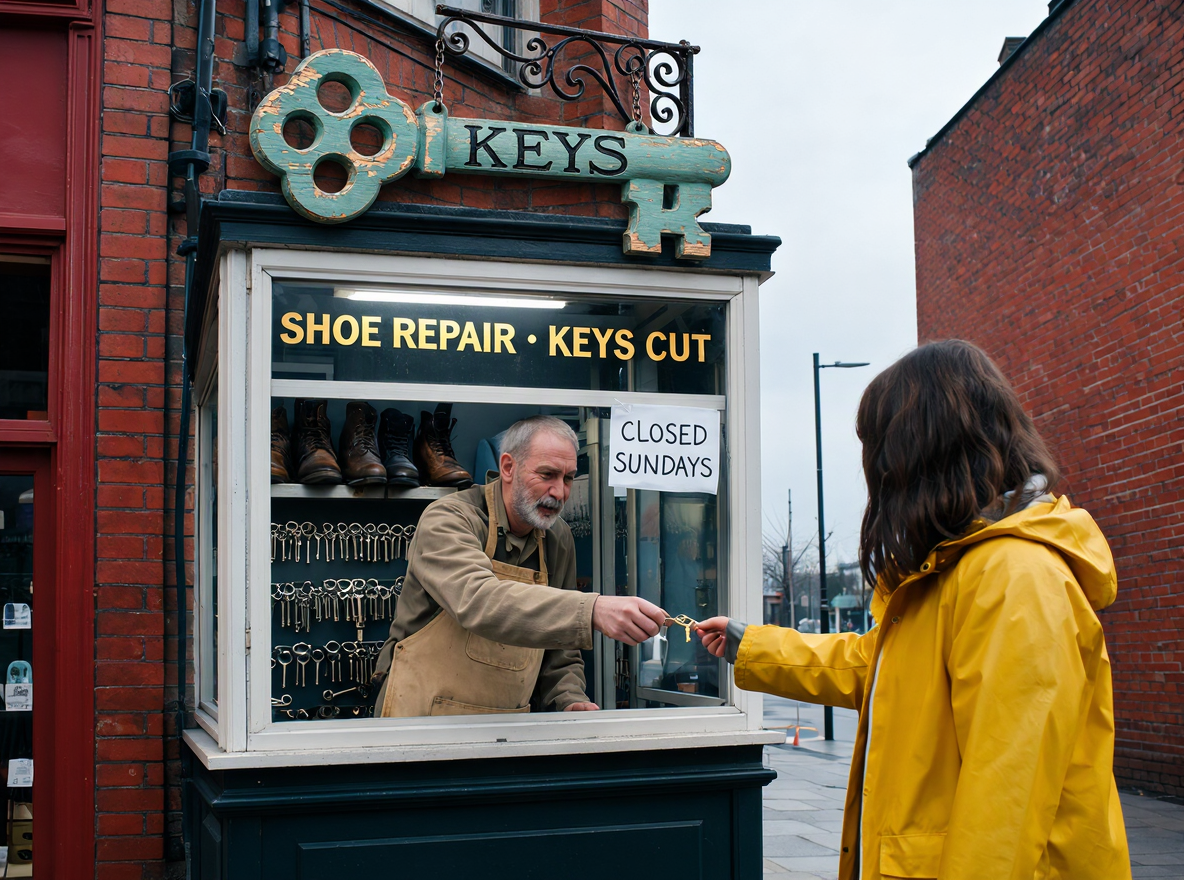
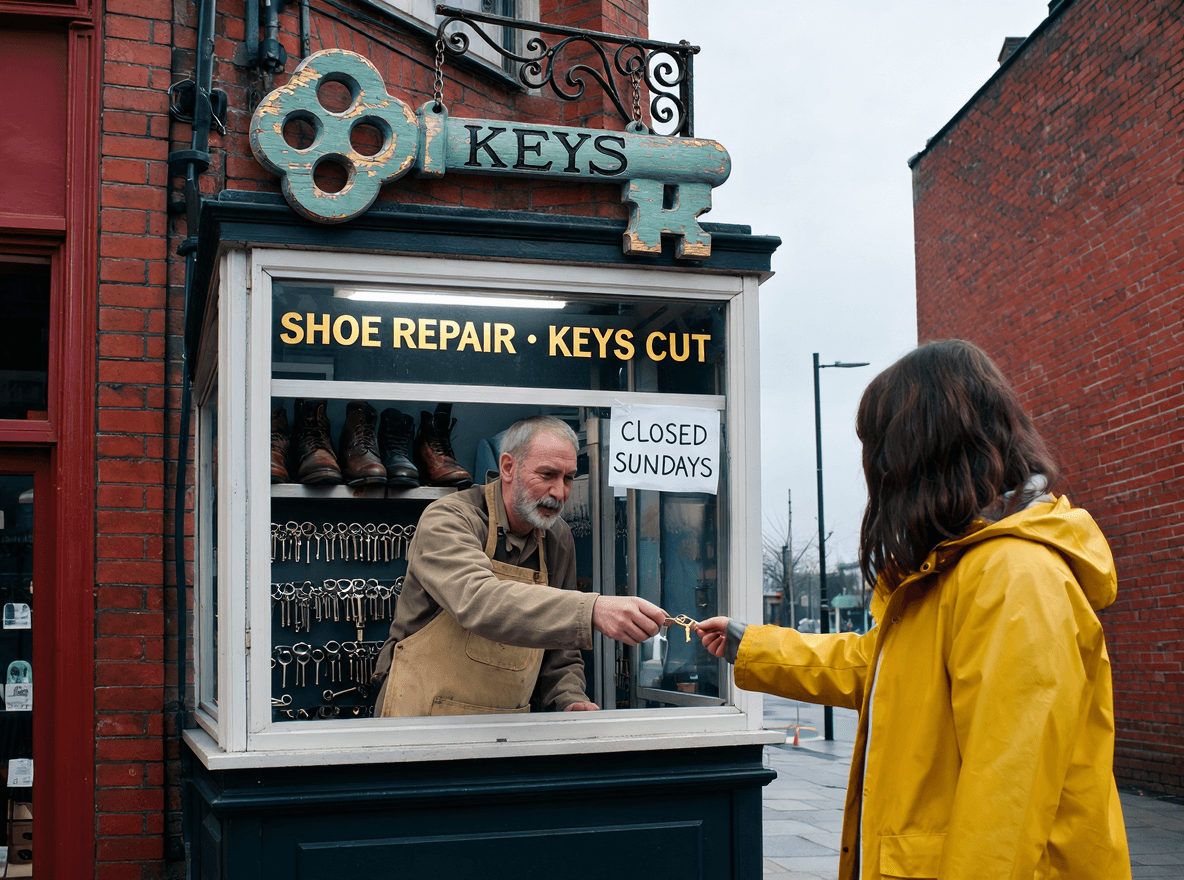
In our testing, a two-image edit swapped a kiosk's enamel sign for a carved wooden key sign from a second photo; the sign kept its chipped paint and carved letters, and everything around it was unchanged.
Prompt Tips and Output Quality
- Put the image you are editing first; call the others image 2, image 3 and so on.
- Say what changes, then list what must stay the same.
- Quote any text exactly.
- Use inputs around 1024 px with auto aspect ratio; larger inputs cost more.
- Keep the background opaque: transparent output can leave green traces.